DELL
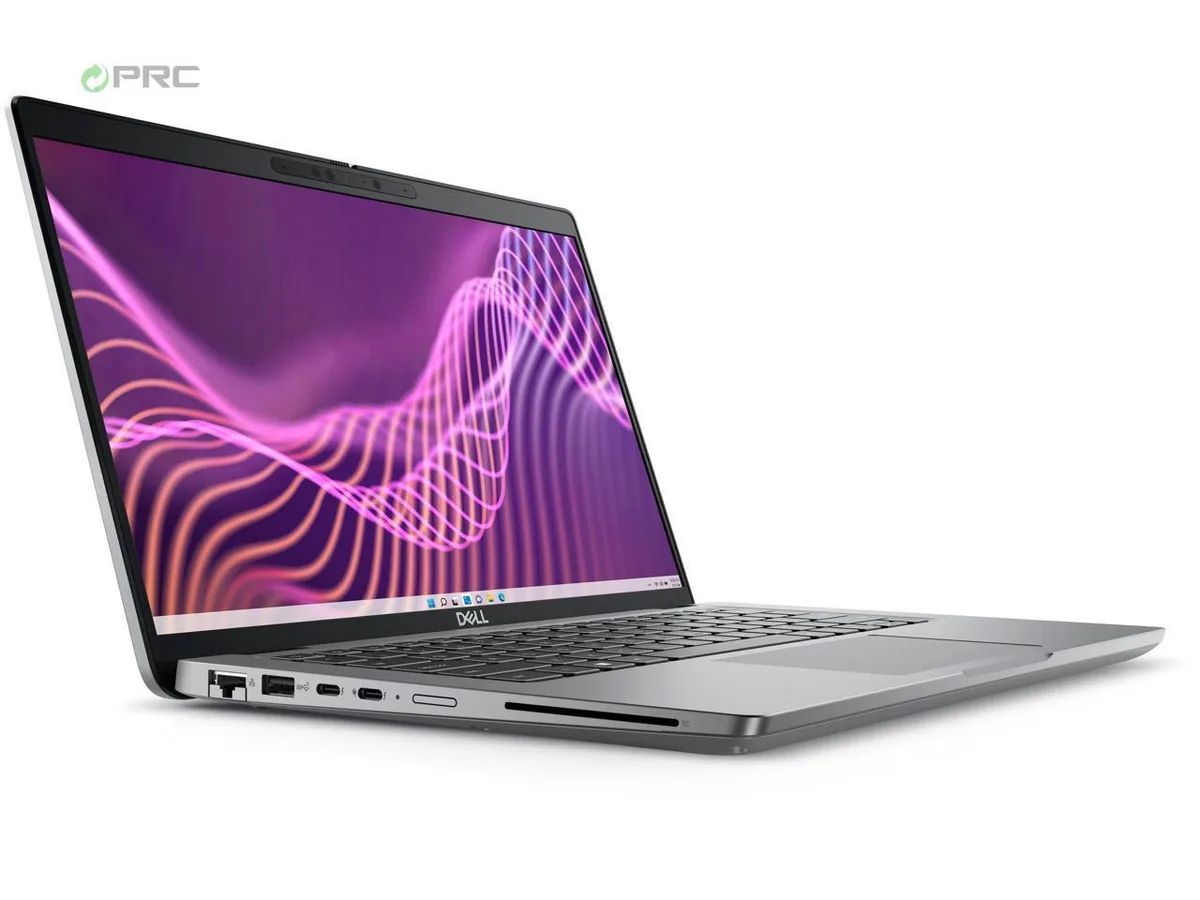
DELL Latitude 3440 14" FHD i5-1335U 16GB DDR4 256GB NVMe Windows 11 Pro
- Gray
- Windows 11 Pro
$421.99
0.00529513BTC
In stockWe take cryptocurrency — so the coins you hold can buy real hardware.Pay in crypto, spend it on real hardware. Free insured shipping worldwide over $399. Plain, unbranded boxes, sent from Germany.Free insured shipping over $399. Your rate is locked for 30 minutes once checkout opens.Rate locked 30 minutes. Every item sealed, serial-checked and covered by a 24-month warranty.Sealed, 24-month warranty.


DELL
14-inch FHD touchscreen laptop with 13th Gen Intel Core i5-1335U, 8 GB DDR4, 256 GB NVMe, Wi-Fi 6 and Bluetooth 5.2
Options i5-1335U 8GB/256GB W11P Touch
The Dell Latitude 5440 is a 14.0 inch Windows 11 Pro notebook built for daily office work and travel. It combines a 13th Gen Intel Core i5-1335U processor with 8 GB of DDR4 memory and a 256 GB NVMe solid state drive. The full HD touchscreen delivers 1920 by 1080 resolution in a compact gray chassis.
Replacing a machine limited to dual-core processors or slower storage brings noticeable gains in multitasking and boot speed. The 10-core hybrid CPU with 12 threads handles parallel workloads that would stall earlier chips. The jump is worth it when current hardware struggles with video calls, large spreadsheets or virtual machines running simultaneously.
Under continuous load the integrated Intel Iris Xe graphics share system memory with the CPU, so extended rendering or heavy browser sessions may throttle sooner than discrete solutions. The 65 W adapter supplies enough power for typical productivity but limits peak turbo duration during prolonged all-core activity. Fan noise rises gradually as the thin chassis manages heat through a single exhaust vent.
| Brand | DELL |
|---|---|
| Series | 5000 |
| Model | Latitude |
| Part Number | 5440 |
| Color | Gray |
| Operating System | Windows 11 Pro |
| CPU Type | Intel Core i5 13th Gen |
| Processor Name | Intel Core i5-1335U |
| CPU L2 Cache | 6MB |
| Screen Size | 14.0" |
| Touchscreen | Non-Touch Screen |
| Display Type | FHD |
| Resolution | 1920 x 1080 |
| GPU/VPU | Intel Iris Xe Graphics |
| Graphic Type | Integrated Card |
| SSD | 256GB |
| HDD | No |
| Storage Spec | 256 GB SSD |
| Memory | 8GB |
| Memory Speed | DDR4 |
| Memory Spec | 4 GB x 2 |
| Memory Slot (Total) | 2 |
| Memory Slot (Available) | 0 |
| Max Memory Supported | 64 GB |
| Optical Drive Type | No |
| LAN | 10/100/1000Mbps |
| WiFi Generation | Wi-Fi 6 |
| Bluetooth | Yes |
| USB | 2 x USB 3.2 Gen 1, 1 x USB 3.2 (PowerShare), 1 x USB-C 3.2 Gen 2 |
| Video Port | 1 x HDMI 2.0 |
| HDMI | 1 x HDMI 2.0 |
| Audio Ports | 1 x Microphone Jack, 1 x Headphone Jack |
| Audio | Integrated Sound card |
| Touchpad | Yes |
| Keyboard | Standard |
| Webcam | Yes |
| Style | Thin and Light |
| Type | Work / Business |
| Usage | Consumer |
| AC Adapter/Charger | 65-watt AC Adapter |
| Weight | 3 - 3.9 lbs. |
Other versions of this model
Same family, different memory, cooler or clock — compare before you commit.
The chassis measures 212 mm deep, 321.4 mm wide and 19.1 mm high at the rear.
Remove all visible base screws first; the cover then lifts off — the step people miss is forgetting the hidden screw under the rubber foot.
Order a Dell 65 W USB-C power adapter rated for 20 V output to match the original supply.
Also in this aisle
Same shelf, same checkout — eight coins and a 30-minute rate lock.
What you pay in, and what you read prices in.
Sent from your wallet at checkout
Display only — the catalogue is priced in USD
No currency matches that.
Pick the language the site speaks to you in.
New here?
Already have one?
There is no automatic reset: this shop sends no mail, so there is no one-time link to ask for. Leave the address on the account and it gets picked up by hand.
Request noted
Nothing is on its way to your inbox — this shop sends no mail at all. Someone picks these up by hand.
Remembered it?