

DELL
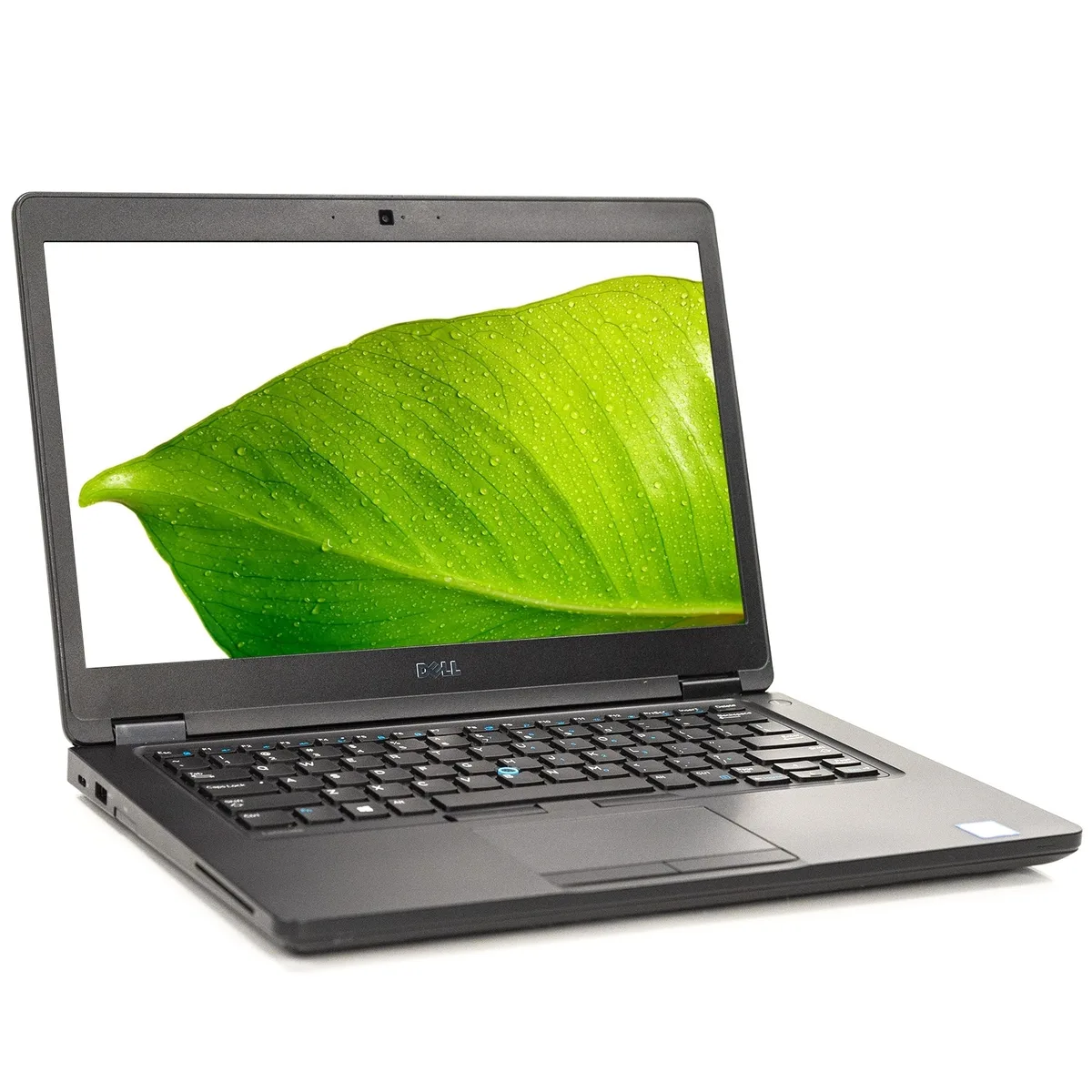
DELL Latitude 5480 14" laptop Core i5 7th Gen 8GB 256GB SSD
- Black
- Windows 10 Home 🙋♀…
$213.99
0.00271004BTC
In stockWe take cryptocurrency — so the coins you hold can buy real hardware.Pay in crypto, spend it on real hardware. Free insured shipping worldwide over $399. Plain, unbranded boxes, sent from Germany.Free insured shipping over $399. Your rate is locked for 30 minutes once checkout opens.Rate locked 30 minutes. Every item sealed, serial-checked and covered by a 24-month warranty.Sealed, 24-month warranty.


DELL
A 14.0 inch business laptop with a 1366 x 768 display, Intel Core i5 7th Gen processor, 8GB memory, 256GB SSD and Windows 10 Pro
Options 8GB/256GB W10P
The Dell Latitude 5480 is a 14.0 inch Windows 10 Pro notebook built around a 7th generation Intel Core i5 processor with a minimum speed of 2.50GHz. It ships with 8GB of installed memory and a 256GB M.2 solid-state drive that may actually range between 240GB and 256GB. The non-touch display offers a 1366 x 768 resolution with LED backlighting. Integrated Intel HD Graphics 630 handles visual output for typical office workloads.
The black chassis is professionally reconditioned and rated in good cosmetic condition, meaning light scratches or scuffs may appear on the bezel or casings while the screen remains free from scratches, dead pixels or bruising. A backlit keyboard and integrated webcam support daily productivity and video calls. Bluetooth is included for wireless peripherals. Expansion or SD slot covers may be absent, so verify port access before relying on those interfaces.
The system provides two memory slots in total with 8GB already installed, so confirm the maximum supported capacity before planning an upgrade. The 1366 x 768 panel suits standard business applications but may feel cramped for multi-window work or detailed graphics. Ensure Windows 10 Pro meets your software compatibility requirements, as no newer operating system is pre-loaded. Buyers needing a touchscreen, discrete graphics or higher-resolution display should consider other models.
| Brand | DELL |
|---|---|
| Series | Latitude |
| Model | 5480 |
| Color | Black |
| Operating System | Windows 10 Pro |
| CPU Type | Intel Core i5 7th Gen |
| Screen Size | 14.0" |
| Touchscreen | Non-Touch Screen |
| Display Type | Wide UXGA |
| Resolution | 1366 x 768 |
| GPU/VPU | Intel HD Graphics 630 |
| SSD | 256GB |
| HDD | No |
| Memory | 8GB |
| Memory Slot (Total) | 2 |
| Optical Drive Type | None |
| Bluetooth | Yes |
| USB | 0 |
| Backlit Keyboard | Yes |
| Webcam | Yes |
| Type | Mainstream |
| Usage | Business |
| Dimensions (W x D x H) | 0.94 H x 13.2 W x 9.1 L |
| Weight | 3 - 3.9 lbs. |
| Package Content | Includes Laptop and AC Adapter |
Other versions of this model
Same family, different memory, cooler or clock — compare before you commit.
The built-in panel is 1366 x 768, but the Intel HD Graphics 630 supports higher resolutions on external displays, so you can run a larger monitor at its native resolution.
The 256 GB M.2 SSD occupies the single M.2 slot; there is no 2.5-inch bay, so a second internal drive cannot be fitted.
Insert the M.2 drive at an angle into the slot, press it flat, and secure it with the retention screw; the step often missed is fastening that screw, which leaves the drive unseated.
Also in this aisle
Same shelf, same checkout — eight coins and a 30-minute rate lock.
What you pay in, and what you read prices in.
Sent from your wallet at checkout
Display only — the catalogue is priced in USD
No currency matches that.
Pick the language the site speaks to you in.
New here?
Already have one?
There is no automatic reset: this shop sends no mail, so there is no one-time link to ask for. Leave the address on the account and it gets picked up by hand.
Request noted
Nothing is on its way to your inbox — this shop sends no mail at all. Someone picks these up by hand.
Remembered it?


