

NINGMEI
NINGMEI NL150 laptop Intel N150 16GB 512GB 15.6 Windows 11
- Windows 11 Home
- Intel® Processor N-…
$240.99
0.00303862BTC
In stockWe take cryptocurrency — so the coins you hold can buy real hardware.Pay in crypto, spend it on real hardware. Free insured shipping worldwide over $399. Plain, unbranded boxes, sent from Germany.Free insured shipping over $399. Your rate is locked for 30 minutes once checkout opens.Rate locked 30 minutes. Every item sealed, serial-checked and covered by a 24-month warranty.Sealed, 24-month warranty.
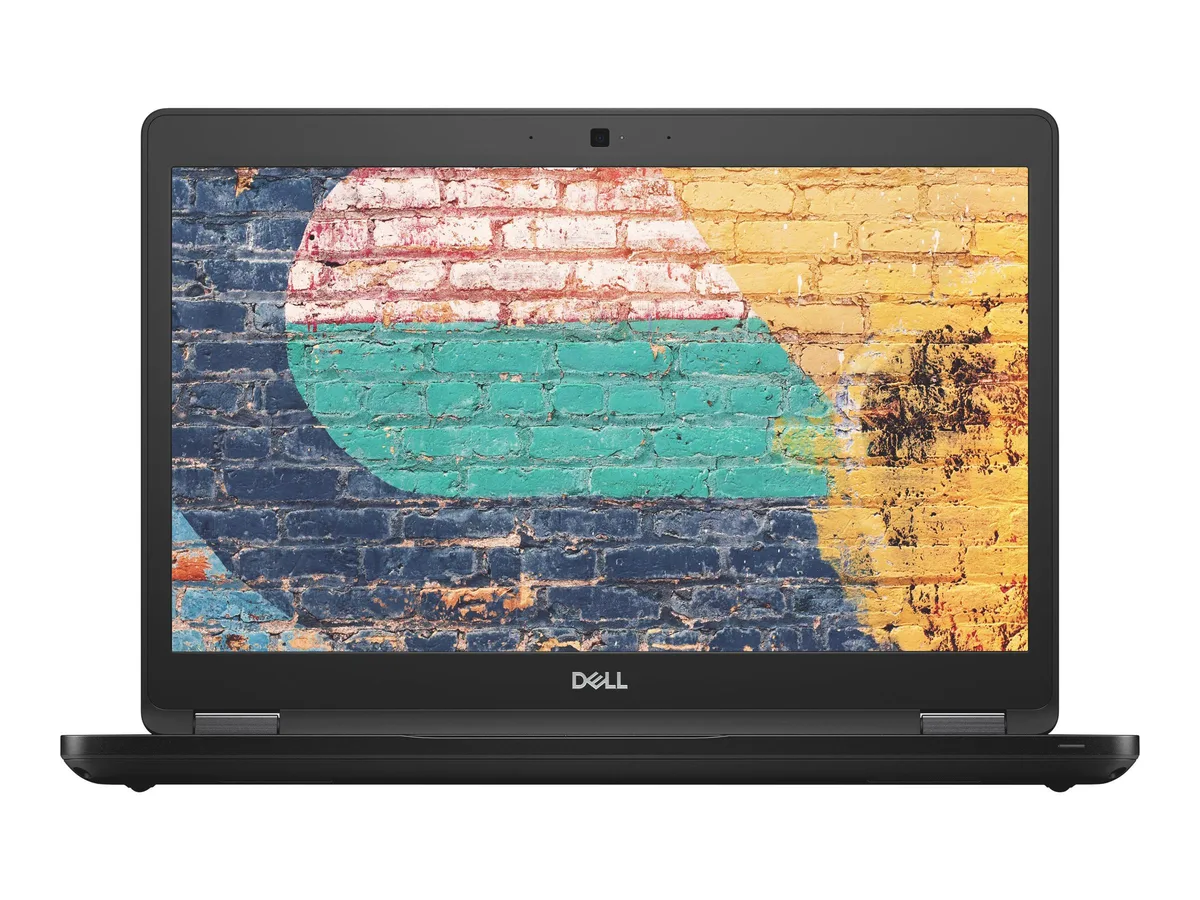


DELL
A 14-inch business laptop with a quad-core i5, 8 GB DDR4 and a 256 GB NVMe drive for mobile productivity
The Dell Latitude 5490 is a 14.0" business laptop built for professionals who need reliable performance while travelling or meeting clients. It runs Windows 10 Pro on an Intel Core i5-8350U quad-core processor with 8GB DDR4 memory and a 256GB NVMe PCIe M.2 SSD. Integrated Intel UHD Graphics 620 handles everyday visual tasks.
A slim, durable black chassis houses three USB 3.0 ports, one USB-C port with DisplayPort alternate mode, one HDMI port and one VGA port for external displays. Gigabit Ethernet provides wired network stability while 802.11n wireless covers mobile connectivity. The integrated webcam supports video calls and the 15W processor design helps extend battery runtime between charges.
The UHD 620 graphics core is suited to office applications and video playback but not to modern 3D workloads or heavy creative rendering. System memory is soldered at 8GB so capacity cannot be increased after purchase. The single M.2 slot limits storage expansion to one NVMe drive. Buyers who need discrete GPU performance or user-upgradable RAM should consider other form factors.
| Brand | DELL |
|---|---|
| Series | Latitude |
| Model | 5490 |
| Color | Black |
| Operating System | Windows 10 Pro |
| CPU Type | Intel Core i5 8th Gen |
| Processor Name | Intel Core i5-8350U |
| Core Name | Kaby Lake R |
| Number of Cores | Quad-core Processor |
| CPU L2 Cache | 6MB |
| Screen Size | 14.0" |
| Touchscreen | Non-Touch Screen |
| Wide Screen Support | Yes |
| Display Type | FHD |
| Resolution | 1920 x 1080 |
| GPU/VPU | Intel UHD Graphics 620 |
| Graphic Type | Integrated Card |
| SSD | 256GB PCIe |
| Storage Spec | NVMe PCIe M.2 SSD |
| Memory | 8GB |
| Max Memory Supported | 32GB |
| Optical Drive Type | No |
| LAN | 10/100/1000Mbps |
| WLAN | 802.11a/b/g/n Wireless LAN |
| Bluetooth | Yes |
| USB | 3 |
| HDMI | 1 x HDMI |
| Audio | Integrated Sound card |
| Touchpad | Yes |
| Webcam | Yes |
| Card Reader | 3-in-1 |
| Style | Standard |
| Type | Mainstream |
| Usage | Business |
| AC Adapter/Charger | 65-watt AC Adapter |
| Software Included | Fresh install and activated Windows 10 with zero bloatware. Windows 10 will be activated via your unit's unique digital license and ready to go right out of the box. |
| Consumer Alert | Previously Used, Seller Refurbished. Unit may show minor signs of use but will be in great condition. Vinyl skin cover may be applied. |
The USB-C port carries DisplayPort signalling so it can drive an external monitor at the panel's native 1920 x 1080 resolution.
It is an M.2 2280 module that slots directly into the onboard M.2 connector; no 2.5-inch bay or caddy is required.
Insert the M.2 stick at an angle, press it flat, and secure it with the single retention screw; the step many forget is tightening that screw so the drive stays seated.
Also in this aisle
Same shelf, same checkout — eight coins and a 30-minute rate lock.
What you pay in, and what you read prices in.
Sent from your wallet at checkout
Display only — the catalogue is priced in USD
No currency matches that.
Pick the language the site speaks to you in.
New here?
Already have one?
There is no automatic reset: this shop sends no mail, so there is no one-time link to ask for. Leave the address on the account and it gets picked up by hand.
Request noted
Nothing is on its way to your inbox — this shop sends no mail at all. Someone picks these up by hand.
Remembered it?



