


DELL
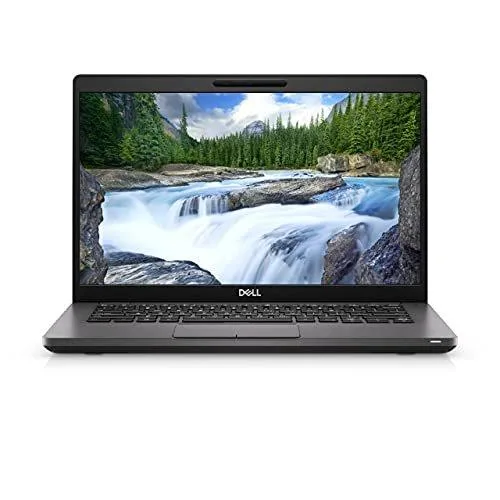
DELL Latitude 5580 laptop i5-7440HQ 128GB SSD 8GB RAM 15.6" FHD
A 15.6-inch FHD business laptop with a quad-core i5-7440HQ processor, dedicated NVIDIA GeForce 940MX graphics, 128 GB SSD and 8 GB RAM, running Windows 10 Pro
- ColorBlack
- Operating SystemWindows 10 Pro
- CPU TypeIntel Core i5 7th Gen
- Processor NameIntel Core i5-7440HQ
- Number of CoresQuad-core Processor
- Screen Size15.6"
Options 8GB/128GB
- 8GB/512GB
- 8GB/256GB
- 8GB/1TB
- 8GB/128GB
- 32GB/512GB
- 32GB/256GB
- 32GB/1TB
- 32GB/128GB
- 16GB/512GB
- 16GB/256GB
- 16GB/1TB
- 16GB/128GB
Struck-through versions exist but are not stocked here.
- Quad-core i5-7440HQ up to 3.80 GHz for responsive multitasking
- 128 GB SSD plus 8 GB memory for fast boot and smooth apps
- 6 inch FHD 1920 x 1080 display for crisp visuals
- Dedicated NVIDIA GeForce 940MX 2 GB graphics for light creative work
- USB-C with DisplayPort Alt Mode and USB 3.0 PowerShare for versatile connectivity
Latitude 5580 for daily work
The Dell Latitude 5580 is a 15.6-inch notebook built around a 7th Generation Intel Core i5-7440HQ quad-core processor. It ships with 8 GB of memory and a 128 GB SSD running a fresh Windows 10 Pro installation. A dedicated NVIDIA GeForce 940MX GPU with 2 GB of video memory handles external displays and light graphics tasks.
Suits mobile professionals, not heavy creators
This configuration suits professionals who need a durable chassis, a full set of legacy ports including VGA and RJ45, and a matte FHD screen for office applications and video calls. Buyers who require more storage for large media libraries, higher graphics performance for 3D rendering, or a touchscreen interface should look at other models.
128 GB SSD and 8 GB RAM headroom
The 128 GB solid-state drive provides fast boot and application launch for the operating system and essential programs, but fills quickly with offline media or large project files. Eight gigabytes of RAM handles typical multitasking with browser tabs and office suites, yet leaves little margin for virtual machines or memory-intensive creative workloads.
Highlights
- Quad-core i5-7440HQ up to 3.80 GHz for responsive multitasking
- 128 GB SSD plus 8 GB memory for fast boot and smooth apps
- 6 inch FHD 1920 x 1080 display for crisp visuals
- Dedicated NVIDIA GeForce 940MX 2 GB graphics for light creative work
- USB-C with DisplayPort Alt Mode and USB 3.0 PowerShare for versatile connectivity
Specifications
| Brand | DELL |
|---|---|
| Series | Latitude |
| Model | Latitude |
| Part Number | 5580 |
| Color | Black |
| Operating System | Windows 10 Pro |
| CPU Type | Intel Core i5 7th Gen |
| Processor Name | Intel Core i5-7440HQ |
| Number of Cores | Quad-core Processor |
| Screen Size | 15.6" |
| Touchscreen | Non-Touch Screen |
| Display Type | FHD |
| Resolution | 1920 x 1080 |
| GPU/VPU | NVIDIA GeForce 940MX |
| Video Memory | 2GB |
| Graphic Type | Dedicated Card |
| SSD | 128GB |
| HDD | No |
| Storage Spec | 128 GB SSD |
| Memory | 8GB |
| Memory Spec | 4 GB x 2 |
| Memory Slot (Total) | 2 |
| Memory Slot (Available) | 0 |
| Max Memory Supported | 32 GB |
| Optical Drive Type | No |
| LAN | 10/100/1000Mbps |
| WiFi Generation | Wi-Fi 4 and earlier generation |
| Bluetooth | Yes |
| USB | 3 x USB 3.1 Gen 1 , 1 x USB Type-C |
| Thunderbolt | 1 x Thunderbolt 3 |
| HDMI | 1 x HDMI |
| Ethernet | 1 x RJ-45 |
| Audio Ports | 1 x Headphone/Microphone Combo Jack |
| Audio | Integrated Sound card |
| Speaker | Internal Speakers |
| Touchpad | Yes |
| Style | Standard |
| Type | Mainstream |
| Usage | Business |
| AC Adapter/Charger | Yes |
| Weight | 4 - 4.9 lbs. |
Questions about this item
Does the Dell Latitude 5580 require a separate power adapter to operate?
The package includes an OEM Lenovo AC adapter so the laptop can run immediately.
Can I connect my older VGA monitor to the HDMI or DisplayPort over USB-C on this 5580?
The laptop provides a native VGA port alongside HDMI and USB-C DisplayPort Alt Mode for direct legacy display connection.
How do I confirm the dedicated NVIDIA GeForce 940MX with 2 GB video memory is active after Windows 10 Pro setup?
Open Device Manager and verify the 940MX appears under Display adapters beside the Intel HD 630 graphics.
Also in this aisle
People compared these
Same shelf, same checkout — eight coins and a 30-minute rate lock.

MSI
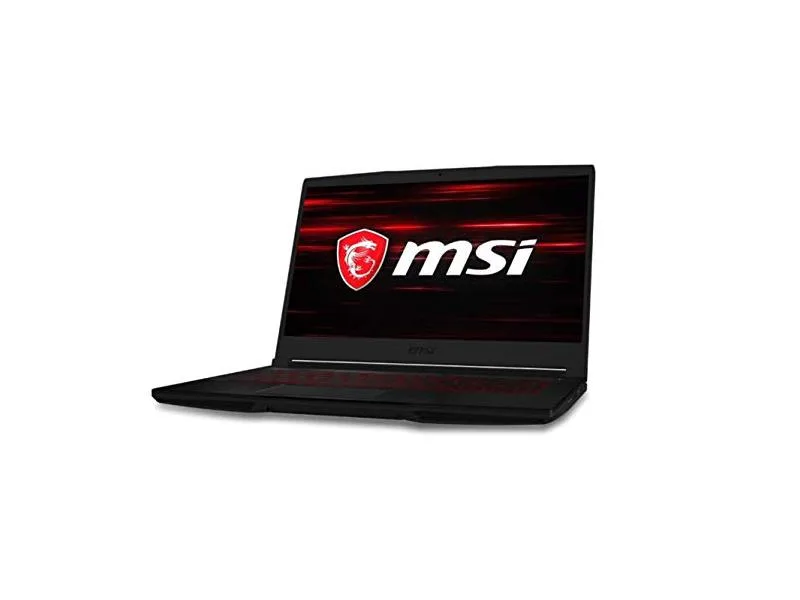
MSI GF63 Thin 10SCXR-222 15.6 laptop i5-10300H 8GB 256GB GTX 1650 4.1GB Black
- 15.6"
- Mainstream
$657.99
0.00836467BTC
In stock