
DELL
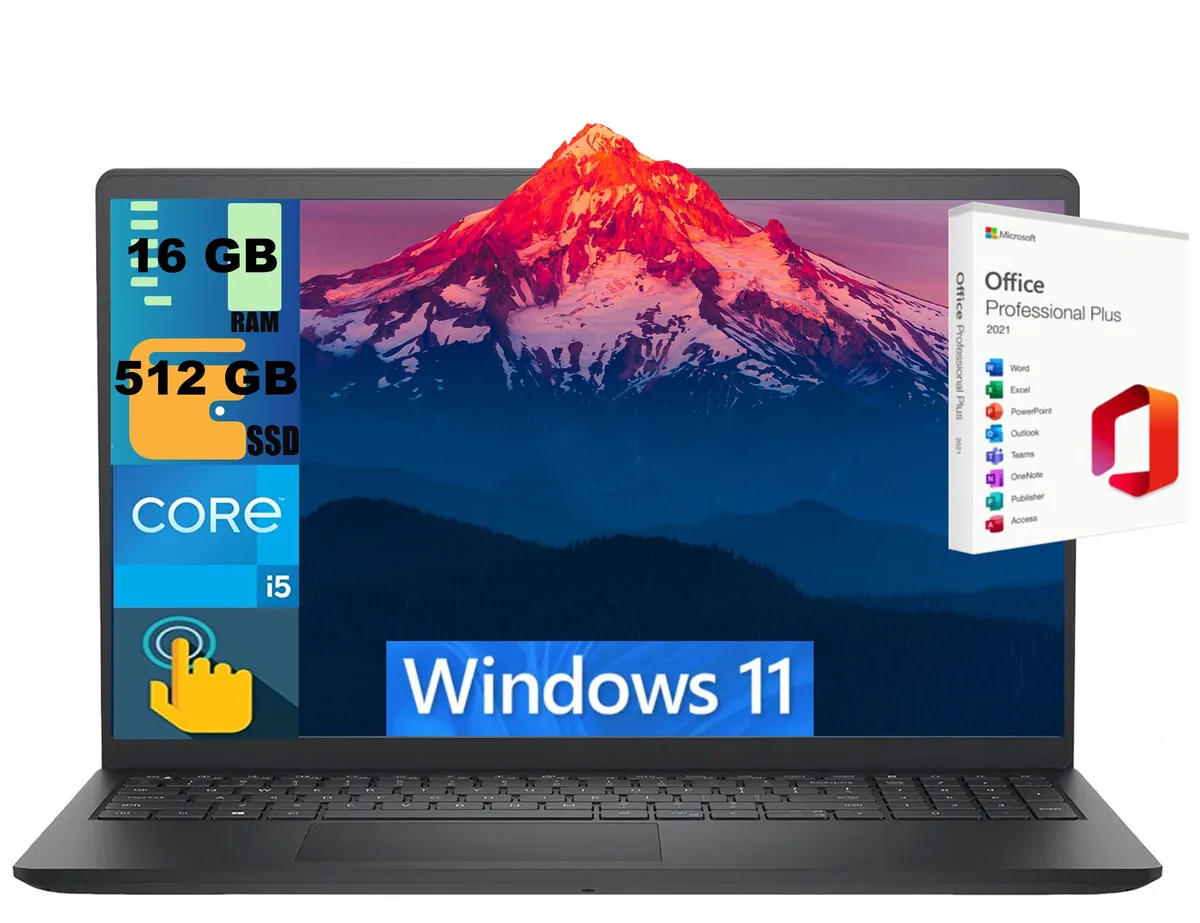
DELL Inspiron 15 laptop i5-1334U 16GB 512GB 15.6" Touch
- Black
- Windows 11 Home
$724
0.00935582BTC
In stockWe take cryptocurrency — so the coins you hold can buy real hardware.Pay in crypto, spend it on real hardware. Free insured shipping worldwide over $399. Plain, unbranded boxes, sent from Germany.Free insured shipping over $399. Your rate is locked for 30 minutes once checkout opens.Rate locked 30 minutes. Every item sealed, serial-checked and covered by a 24-month warranty.Sealed, 24-month warranty.


DELL
A 15.6" FHD IPS business laptop with an Intel Core i5-8250U quad-core processor, 8GB RAM and a 256GB M.2 SATA SSD
The Dell Latitude 5590 is a 15.6 inch business laptop driven by an Intel Core i5-8250U quad-core processor with a base frequency of 1.80 GHz and a turbo boost up to 3.40 GHz. It ships with Windows 10 Pro 64-bit, 8GB of system memory, and a 256GB M.2 SATA SSD. The non-touch IPS panel delivers a 1920 x 1080 resolution suited for office applications and video conferencing.
This configuration fits users who need a traditional clamshell laptop with a full complement of legacy and modern ports including USB Type C with DisplayPort support, HDMI, VGA, RJ-45 Gigabit Ethernet, and an SD card reader. Buyers who require a touchscreen, discrete graphics, or a higher memory capacity should evaluate alternative models. The integrated Intel UHD Graphics 620 handles general productivity and external display output but is not intended for intensive 3D workloads.
The single specification that decides suitability is the 256GB M.2 SATA solid-state drive. It provides solid-state responsiveness for the operating system and core applications, yet the capacity and SATA interface limit the volume of local data and the peak transfer rates available. Users who store large media libraries, virtual machines, or extensive project files will need external or cloud storage to supplement the internal drive.
| Brand | DELL |
|---|---|
| Series | Latitude |
| Model | Latitude 5590 |
| Color | Black |
| Operating System | Windows 10 Pro |
| CPU Type | Intel Core i5 8th Gen |
| Processor Name | 1.80GHz |
| Core Name | Kaby Lake R |
| Turbo Frequency | 3.40 GHz |
| Number of Cores | Quad-core Processor |
| Smart Cache | 6 MB |
| Screen Size | 15.6" |
| Touchscreen | Non-Touch Screen |
| Display Type | FHD |
| Resolution | 1920 x 1080 |
| Panel | IPS |
| GPU/VPU | Intel UHD Graphics 620 |
| Graphic Type | Integrated Card |
| SSD | 256GB |
| HDD | No |
| Storage Spec | 256 GB M.2 SSD |
| Memory | 8GB |
| Memory Spec | 8 GB |
| LAN | 10/100/1000Mbps |
| WLAN | 802.11ac Wireless LAN |
| Bluetooth | Bluetooth 4.2 |
| USB | (3) USB 3.1 Gen 1 (one with PowerShare), (1) USB Type C with DisplayPort support |
| Video Port | 1x VGA, 1x HDMI |
| HDMI | 1 x HDMI |
| Ethernet | 1 x RJ-45 (1Gbps) |
| Audio Ports | 1 x Headphone/Microphone Combo Jack |
| Audio | High-definition audio |
| Backlit Keyboard | Backlit |
| Webcam | Yes |
| Card Reader | SD Card Slot |
| Style | Standard |
| Type | Everyday Value |
| AC Adapter/Charger | Adapter Included |
| Battery | 4-cell Lithium Ion |
| Dimensions (W x D x H) | 14.8" x 9.9" x 0.9" |
| Weight | 4.14 lbs |
The Dell Latitude 5590 measures 14.8" x 9.9" x 0.9" and weighs 4.14 lbs, fitting standard 15.6" laptop bags and sleeves.
Run Windows Update from Settings, then restart when prompted; the step often missed is installing the Dell driver pack from the Dell support site using the Service Tag for full hardware support.
The 4-cell Li-Ion battery typically needs replacement after 2-3 years of daily charging cycles; use a Dell-compatible 4-cell Li-Ion pack for the Latitude 5590.
Also in this aisle
Same shelf, same checkout — eight coins and a 30-minute rate lock.
What you pay in, and what you read prices in.
Sent from your wallet at checkout
Display only — the catalogue is priced in USD
No currency matches that.
Pick the language the site speaks to you in.
New here?
Already have one?
There is no automatic reset: this shop sends no mail, so there is no one-time link to ask for. Leave the address on the account and it gets picked up by hand.
Request noted
Nothing is on its way to your inbox — this shop sends no mail at all. Someone picks these up by hand.
Remembered it?


