


DELL
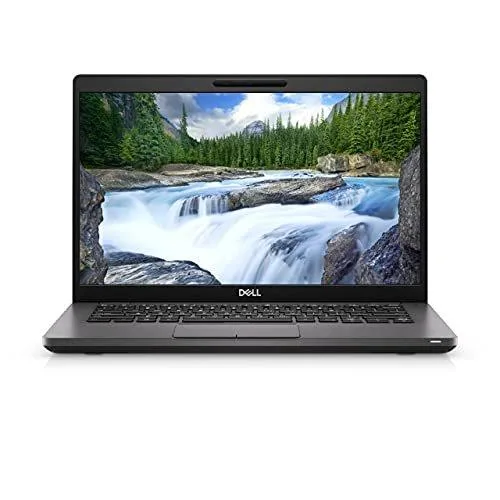
DELL Latitude 7420 NBR-DE-7420i71185g716512 laptop i7-1185G7 16GB 512GB 14.0" FHD
A refurbished 14.0-inch business laptop with an Intel Core i7-1185G7 processor, 16GB memory, 512GB SSD, FHD display, Wi-Fi 6 and Thunderbolt 4 ports
- Operating SystemWindows 11 Pro
- CPU TypeIntel Core i7 11th Gen
- Processor NameIntel Core i7-1185G7
- Number of CoresQuad-core Processor
- CPU L3 Cache12 MB
- Screen Size14.0"
- Responsive multitasking with Intel Core i7-1185G7 quad-core processor
- Smooth workflows supported by 16 GB memory and 512 GB SSD
- Crisp visuals on 14.0" FHD 1920 x 1080 non-touch display
- Fast connectivity via Wi-Fi 6 and Bluetooth 5.1
- Versatile docking through 2 Thunderbolt 4 ports and HDMI 2.0
Refurbished 14-inch business laptop
The DELL Latitude 7420 is a thin-and-light notebook powered by an Intel Core i7-1185G7 quad-core processor with 12 MB L3 cache. It ships with Windows 11 Pro, 16 GB of memory and a 512 GB SSD. The 14.0-inch non-touch display shows 1920 x 1080 resolution.
Suits mobile professionals.
This unit fits professionals who need a portable Windows 11 Pro machine with Thunderbolt 4 and Wi-Fi 6 for docked or remote work. Buyers who want a dedicated GPU, a touchscreen, or an optical drive should look at something else.
512 GB SSD and 16 GB RAM for mainstream workloads
The 512 GB solid-state drive and 16 GB of system memory handle office suites, web apps and video calls comfortably. Integrated Intel Iris Xe graphics share system memory, so heavy 3D rendering or gaming will run out of headroom quickly.
Highlights
- Responsive multitasking with Intel Core i7-1185G7 quad-core processor
- Smooth workflows supported by 16 GB memory and 512 GB SSD
- Crisp visuals on 14.0" FHD 1920 x 1080 non-touch display
- Fast connectivity via Wi-Fi 6 and Bluetooth 5.1
- Versatile docking through 2 Thunderbolt 4 ports and HDMI 2.0
Specifications
| Brand | DELL |
|---|---|
| Series | Latitude |
| Model | 7420 |
| Part Number | NBR-DE-7420i71185g716512 |
| Operating System | Windows 11 Pro |
| CPU Type | Intel Core i7 11th Gen |
| Processor Name | Intel Core i7-1185G7 |
| Number of Cores | Quad-core Processor |
| CPU L3 Cache | 12 MB |
| Screen Size | 14.0" |
| Touchscreen | Non-Touch Screen |
| Wide Screen Support | Yes |
| Resolution | 1920 x 1080 |
| GPU/VPU | Intel Iris Xe Graphics |
| Video Memory | Shared system memory |
| Graphic Type | Integrated Card |
| SSD | 512GB |
| Memory | 16GB |
| Optical Drive Type | No |
| WLAN | 802.11ax Wireless LAN |
| WiFi Generation | Wi-Fi 6 |
| Bluetooth | Bluetooth 5.1 |
| USB | 1 x USB 3.2 Gen 1 Type-A |
| Thunderbolt | 2 x Thunderbolt 4 |
| HDMI | 1 x HDMI 2.0 |
| Audio Ports | 1 x Headphone/Microphone Combo Jack |
| Style | Thin and Light |
| Type | Mainstream / Work / Business |
| Usage | Business / Mainstream |
| Weight | 3.22 lbs. |
| Shipping weight | 2.18 kg |
| Package size | 457 × 361 × 117 mm |
Questions about this item
Does the Latitude 7420 require an external power adapter to operate?
Yes, the laptop ships with a 65 W USB-C power adapter that connects to either Thunderbolt 4 port.
Will my existing USB-A mouse and keyboard work with the single USB 3.2 Gen 1 Type-A port?
Yes, the Type-A port is backwards compatible with USB 2.0 and 1.1 devices, so legacy peripherals function normally.
How can I verify the Intel Iris Xe graphics are active after installing Windows 11 Pro?
Open Device Manager, expand Display adapters, and confirm Intel Iris Xe Graphics appears without a warning icon.
Also in this aisle
People compared these
Same shelf, same checkout — eight coins and a 30-minute rate lock.

MSI
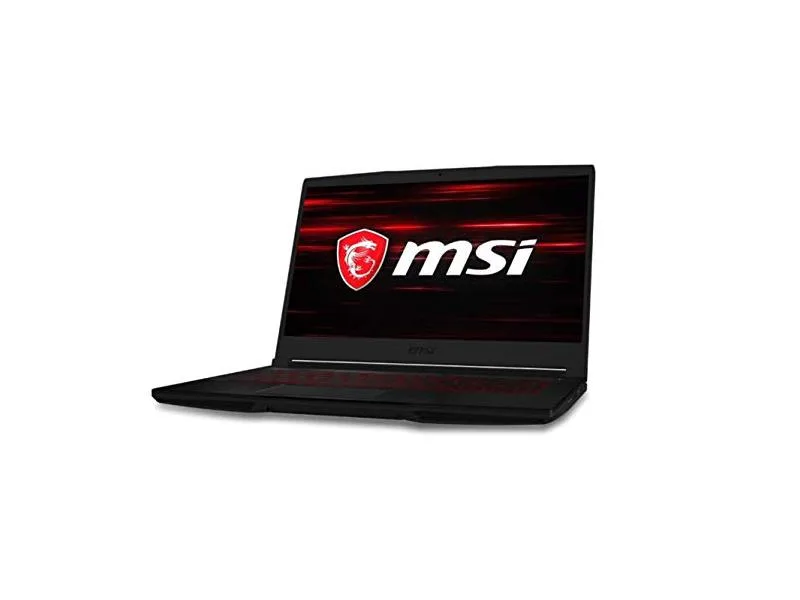
MSI GF63 Thin 10SCXR-222 15.6 laptop i5-10300H 8GB 256GB GTX 1650 4.1GB Black
- 15.6"
- Mainstream
$657.99
0.00836467BTC
In stock