


DELL
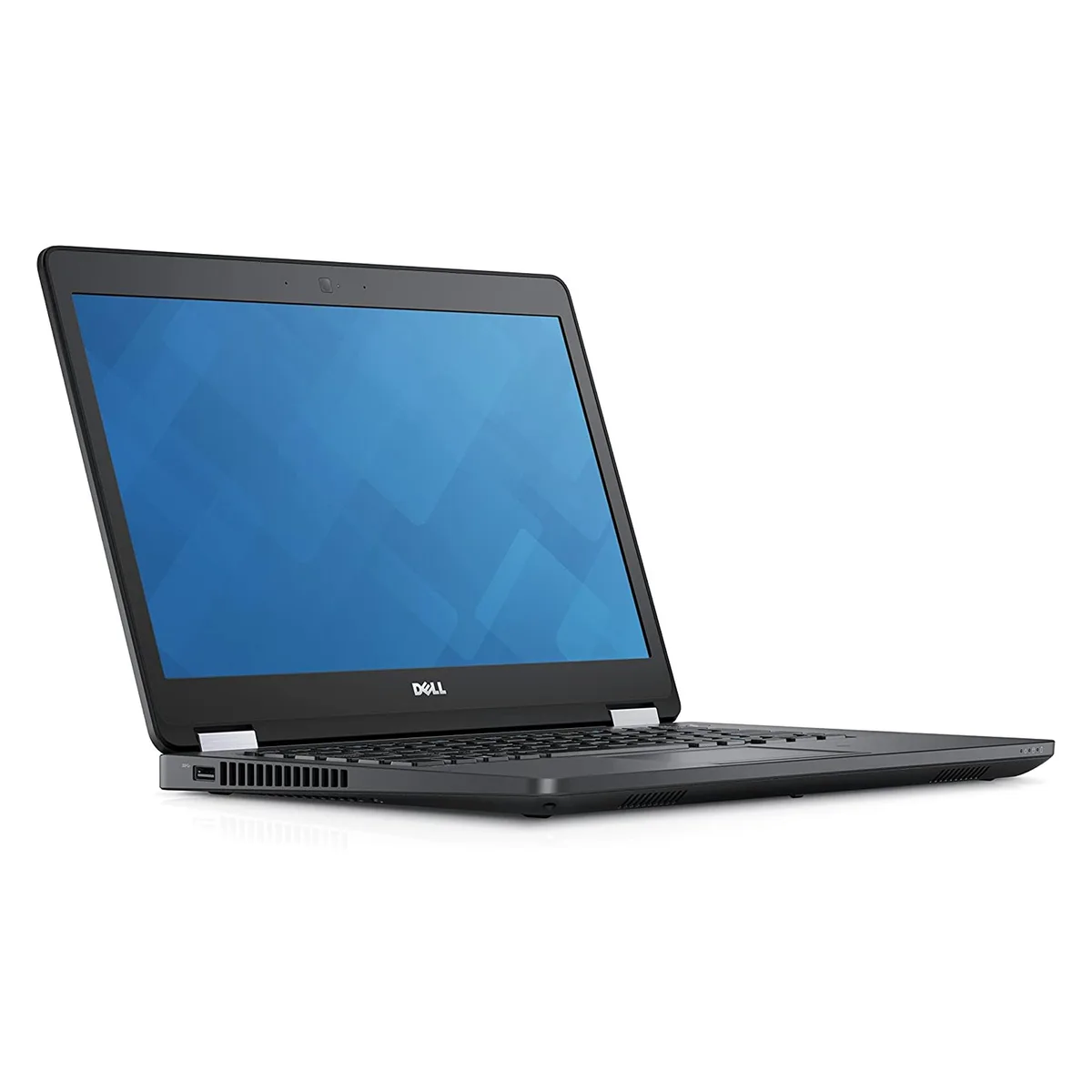
DELL Latitude E5470 14" HD laptop Intel Core i7-6820HQ 8GB DDR3 240GB SSD
14-inch HD laptop with quad-core i7-6820HQ, 8GB DDR3 and 240GB NVMe SSD
- ColorBlack
- Operating SystemWindows 10 Home
- CPU TypeIntel Core i7 6th Gen
- Processor NameIntel Core i7-6820HQ
- Turbo Frequency3.60 GHz
- Number of CoresQuad-core Processor
- Quad-core i7-6820HQ reaches 3.60 GHz turbo for demanding workloads
- 0" HD panel shows 1366 x 768 detail in a compact frame
- 240 GB M.2 NVMe PCIe SSD boots Windows 10 Home 64-bit fast
- 8 GB DDR3 with two slots supports up to 16 GB total
- Intel HD Graphics 530 drives everyday visuals without extra power draw
Dell Latitude E5470 14" HD laptop
The Dell Latitude E5470 is a 14.0" HD laptop built for professionals who need a compact Windows 10 Home machine. It runs on an Intel Core i7-6820HQ quad-core processor with a 3.60 GHz turbo frequency and 8GB of DDR3 memory. The system includes a new 240GB M.2 NVMe PCIe SSD for the operating system and files. This configuration suits mobile workers and students handling office applications and web tasks.
Thermals noise and power
The Intel Core i7-6820HQ operates at a 2.70 GHz base frequency with Intel HD Graphics 530 integrated graphics. This processor class is designed for standard ultrabook thermal envelopes, so fan activity stays moderate during typical office workloads. Power draw scales with the quad-core CPU and the NVMe SSD, which consumes less energy than a mechanical drive. Acoustic output remains low for everyday productivity use.
Storage capacity and upgrade path
The laptop ships with a 240GB NVMe SSD as its only internal drive. Two memory slots support up to 16 GB of DDR3 RAM, allowing a future upgrade from the installed 8GB. Buyers who need more storage out of the box or who require a 2.5" drive bay should consider other models. The fixed 1366 x 768 non-touch display also limits users who want higher pixel density.
Highlights
- Quad-core i7-6820HQ reaches 3.60 GHz turbo for demanding workloads
- 0" HD panel shows 1366 x 768 detail in a compact frame
- 240 GB M.2 NVMe PCIe SSD boots Windows 10 Home 64-bit fast
- 8 GB DDR3 with two slots supports up to 16 GB total
- Intel HD Graphics 530 drives everyday visuals without extra power draw
Specifications
| Brand | DELL |
|---|---|
| Series | Latitude |
| Model | Latitude E5470 |
| Color | Black |
| Operating System | Windows 10 Home |
| CPU Type | Intel Core i7 6th Gen |
| Processor Name | Intel Core i7-6820HQ |
| Turbo Frequency | 3.60 GHz |
| Number of Cores | Quad-core Processor |
| Screen Size | 14.0" |
| Touchscreen | Non-Touch Screen |
| Display Type | HD |
| Resolution | 1366 x 768 |
| GPU/VPU | Intel HD Graphics 530 |
| SSD | 240GB |
| HDD | No |
| Storage Spec | 240GB SSD M.2 NVMe PCIe |
| Memory | 8GB |
| Memory Slot (Total) | 2 |
| Max Memory Supported | 16 GB |
| Optical Drive Type | No |
| Audio | Integrated Sound card |
| Style | Standard |
| Type | Mainstream |
| Dimensions (W x D x H) | 9.10" x 13.20" x .90" |
| Weight | 3 - 3.9 lbs. |
Questions about this item
How do I install the M.2 NVMe SSD in the Latitude E5470, and which step is often missed?
Remove the bottom cover, insert the M.2 NVMe drive at an angle into the slot, secure it with the single screw, then reinstall the cover; the step often missed is tightening that screw before closing the case.
What maintenance or replacement will the 8 GB DDR3 memory need later?
The two slots support up to 16 GB total, so you can add or replace modules with DDR3 SODIMMs to reach the maximum capacity.
At what point does the Intel HD Graphics 530 become the limiting factor during sustained workloads?
The integrated GPU 530 will throttle first under prolonged 3D or video tasks because it shares system memory and thermal budget with the CPU.
Also in this aisle
People compared these
Same shelf, same checkout — eight coins and a 30-minute rate lock.

MSI
MSI GF63 Thin 10SCXR-222 15.6 laptop i5-10300H 8GB 256GB GTX 1650 4.1GB Black
- 15.6"
- Mainstream
$657.99
0.00838407BTC
In stock