


DELL
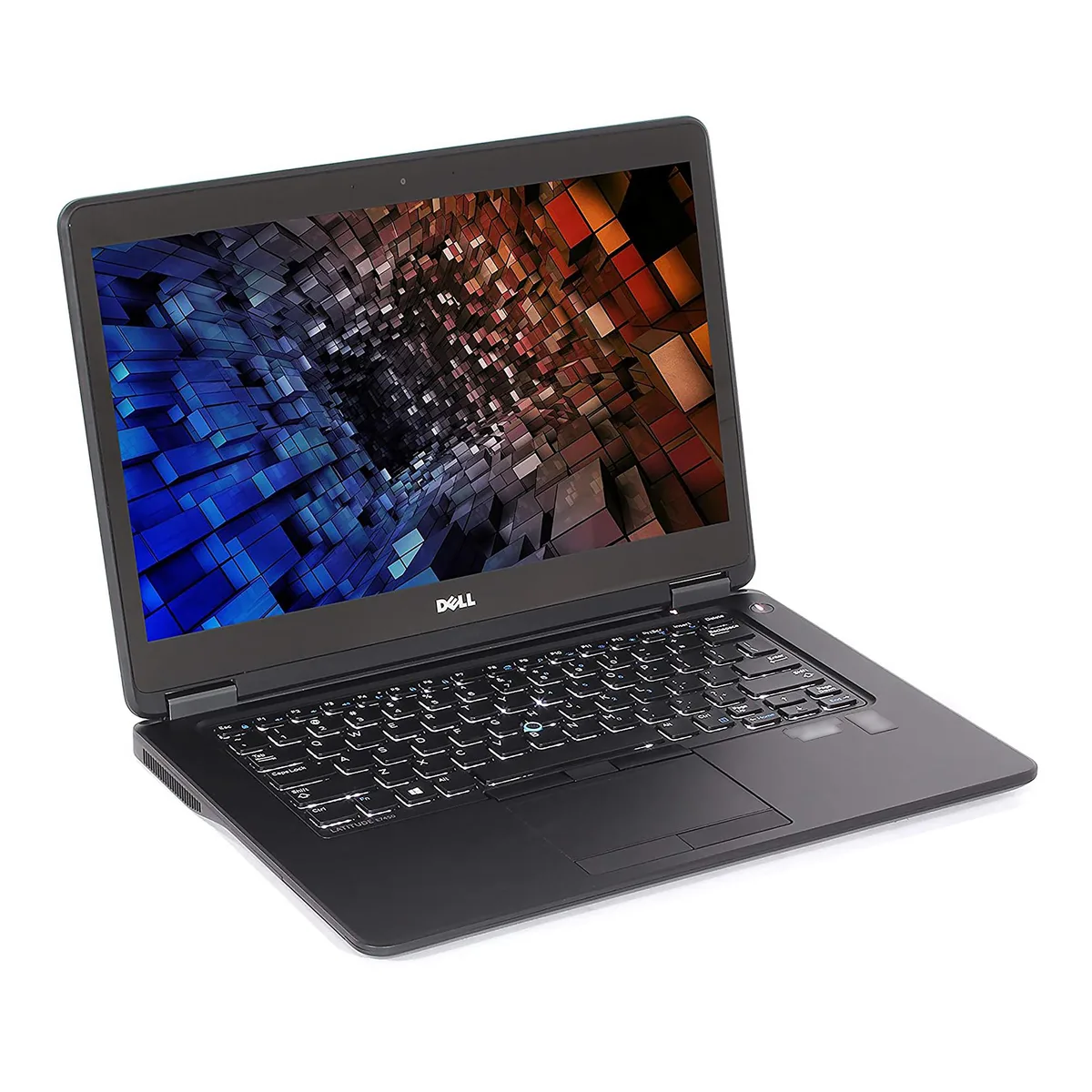
DELL Latitude E7450 14.0" HD i7-5600U 16GB 1TB SSD
A 14.0-inch HD laptop with an Intel Core i7-5600U processor, 16GB DDR3 memory and a new 1TB SATA SSD
- ColorBlack
- Operating SystemWindows 10 Home 🙋♀️Microsoft Windows 11 Pro Upgrade 👉Check
- CPU TypeIntel Core i7 5th Gen
- Processor NameIntel Core i7-5600U
- Turbo Frequency3.20 GHz
- Number of CoresDual-core Processor
- Dual-core i7-5600U reaches 3.20 GHz turbo for responsive multitasking
- 16 GB DDR3 handles multiple business applications simultaneously
- New 1 TB SSD provides fast boot and ample file storage
- 0" HD 1366 x 768 display suits office work and travel
- Windows 10 Home 64-bit pre-installed for immediate productivity
Dell Latitude E7450 14.0" HD Laptop
The Dell Latitude E7450 is a 14.0-inch HD laptop powered by an Intel Core i7-5600U dual-core processor running at 2.60 GHz with a 3.20 GHz turbo frequency. It comes equipped with 16GB of DDR3 memory and a new 1TB 2.5-inch SATA SSD. The system runs Microsoft Windows 10 Home 64-bit and includes integrated Intel HD Graphics 5500.
Suitable users and limitations
This laptop suits professionals needing a portable 14.0-inch device with 16GB of memory and 1TB of solid-state storage for general office applications. Buyers who require a touchscreen interface should look elsewhere as the display is non-touch. Users needing higher display resolution than 1366 x 768 or more than 16GB of memory will find this specification insufficient.
16GB DDR3 memory ceiling
The system supports a maximum of 16GB of DDR3 memory across two slots and this unit is already fully populated. This fixed limit determines whether the laptop can handle your intended workload or if you need a platform with expandable memory capacity.
Highlights
- Dual-core i7-5600U reaches 3.20 GHz turbo for responsive multitasking
- 16 GB DDR3 handles multiple business applications simultaneously
- New 1 TB SSD provides fast boot and ample file storage
- 0" HD 1366 x 768 display suits office work and travel
- Windows 10 Home 64-bit pre-installed for immediate productivity
Specifications
| Brand | DELL |
|---|---|
| Series | Latitude |
| Model | Latitude E7450 |
| Color | Black |
| Operating System | Windows 10 Home 🙋♀️Microsoft Windows 11 Pro Upgrade 👉Check ABS/Helix computers with Windows 11 |
| CPU Type | Intel Core i7 5th Gen |
| Processor Name | Intel Core i7-5600U |
| Turbo Frequency | 3.20 GHz |
| Number of Cores | Dual-core Processor |
| Screen Size | 14.0" |
| Touchscreen | Non-Touch Screen |
| Display Type | HD |
| Resolution | 1366 x 768 |
| GPU/VPU | Intel HD Graphics 5500 |
| SSD | 1TB |
| HDD | No |
| Storage Spec | 1TB SSD 2.5" SATA |
| Memory | 16GB |
| Memory Slot (Total) | 2 |
| Max Memory Supported | 16 GB |
| Optical Drive Type | No |
| Audio | Integrated Sound card |
| Style | Standard |
| Type | Workstation |
| Dimensions (W x D x H) | .80" x 13.30" x 9.12" |
| Weight | 3 - 3.9 lbs. |
Questions about this item
What speed does the 2.5" SATA interface limit the 1TB SSD to?
The 2.5" SATA connection caps the 1TB SSD at SATA III throughput, so sequential reads and writes peak around 550 MB/s.
What are the chassis dimensions and screw pattern for the 14.0" Latitude E7450?
The 14.0" E7450 uses a standard 2.5" 7 mm drive bay with a four-screw mounting pattern; the SSD drops into the caddy and secures with those screws.
How is the 1TB SATA SSD installed, and which step do people miss?
Remove the bottom cover, slide the 2.5" SATA SSD into the drive caddy, secure it with four screws, reconnect the SATA cable, then reattach the cover; the step often missed is seating the SATA connector fully before screwing the caddy down.
Also in this aisle
People compared these
Same shelf, same checkout — eight coins and a 30-minute rate lock.


HP
HP EliteBook 8 Flip G2i 13.3" Intel Core Ultra 5 325 32GB 512GB Windows 11 Pro DC0V2UT#ABA
- Intel Core Ultra 5…
- Intel Core Ultra 5…
$1,810.99
0.02301482BTC
In stock
HP
HP Fortis G1i 14 Chromebook N150 8GB 64GB B69S8UT#ABA
- 14.0"
- Touch Screen
$410.99
0.00522303BTC
In stock
Lenovo
Lenovo 14-LN-L15GEN2A-AK-11 laptop Ryzen 5 Pro 5650U 32GB 1TB 15.5" FHD
- 15.5"
- Work / Business
$497.99
0.00632867BTC
In stock