


DELL
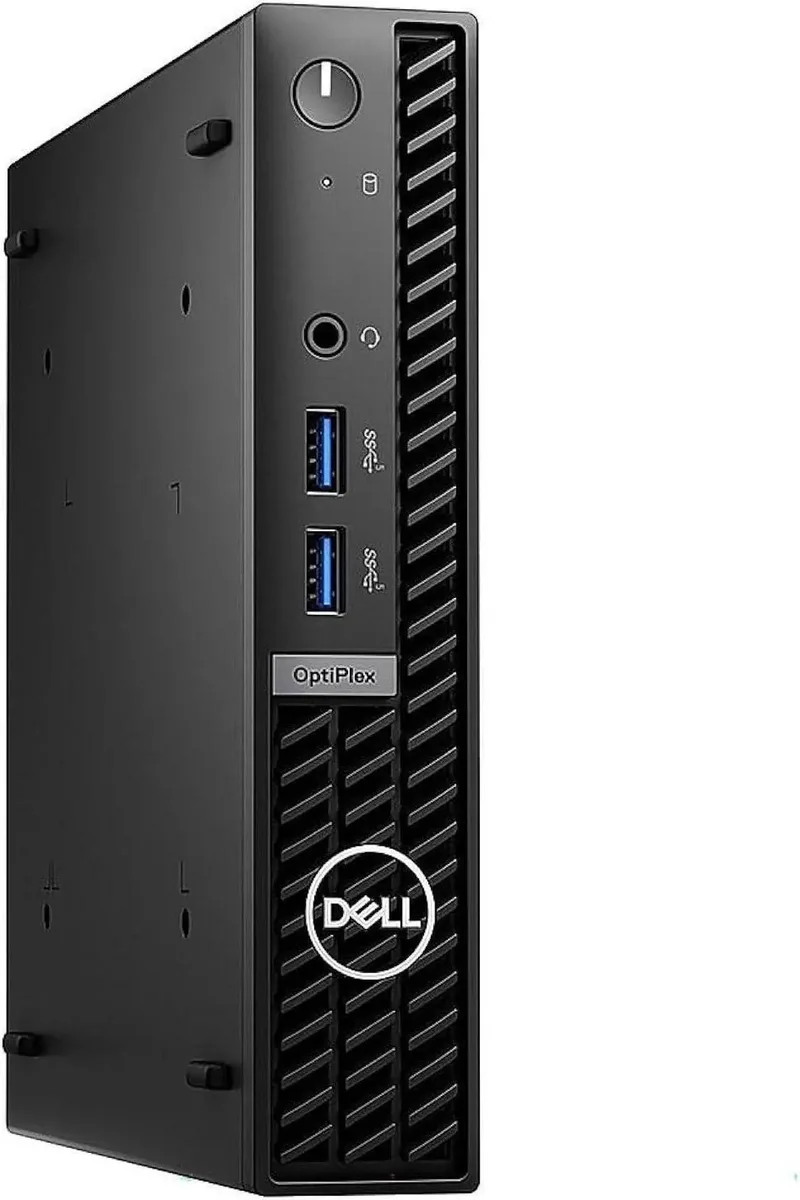
DELL OptiPlex 7010 Micro desktop PC, i5-13500T, 16GB DDR4, 256GB SSD, Windows 11 Pro, Black
A 13th Gen Intel Core i5-13500T desktop with 14 cores, 16GB DDR4, 256GB PCIe SSD, Wi-Fi 6E and Windows 11 Pro in a 36 mm wide micro chassis
- TypeStudent / Home Office
- MonitorMonitor not included
- Screen SizeNo Screen
- 14-core i5-13500T boosts to 4.6 GHz for responsive multitasking
- 16 GB DDR4 memory handles demanding workloads smoothly
- 256 GB PCIe SSD stores files and boots Windows 11 Pro quickly
- Wi-Fi 6E and Bluetooth 5.1 keep connections fast and stable
- Micro chassis only 36 mm wide fits tight desk spaces
Micro form factor desktop
The Dell OptiPlex 7010 Micro is a compact desktop computer measuring 36 mm wide and 182 mm high. It runs Windows 11 Pro on a 13th Gen Intel Core i5-13500T processor with 14 cores and a 4.60 GHz maximum turbo frequency. Integrated Intel UHD Graphics 770 handles the display output.
Suits space-constrained offices.
This system fits workers who need a full Windows 11 Pro PC that can sit behind a monitor or mount under a desk. The 16 GB DDR4 memory and 256 GB PCIe SSD cover everyday multitasking and local file storage. Buyers who want a dedicated graphics card or internal drive bays should look at larger chassis designs.
Build around two video outputs and wired LAN
A DisplayPort 1.4a port and an HDMI 1.4b port drive up to two external displays, with HDMI limited to 1920 x 1200 resolution. Gigabit Ethernet, Wi-Fi 6E and Bluetooth 5.1 provide flexible connectivity. Four front USB 3.2 Gen 1 ports and two USB 2.0 ports keep peripherals accessible without reaching behind the unit.
Highlights
- 14-core i5-13500T boosts to 4.6 GHz for responsive multitasking
- 16 GB DDR4 memory handles demanding workloads smoothly
- 256 GB PCIe SSD stores files and boots Windows 11 Pro quickly
- Wi-Fi 6E and Bluetooth 5.1 keep connections fast and stable
- Micro chassis only 36 mm wide fits tight desk spaces
Specifications
| Type | Student / Home Office |
|---|---|
| Monitor | Monitor not included |
| Screen Size | No Screen |
Questions about this item
Does the OptiPlex 7010 Micro include a display, or do I need to provide my own monitor?
The system ships without a screen; you must connect an external display via the DisplayPort 1.4a or HDMI 1.4b output.
Will my existing DisplayPort 1.2 monitor work with the DisplayPort 1.4a port on this desktop?
Yes, DisplayPort 1.4a is backward compatible with DisplayPort 1.2, so your current monitor will function normally.
How can I verify that the Intel UHD Graphics 770 is active after I install Windows 11 Pro?
Open Device Manager, expand Display adapters, and confirm Intel UHD Graphics 770 appears without error codes.
Also in this aisle
People compared these
Same shelf, same checkout — eight coins and a 30-minute rate lock.



HPE
HPE P22020B21 2U Cable Management Arm for DL38X Gen10 Plus Rail Kit
$52.99$67.99−22%
0.00067603BTC
In stock
Lenovo
Lenovo ThinkSystem ST250 V3 7DCEA01YNA Tower Server Xeon E-2434 16 GB RAM
$1,267.99
0.01617664BTC
In stock