
DELL
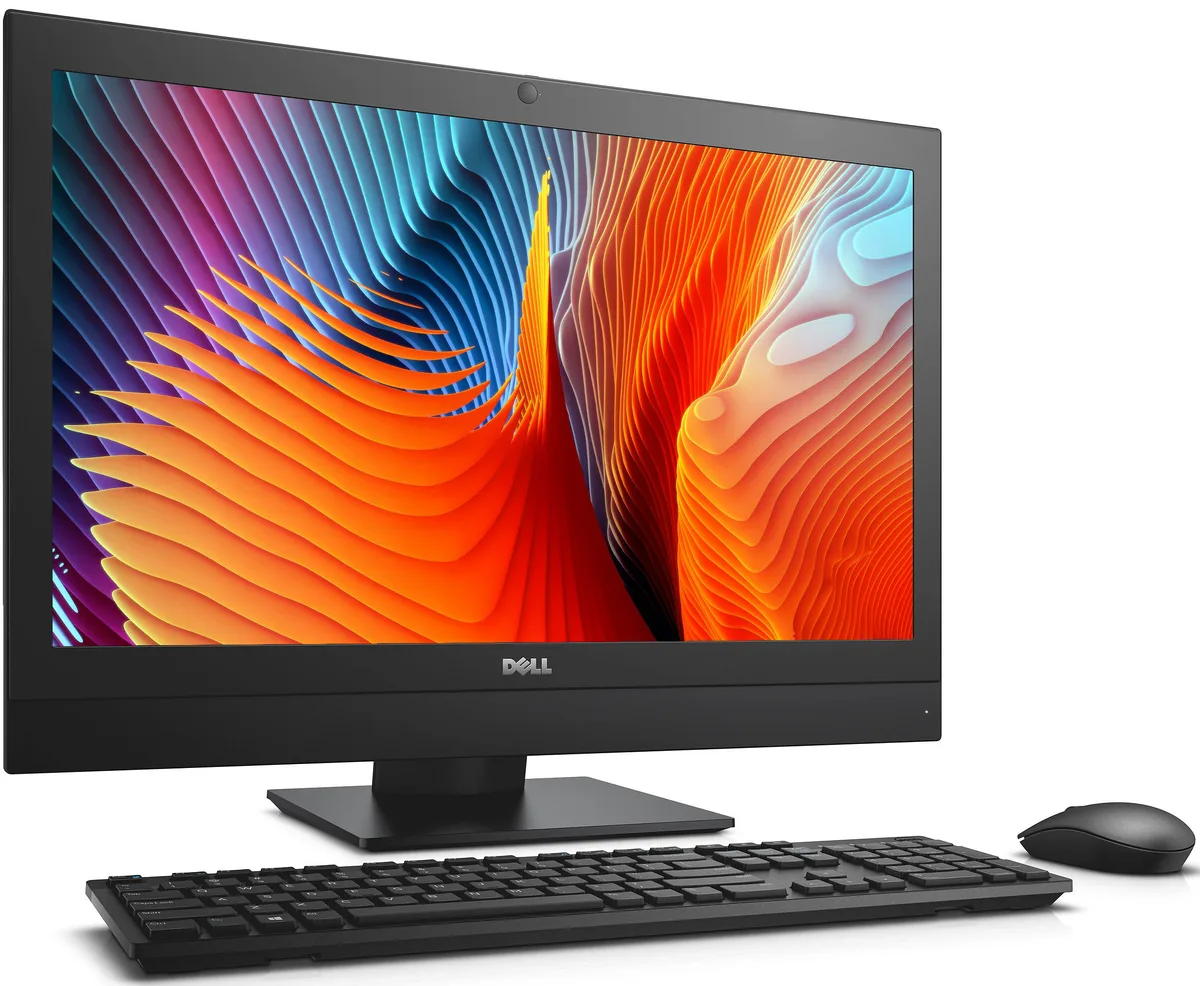
DELL OptiPlex 7440 All-in-One i5-6500 8 GB 500 GB 23.8
- All-in-One PC
- All-in-One
$232.99
0.00297086BTC
In stockWe take cryptocurrency — so the coins you hold can buy real hardware.Pay in crypto, spend it on real hardware. Free insured shipping worldwide over $399. Plain, unbranded boxes, sent from Germany.Free insured shipping over $399. Your rate is locked for 30 minutes once checkout opens.Rate locked 30 minutes. Every item sealed, serial-checked and covered by a 24-month warranty.Sealed, 24-month warranty.


DELL
Small-form-factor desktop with a 24-core Intel Core Ultra 9 285 processor, 16 GB DDR5 memory, 256 GB NVMe storage and Windows 11 Pro
The Dell Pro Slim QCS1250 is a compact small form factor desktop built for business and education users. It ships new with an Intel Core Ultra 9 285 processor featuring 24 cores and a 36MB cache, reaching up to 5.6GHz. The system includes 16GB of DDR5 5600 MHz memory and a 256GB PCIe NVMe M.2 SSD, running Windows 11 Pro out of the box. Integrated Intel UHD Graphics 770 drives displays via HDMI 2.1 and DisplayPort 1.4a.
The 24-core processor with 13 TOPS NPU acceleration handles multi-threaded workloads and AI-enhanced tasks. Sixteen gigabytes of DDR5 memory supports typical office multitasking and light content creation, while the 256GB NVMe drive provides fast boot and application loading. Storage capacity may require expansion for users managing large local datasets or media libraries. Gigabit Ethernet ensures stable wired network connectivity.
A Dell KB216 wired keyboard and a Dell wired mouse are included, both connecting via USB. These peripherals add no software overhead and are ready to use immediately. The front panel offers two USB 2.0 ports, one USB 3.2 Gen 1 Type-A and one Type-C port, plus a global headset jack. Rear I/O adds two more USB 2.0 ports, two USB 3.2 Gen 1 ports, and the video outputs.
| Brand | DELL |
|---|---|
| Model | QCS1250 |
| Release Year | 2025 |
| Form Factor | Small Form Factor |
| Color | Black |
| Processor | Intel Core Ultra 9 285 |
| Processor Main Features | 64 bit 24-Core Processor |
| Cache Per Processor | 36MB |
| Memory | 16GB |
| Storage | 256GB NVMe SSD |
| Ethernet | Ethernet |
| Monitor | Monitor not included |
| Keyboard | Keyboard |
| Mouse | Mouse |
| Operating System | Windows 11 Pro |
| Windows 11 | Ready |
| CPU Type | Ultra 9 |
| Installed Qty | Business, Education |
| CPU Name | Intel Core Ultra 9 285 |
| CPU Socket Type | LGA 1851 |
| GPU/VGA Type | Intel UHD Graphics 770 |
| Graphics Card | Intel Graphics |
| Graphics Interface | Integrated |
| Virtual Reality Ready | No |
| Memory Capacity | 16GB |
| Memory Speed | DDR5 5600 |
| Maximum Memory Supported | 128GB |
| SSD | 256GB |
| Touchscreen | No |
| Bluetooth | Bluetooth |
| Front USB | 4 |
| Video Ports | 1× HDMI 2.1 (TMDS), 1× DisplayPort 1.4a (HBR3) |
| Rear USB | 4 |
| RJ45 | 1 |
| Keyboard Type | Wired Keyboard |
| Mouse Type | Wired Mouse |
| Package Type | Retail |
Yes — both video outputs are native HDMI 2.1 (TMDS) and DisplayPort 1.4a, so any monitor with HDMI or DisplayPort input will work directly.
Open Task Manager, select the Performance tab, choose CPU and watch the clock speed rise toward 5.6 GHz during a heavy single-thread load.
No, both peripherals connect via standard USB-A cables already attached; just plug them into any free USB 2.0 or 3.2 Gen 1 port.
Also in this aisle
Same shelf, same checkout — eight coins and a 30-minute rate lock.
What you pay in, and what you read prices in.
Sent from your wallet at checkout
Display only — the catalogue is priced in USD
No currency matches that.
Pick the language the site speaks to you in.
New here?
Already have one?
There is no automatic reset: this shop sends no mail, so there is no one-time link to ask for. Leave the address on the account and it gets picked up by hand.
Request noted
Nothing is on its way to your inbox — this shop sends no mail at all. Someone picks these up by hand.
Remembered it?


