
GenMachine
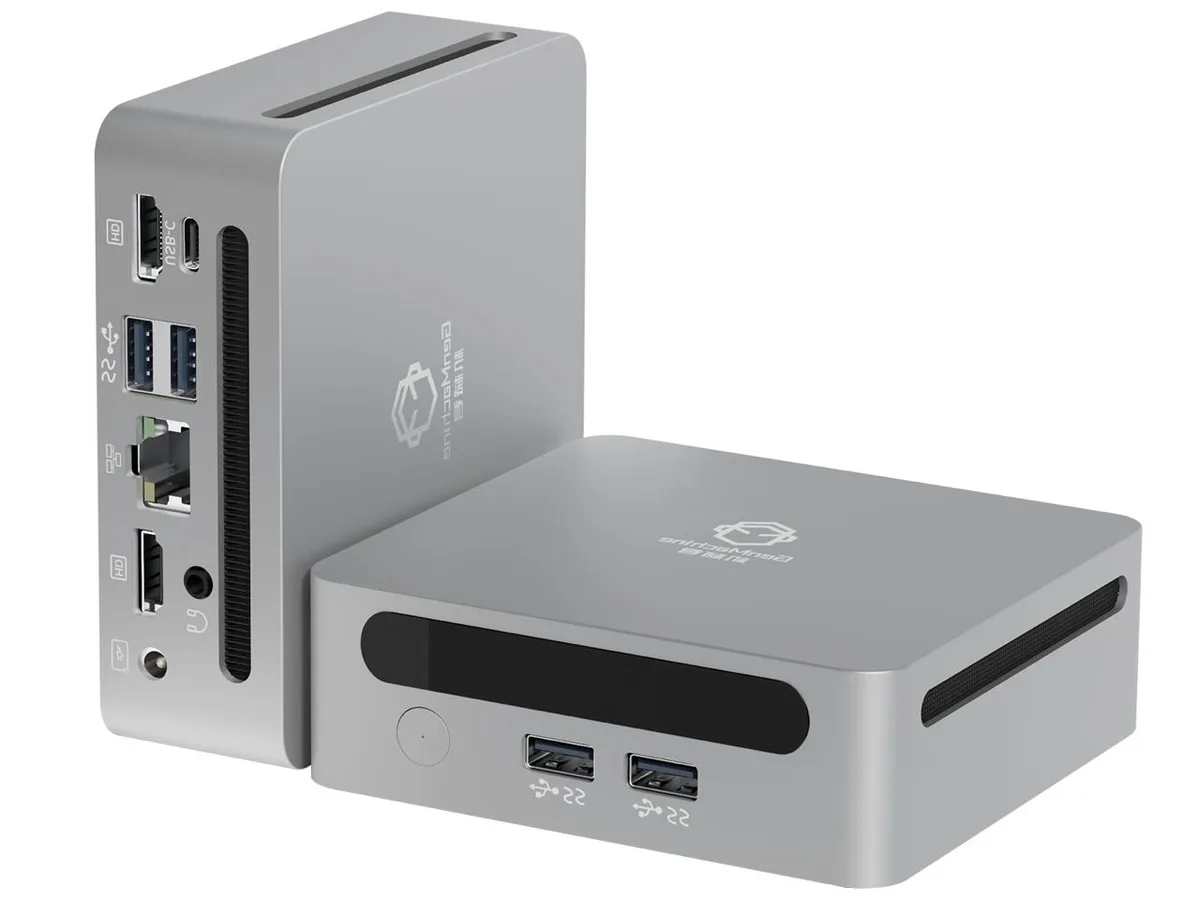
GenMachine Mini PC Ryzen 5 5500U 16GB 512GB desktop PC
Compact desktop with a 6-core Ryzen 5 5500U up to 4.0 GHz, 16 GB DDR4, 512 GB NVMe SSD, WiFi 6 and Bluetooth 5.2
- Screen Size0"
- Ryzen 5 5500U six-core CPU reaches 4.0 GHz for responsive multitasking
- 16 GB DDR4 memory handles heavy workloads without slowdown
- 512 GB NVMe solid-state drive loads apps and files quickly
- WiFi 6 plus Bluetooth 5.2 keeps wireless links fast and stable
- HDMI and DisplayPort outputs drive two external monitors simultaneously
Ready-to-use mini desktop
The GenMachine mini PC ships as a complete desktop computer with an AMD Ryzen 5 5500U processor that reaches 4.0 GHz across 6 cores and 12 threads. It includes 16 GB of DDR4 memory and a 512 GB NVMe drive so the system is operational straight from the box. The compact chassis suits home offices, media centres or light creative workstations.
Connectivity and mounting
Dual video outputs via HDMI and DisplayPort let you drive two monitors for extended desktop space. Wireless networking uses WiFi 6 and Bluetooth 5.2 for modern peripheral pairing and stable internet access. The small footprint fits on a desk shelf, behind a display or on a VESA mount where the mounting pattern matches the case.
What to verify before ordering
Buyers who need discrete graphics performance for modern AAA gaming or GPU compute workloads will not find a PCIe slot or external GPU interface here. The 512 GB NVMe drive is the only factory storage; users requiring larger local libraries should plan for external drives or network storage. No 2.5-inch bay or second M.2 slot is mentioned, so internal expansion is not possible.
Highlights
- Ryzen 5 5500U six-core CPU reaches 4.0 GHz for responsive multitasking
- 16 GB DDR4 memory handles heavy workloads without slowdown
- 512 GB NVMe solid-state drive loads apps and files quickly
- WiFi 6 plus Bluetooth 5.2 keeps wireless links fast and stable
- HDMI and DisplayPort outputs drive two external monitors simultaneously
Specifications
| Screen Size | 0" |
|---|
Questions about this item
What bandwidth does the WiFi 6 interface provide in practice?
WiFi 6 supports higher throughput and lower latency than previous standards, improving streaming and file transfers on this mini PC.
What physical space and mounting options does the compact chassis require?
The small form factor fits on a desk or can be mounted behind a monitor using a standard VESA bracket.
How is the M.2 NVMe SSD installed and which step is often missed?
Insert the drive at an angle into the M.2 slot, press it down, and secure it with the retention screw — skipping the screw leaves the drive loose.
Also in this aisle
People compared these
Same shelf, same checkout — eight coins and a 30-minute rate lock.



HPE
HPE P22020B21 2U Cable Management Arm for DL38X Gen10 Plus Rail Kit
$52.99$67.99−22%
0.00067489BTC
In stock
Lenovo
Lenovo ThinkSystem ST250 V3 7DCEA01YNA Tower Server Xeon E-2434 16 GB RAM
$1,267.99
0.01614945BTC
In stock