

Micron Technology, Inc.
Micron Technology, Inc. MT4JTF12864AZ-1G4D1 1GB DDR3 1333 Desktop RAM
- 1GB
- DDR3 1333 (PC3 1060…
$28.99
0.00037491BTC
In stockWe take cryptocurrency — so the coins you hold can buy real hardware.Pay in crypto, spend it on real hardware. Free insured shipping worldwide over $399. Plain, unbranded boxes, sent from Germany.Free insured shipping over $399. Your rate is locked for 30 minutes once checkout opens.Rate locked 30 minutes. Every item sealed, serial-checked and covered by a 24-month warranty.Sealed, 24-month warranty.
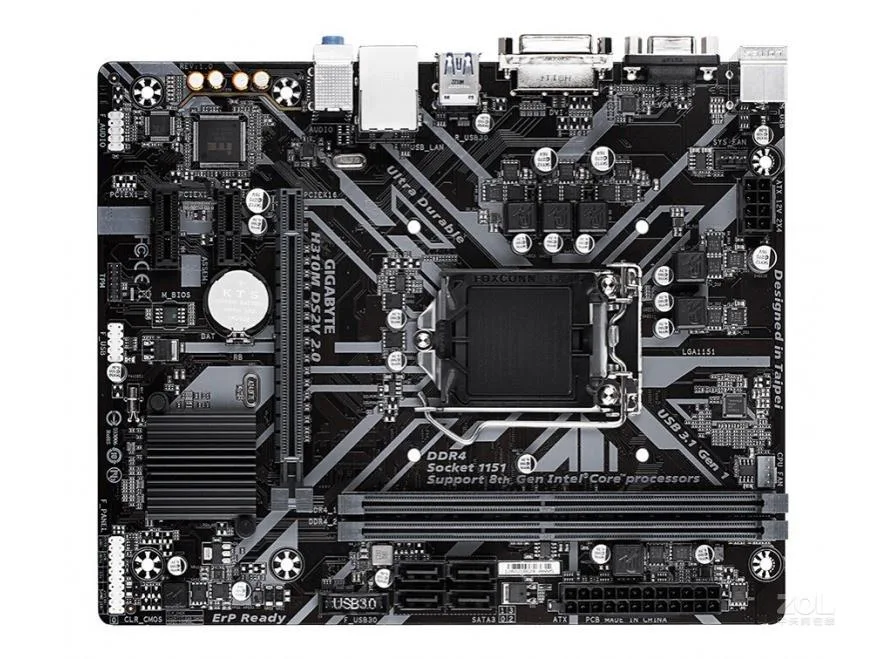


GIGABYTE
Micro-ATX board with two DDR4 slots and SATA connectivity for compact Intel builds
This GIGABYTE GA-H310M DS2V 2.0 motherboard uses the Micro ATX form factor and supports DDR4 memory across two slots. It is built for basic desktop builds that need a compact Intel platform without extra expansion.
The board suits buyers assembling office or home PCs that run at stock speeds and use a single graphics card. It does not suit enthusiasts who want overclocking headroom, multiple graphics cards, or high-speed storage beyond what the chipset provides.
The specification that decides fit is the DDR4x2 memory standard, which limits the system to two DIMM slots and DDR4 modules only. Confirm your CPU and memory match this layout before purchasing.
| Brand | GIGABYTE |
|---|---|
| Model | GIGABYTE GA-H310M DS2V 2.0 |
| Memory Standard | DDR4x2 |
| Form Factor | Micro ATX |
The board uses the Micro-ATX form factor so it fits any case with matching mounting holes.
Align the notch on each DDR4 module with the slot key, press down until both retention clips click, and populate the two slots as a matched pair.
Replace the metal battery when the system loses date and time settings after being powered off.
Also in this aisle
Same shelf, same checkout — eight coins and a 30-minute rate lock.
What you pay in, and what you read prices in.
Sent from your wallet at checkout
Display only — the catalogue is priced in USD
No currency matches that.
Pick the language the site speaks to you in.
New here?
Already have one?
There is no automatic reset: this shop sends no mail, so there is no one-time link to ask for. Leave the address on the account and it gets picked up by hand.
Request noted
Nothing is on its way to your inbox — this shop sends no mail at all. Someone picks these up by hand.
Remembered it?



