


GIGABYTE
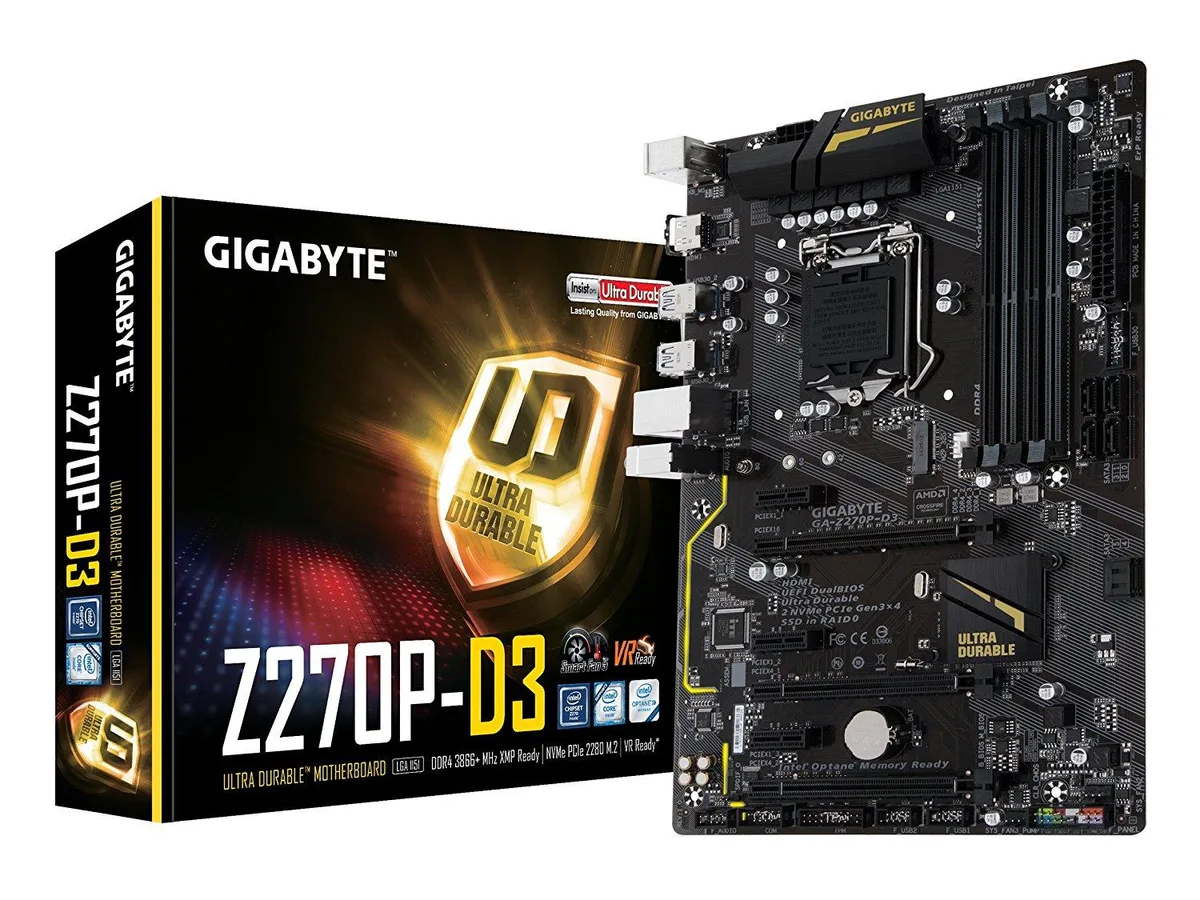
GIGABYTE GA-Z270P-D3 Intel motherboard
ATX board for 6th/7th Gen Intel Core CPUs with four DDR4 slots, one PCIe 3.0 x16, three PCIe x1, six SATA 6Gb/s, one M.2 slot and Realtek GbE LAN
- CPU Socket TypeLGA 1151
- CPU TypeSupport for 7th and 6th generation Intel Core i7/i5/i3 proce
- ChipsetIntel Z270
- Onboard Video ChipsetIntegrated Graphics Processor - Intel HD Graphics support1 x
- Number of Memory Slots4x288pin (DDR4)
- Memory StandardDDR4 3866(O.C.)/ 3800(O.C.)/ 3733(O.C.)/ 3666(O.C.)/ 3600(O.
- Supports 7th and 6th Gen Intel Core on LGA 1151 socket
- Dual-channel DDR4 across four slots up to 64GB
- 2-way Crossfire via PCIe 3.0 x16 and x4 slots
- Realtek ALC887 codec for 7.1-channel audio
- M.2 Socket 3 M-key with PCIe x4 for 32Gb/s transfer
GIGABYTE GA-Z270P-D3 LGA 1151 Z270 motherboard
This Intel Z270 board fits the LGA 1151 socket and supports 6th and 7th generation Core i7, i5 and i3 processors plus Pentium and Celeron CPUs. It provides four DDR4 DIMM slots with dual-channel architecture and a maximum capacity of 64 GB. The ATX form factor includes one full-length PCI Express 3.0 x16 slot, two additional x16 slots running at x4 and three x1 slots for expansion cards.
Suitability for Crossfire and M.2 storage
Builders planning a 2-way Crossfire setup or a single graphics card with an M.2 SSD will find the required PCIe lanes and a Socket 3 M key connector for 2242, 2260 or 2280 drives. The board lacks integrated Wi-Fi and its LAN tops out at 1 Gbps, so users needing wireless networking or faster Ethernet should consider other models. Eight rear USB ports and HDMI 1.4 output cover most peripheral needs.
LGA 1151 socket limits CPU choice to 6th
The socket physically accepts only 6th and 7th generation Intel Core, Pentium and Celeron processors; 8th generation CPUs are not compatible. This single constraint decides whether the board can be reused for an upgrade or must be paired with an older processor. Memory speeds up to 3866 MT/s are supported through overclocking, while standard operation reaches 2400 MT/s.
Highlights
- Supports 7th and 6th Gen Intel Core on LGA 1151 socket
- Dual-channel DDR4 across four slots up to 64GB
- 2-way Crossfire via PCIe 3.0 x16 and x4 slots
- Realtek ALC887 codec for 7.1-channel audio
- M.2 Socket 3 M-key with PCIe x4 for 32Gb/s transfer
Specifications
| Brand | GIGABYTE |
|---|---|
| Model | GA-Z270P-D3 (rev. 1.0) |
| CPU Socket Type | LGA 1151 |
| CPU Type | Support for 7th and 6th generation Intel Core i7/i5/i3 processors / Intel Pentium/Celeron processors in the LGA1151 package* Not Compatible with Intel 8th Gen CPUs |
| Chipset | Intel Z270 |
| Onboard Video Chipset | Integrated Graphics Processor - Intel HD Graphics support1 x HDMI port, supporting a maximum resolution of 4096x2160@24 Hz* Support for HDMI 1.4 version.Maximum shared memory of 1GB |
| Number of Memory Slots | 4x288pin (DDR4) |
| Memory Standard | DDR4 3866(O.C.)/ 3800(O.C.)/ 3733(O.C.)/ 3666(O.C.)/ 3600(O.C.)/ 3466(O.C.)/ 3400(O.C.)/ 3333(O.C.)/ 3300(O.C.)/ 3200(O.C.)/ 3000(O.C.)/ 2800(O.C.)/ 2666(O.C.)/ 2400/ 2133 |
| Maximum Memory Supported | 64GB* Due to a Windows 32-bit operating system limitation, when more than 4GB of physical memory is installed, the actual memory size displayed will be less than the size of the physical memory installed. |
| Channel Supported | Dual Channel |
| PCI Express 3.0 x16 | 1 x PCI Express x16 slot, running at x16 (PCIEX16)* For optimum performance, if only one PCI Express graphics card is to be installed, be sure to install it in the PCIEX16 slot.2 x PCI Express x16 slots, running at x4 (PCIEX4_1/PCIEX4_2) |
| PCI Express x1 | 3 x PCI Express x1 slots(All of the PCI Express slots conform to PCI Express 3.0 standard.) |
| Serial ATA (SATA) | 6 x SATA 6Gb/s |
| M.2 | 1 x M.2 connector (Socket 3, M key, type 2242/2260/2280 SATA and PCIe x4/x2 SSD support) |
| SATA RAID | 0/1/5/10 |
| Audio Chipset | Realtek ALC887 |
| Audio Channels | 2/4/5.1/7.1-channelSupport for S/PDIF Out |
| LAN Chipset | Realtek GbE LAN chip |
| Max LAN Speed | 1Gbps |
| Back I/O Ports | 1 x HDMI / 2 x PS/2 / 2 x USB 2.0/1.1 / 4 x USB 3.1 Gen 2 Type-A |
| PS/2 | 1 x PS/2 mouse port1 x PS/2 Keyboard port |
| HDMI | 1 x HDMI |
| RJ45 | 1 x RJ45 |
| USB 3.1 | 4 x USB 3.1 Gen 1 ports |
| USB 1.1/2.0 | 2 x USB 2.0 |
| Audio Ports | 3 x audio jacks (Line In, Line Out, Mic In) |
| Onboard USB | 1 x USB 3.1 Gen 1 header2 x USB 2.0/1.1 headers |
| Other Connectors | 1 x CPU fan header2 x system fan headers1 x system fan/water cooling pump header1 x front panel header1 x front panel audio header1 x S/PDIF Out header1 x Trusted Platform Module (TPM) header1 x serial port header1 x Clear CMOS jumper |
| Form Factor | ATX |
| Dimensions (W x L) | 12.0" x 7.8" |
| Power Pin | 1 x 24-pin ATX main power connector1 x 8-pin ATX 12V power connector |
| Features | Multi-Graphics Technology:Support for AMD Quad-GPU CrossFireX and 2-Way AMD CrossFire technologies (PCIEX16 and PCIEX4)I/O Controller:iTE I/O Controller ChipH/W Monitoring:Voltage detectionTemperature detectionFan speed detectionOverheating warningFan fail warningFan speed control* Whether the fan (pump) speed control function is supported will depend on the fan (pump) you install.BIOS:2 x 64 Mbit flashUse of licensed AMI UEFI BIOSSupport for DualBIOSPnP 1.0a, DMI 2.7, WfM 2.0, SM BIOS 2.7, ACPI 5.0Unique Features:Support for APP Center* Available applications in APP Center may vary |
Questions about this item
Which processor socket must my CPU match to work with the GA-Z270P-D3?
The board uses an LGA 1151 socket that accepts 6th and 7th generation Intel Core i7, i5, i3, Pentium and Celeron processors in the LGA1151 package.
Can I keep my existing DDR4 modules when upgrading to this Z270 motherboard?
Yes, the four 288-pin slots support DDR4 speeds from 2133 up to 3866(O.C.) in dual-channel mode, with a maximum capacity of 64 GB.
How can I confirm the M.2 drive is running at PCIe x4 speed after installation?
Enter the BIOS and verify the M.2 connector (Socket 3, M key) shows a PCIe x4 link; the board also supports SATA M.2 drives at SATA 6Gb/s.
Also in this aisle
People compared these
Same shelf, same checkout — eight coins and a 30-minute rate lock.


PrimoChill
PrimoChill Praxis Wetbench Open-Air Test Bench 461.8mm
- Open-Air
$274.89
0.00354624BTC
In stock
Silverstone Technology
SilverStone Technology Strider 1200W 80 Plus Platinum Modular Power Supply
- ATX Mid Tower
- 1200W
$324.03
0.00418017BTC
In stock