GIGABYTE
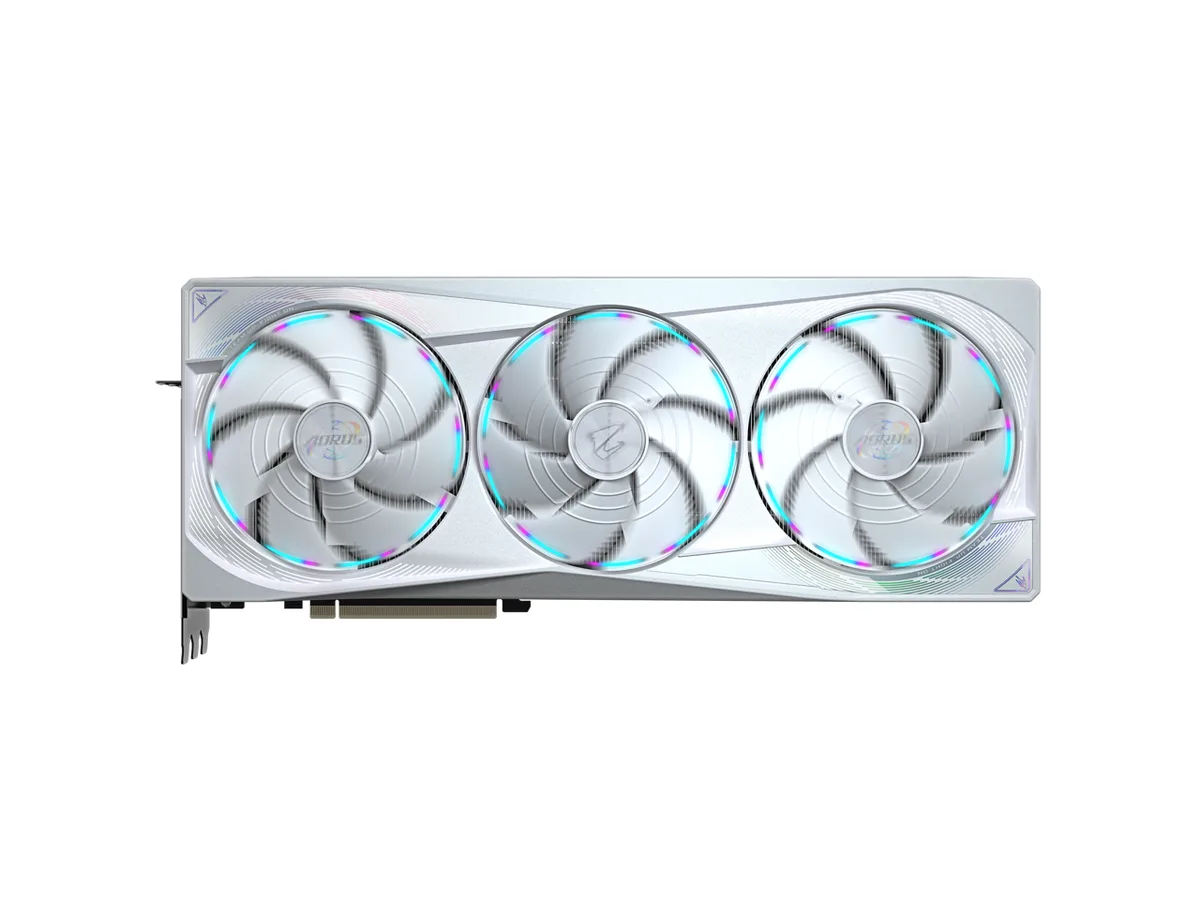
GIGABYTE GV-N5080WF3OC-16GD GeForce RTX 5080 graphics card
- PCI Express 5.0 x16
- NVIDIA
$1,599.99
0.0206701BTC
In stockWe take cryptocurrency — so the coins you hold can buy real hardware.Pay in crypto, spend it on real hardware. Free insured shipping worldwide over $399. Plain, unbranded boxes, sent from Germany.Free insured shipping over $399. Your rate is locked for 30 minutes once checkout opens.Rate locked 30 minutes. Every item sealed, serial-checked and covered by a 24-month warranty.Sealed, 24-month warranty.


GIGABYTE
GeForce RTX 5080 with 16GB GDDR7 memory at 32 Gbps, WINDFORCE cooling, dual BIOS, PCIe 5.0 and four display outputs up to 7680 x 4320
Option GAMING
Struck-through versions exist but are not stocked here.
Edition RTX 5080 OC
Struck-through versions exist but are not stocked here.
The GIGABYTE GV-N5080GAMING OC-16GD is a graphics card built around the NVIDIA GeForce RTX 5080 GPU. It targets gamers and creators who need high frame rates and AI-accelerated workflows. The card ships with a factory overclock and a dual-BIOS switch for performance or silent operation.
A WINDFORCE cooler with Hawk fans and server-grade thermal gel keeps the PCB stable under load. The metal backplate and bundled VGA holder reinforce the structure to prevent sag. Display outputs comprise one HDMI 2.1b and three DisplayPort 2.1a connectors for up to four simultaneous monitors.
The frame buffer delivers 16GB of GDDR7 memory across a 256-bit bus running at 32 Gbps effective clock. This bandwidth ceiling determines whether the card can sustain 4K or 8K workloads with ray tracing and DLSS 4 enabled. PCI Express 5.0 provides the system link.
| Brand | GIGABYTE |
|---|---|
| Series | Gaming |
| Model | GV-N5080GAMING OC-16GD |
| Part Number | GV-N5080GAMING OC-16GD |
| Interface | PCI Express 5.0 |
| Chipset Manufacturer | NVIDIA |
| GPU Series | NVIDIA GeForce RTX 50 Series |
| GPU | GeForce RTX 5080 |
| Effective Memory Clock | 32 Gbps |
| Memory Size | 16GB |
| Memory Interface | 256-Bit |
| Memory Type | GDDR7 |
| OpenGL | OpenGL 4.6 |
| Multi-Monitor Support | 4 |
| HDMI | 1 x HDMI 2.1b |
| DisplayPort | 3 x DisplayPort 2.1a |
| Color | Black |
| Max Resolution | 7680 x 4320 |
| SLI Support | No |
| Virtual Reality Ready | Yes |
| Thermal Design Power | 360W |
| Recommended PSU Wattage | 850W |
| Power Connector | 1 x 16-Pin |
| HDCP Ready | Yes |
| Form Factor | ATX |
| Max GPU Length | 340 mm |
| Card Dimensions (L x H) | 340 x 140 x 70 mm |
| Package Contents | 1. VGA manual 2. Warranty notice 3. 1x 12V-2x6 to 3x PCIe 8pin adapter 4. Versatile VGA holder 5. Versatile VGA holder manual |
| Shipping weight | 2.68 kg |
| Package size | 439 × 274 × 112 mm |
Other versions of this model
Same family, different memory, cooler or clock — compare before you commit.
The card uses a PCI Express 5.0 x16 slot. In practice this caps at the slot's 32 GT/s signalling rate, so the GPU cannot exceed that throughput ceiling.
The WINDFORCE cooler occupies three expansion slots and includes a versatile VGA holder. You must verify case length and height clearance, plus provide the 12VHPWR power connector.
Seat the card firmly in the PCIe 5.0 slot, attach the 12VHPWR cable, then set the Dual BIOS switch to Performance or Silent before powering on; the step most people miss is flipping the switch while the system is off.
Also in this aisle
Same shelf, same checkout — eight coins and a 30-minute rate lock.
What you pay in, and what you read prices in.
Sent from your wallet at checkout
Display only — the catalogue is priced in USD
No currency matches that.
Pick the language the site speaks to you in.
New here?
Already have one?
There is no automatic reset: this shop sends no mail, so there is no one-time link to ask for. Leave the address on the account and it gets picked up by hand.
Request noted
Nothing is on its way to your inbox — this shop sends no mail at all. Someone picks these up by hand.
Remembered it?