


GIGABYTE
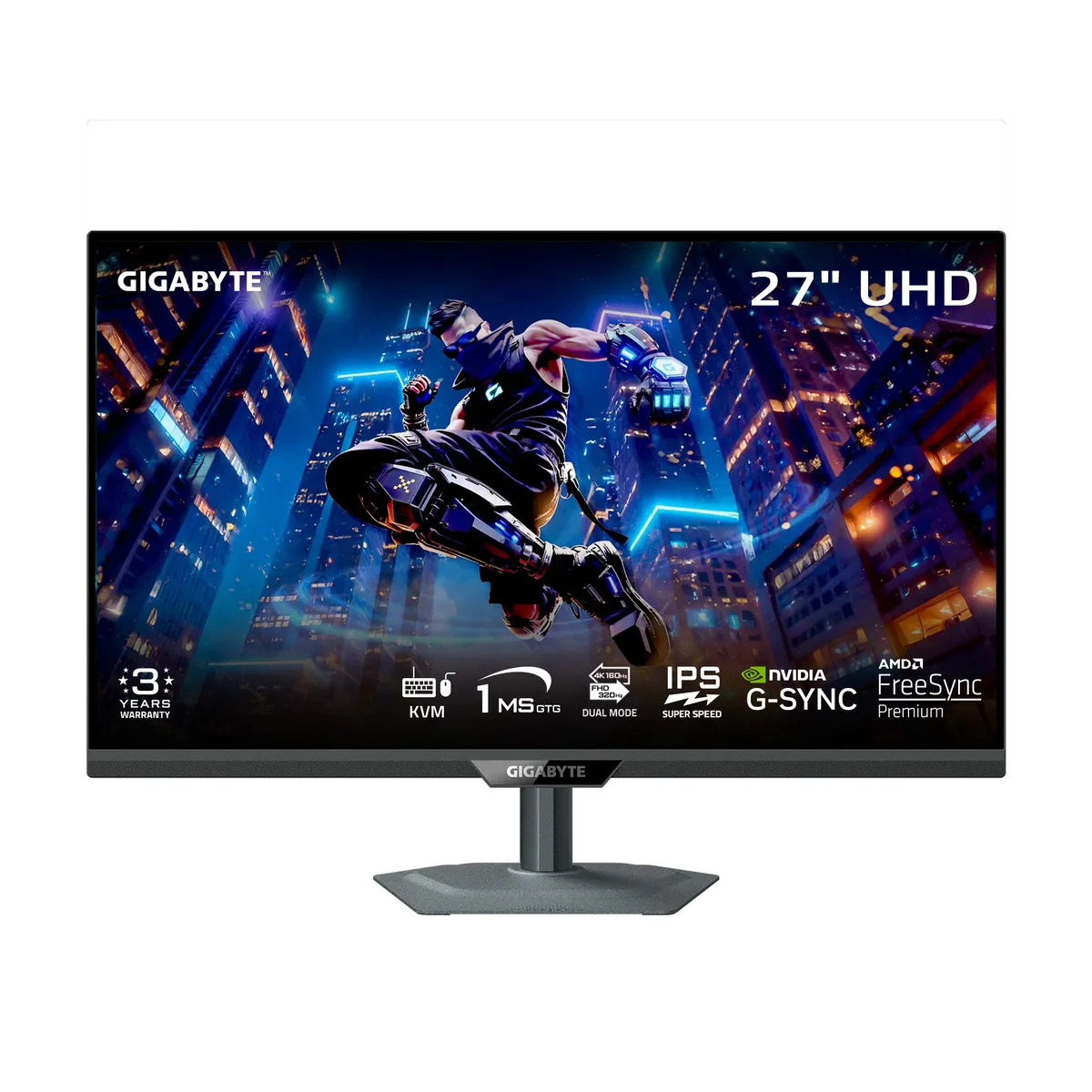
GIGABYTE M27UP SA 27" UHD 160Hz gaming monitor
A 27-inch UHD Fast IPS panel delivers 3840 x 2160 at 160 Hz with 1 ms GTG response, FreeSync Premium and G-SYNC Compatible sync, DisplayHDR 400 brightness, plus dual HDMI 2.1, DisplayPort 1.4.
- Cabinet ColorBlack
- Screen Size27"
- Glare ScreenNon-glare
- PanelFast IPS
- Display TypeUHD
- Adaptive Sync TechnologyFreeSync Premium & G-Sync Compatible
- Sharp 4K detail from 3840 x 2160 UHD resolution on 27 inch Fast IPS
- Smooth competitive play at 160 Hz refresh rate with 1 ms GTG response
- HDR400 brightness of 350 cd/m2 adds highlight depth to games and media
- USB-C KVM with 3.2 Gen 1 hub lets one cable drive display, data and peripherals
- Ergonomic stand tilts 21° back, swivels 15°, pivots 90° and raises 130 mm for comfort
27-inch UHD gaming monitor
The GIGABYTE M27UP SA is a 27-inch UHD gaming monitor built around a Fast IPS panel with a 160Hz refresh rate and 1ms GTG response time. It targets competitive players and content creators who want sharp 3840 x 2160 detail without sacrificing motion clarity. Adaptive sync support covers both FreeSync Premium and G-Sync Compatible standards. The flat, non-glare screen suits bright rooms and multi-monitor arrays.
Dual-mode resolution and HDR 400 headroom
At native UHD the panel delivers 350 cd/m² brightness and a 1000:1 contrast ratio under DisplayHDR 400 certification, which is adequate for SDR gaming and entry HDR highlights but not for sustained high-dynamic-range impact. The 125% sRGB gamut on 8-bit colour covers most creative work. Dual Mode lets you drop to 1920 x 1080 for higher frame-rate headroom when the GPU runs out of steam at 160Hz 4K.
KVM and USB-C upgrade for desk consolidation
The monitor adds a USB Type-C port with KVM switching, three USB 3.2 Gen 1 downstream ports and an upstream link, replacing a separate dock and keyboard-video-mouse switch for users juggling a laptop and desktop. HDMI 2.1 and DisplayPort 1.4 handle current consoles and GPUs. Buyers who need higher sustained HDR brightness, wider colour volume or more than one DisplayPort connection should look elsewhere.
Highlights
- Sharp 4K detail from 3840 x 2160 UHD resolution on 27 inch Fast IPS
- Smooth competitive play at 160 Hz refresh rate with 1 ms GTG response
- HDR400 brightness of 350 cd/m2 adds highlight depth to games and media
- USB-C KVM with 3.2 Gen 1 hub lets one cable drive display, data and peripherals
- Ergonomic stand tilts 21° back, swivels 15°, pivots 90° and raises 130 mm for comfort
Specifications
| Brand | GIGABYTE |
|---|---|
| Series | M Series |
| Model | M27UP SA |
| Cabinet Color | Black |
| Screen Size | 27" |
| Glare Screen | Non-glare |
| Panel | Fast IPS |
| Display Type | UHD |
| Adaptive Sync Technology | FreeSync Premium & G-Sync Compatible |
| Resolution | 3840 x 2160 (UHD) 1920 x 1080 (FHD) |
| Viewing Angle | 178° (H) / 178° (V) |
| Brightness | 350 cd/m2 |
| Contrast Ratio | 1000:1 |
| Response Time | 1ms GTG |
| Monitor Pixel Density | 0.1554mm |
| Refresh Rate | 160Hz |
| VESA Certified DisplayHDR | DisplayHDR 400 |
| Curved Surface Screen | Flat Panel |
| HDMI | 2 x HDMI 2.1 |
| DisplayPort | 1 x DisplayPort 1.4 |
| USB Ports | 3 x USB 3.2 Gen 1 Downstream ports 1 x USB 3.2 Gen 1 Upstream port 1 x USB Type-C |
| Headphone | 1 x Earphone Jack |
| Power Supply | 100 - 240 VAC, 50/60Hz |
| Stand Adjustments | Tilt: +21° ~ -5° Swivel: +15° ~ -15° Pivot: 0° ~ 90° Height Adjustment: 0~130mm |
| VESA Compatibility - Mountable | 100 x 100mm |
| Shipping weight | 9.23 kg |
| Package size | 795 × 472 × 165 mm |
Questions about this item
Will the HDMI 2.1 ports drive my older graphics card at 3840 x 2160 60Hz without scaling issues?
Yes, the two HDMI 2.1 inputs accept 3840 x 2160 at 60Hz from legacy GPUs, and the Fast IPS panel shows the native pixel grid without forced scaling.
How can I verify the 160Hz refresh rate and 1ms GTG response are active after connecting via DisplayPort 1.4?
Open the on-screen display, select the Information tab, and confirm it reads 3840 x 2160 at 160Hz; then enable the built-in response-time overdrive and run a motion test to see the 1ms GTG transition.
Which cables and accessories ship in the box so I know what to buy separately?
The package includes a power cable, an HDMI 2.1 cable, a DisplayPort 1.4 cable, a USB 3.2 Gen 1 cable, a quick-start guide and the warranty card; no extra video or USB cables are required for standard use.
Also in this aisle
People compared these
Same shelf, same checkout — eight coins and a 30-minute rate lock.


Lenovo
Lenovo Legion Pro 32UD-10 31.5 inch 144 Hz gaming monitor
- 31.5 inch"
- 144 Hz
$819.99
0.01059336BTC
In stock