


GoHardDrive
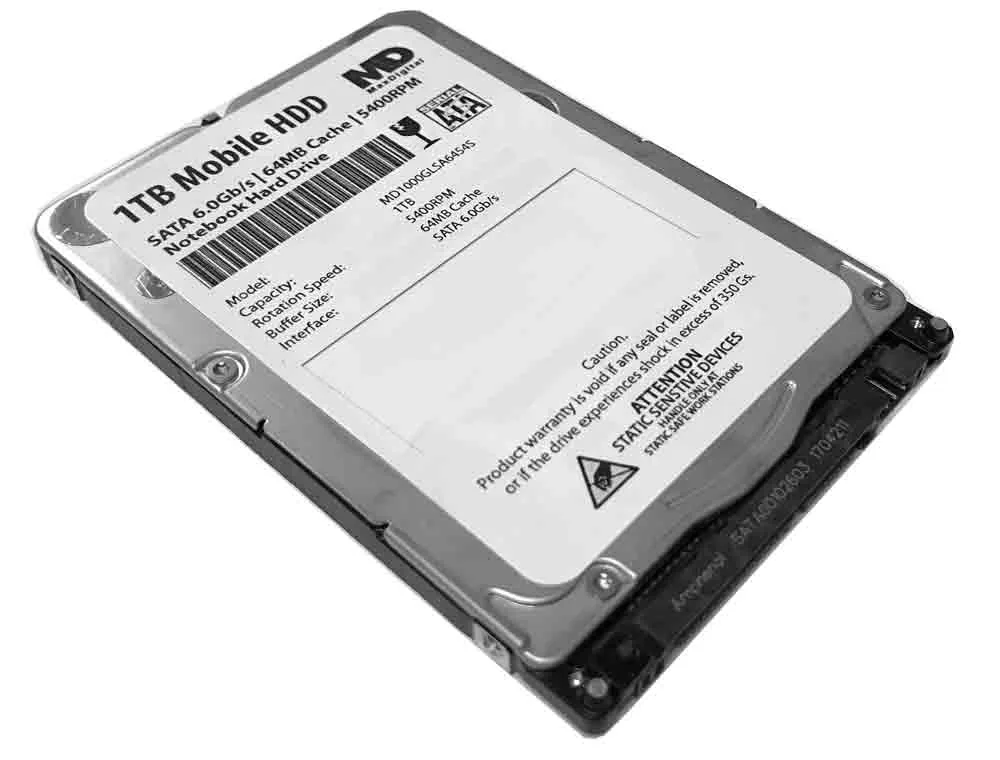
GoHardDrive 1TB 5400RPM 64MB 7mm SATA 2.5" laptop hard drive
A 1 TB laptop drive spinning at 5400 RPM with 64 MB cache in a slim 7 mm, 2.5" SATA 6.0 Gb/s form factor
- PackagingBare Drive
- InterfaceSATA 6.0Gb/s
- Capacity1TB
- RPM5400 RPM
- Form Factor2.5"
- Height (maximum)7mm
- 1TB capacity stores large media libraries
- 5400 RPM spindle speed balances throughput and power draw
- 64 MB cache absorbs burst write traffic
- 7 mm z-height fits slim laptops and PS4 bays
- SATA 6.0 Gb/s interface connects to any 2.5″ bay
1 TB SATA laptop drive
This 2.5 inch SATA 6.0Gb/s hard drive provides 1000 GB of storage for laptops, notebooks and PlayStation 4 consoles. It fits 7 mm drive bays and external USB enclosures that accept a 2.5 inch form factor. The 5400 RPM spindle and 64 MB cache suit everyday computing and media libraries.
Quiet cool running
The 5400 RPM speed keeps operating temperatures modest and acoustic output low during typical office work, web browsing and video playback. Power draw stays within the limits of standard laptop SATA ports and bus-powered enclosures. No active cooling is required beyond the host device's normal airflow.
Steady sustained throughput
Under continuous read or write workloads the drive maintains consistent transfer rates without the sharp drops seen in burst-only benchmarks. The mechanical design handles long file copies, backups and game installs at a predictable pace. It is not intended for high-transaction databases or workloads that demand sustained IOPS beyond a single spinning disk.
Highlights
- 1TB capacity stores large media libraries
- 5400 RPM spindle speed balances throughput and power draw
- 64 MB cache absorbs burst write traffic
- 7 mm z-height fits slim laptops and PS4 bays
- SATA 6.0 Gb/s interface connects to any 2.5″ bay
Specifications
| Packaging | Bare Drive |
|---|---|
| Interface | SATA 6.0Gb/s |
| Capacity | 1TB |
| RPM | 5400 RPM |
| Form Factor | 2.5" |
| Height (maximum) | 7mm |
| Width (maximum) | 70mm |
| Length (maximum) | 100.6mm |
Questions about this item
How do I install this 7mm 2.5" SATA drive in my laptop, and what step often goes wrong?
Mount the drive in the 7mm bay using the four side screws, connect the SATA 6.0Gb/s data and power cables, then initialise the 1TB volume in Disk Management — the step most people miss is initialising before formatting.
What maintenance or replacement will this 5400 RPM drive need later?
No routine maintenance is required; keep ventilation clear and run occasional SMART checks. If the 64MB cache or mechanical parts fail after the warranty period, replace the entire drive.
What limit appears first during sustained transfers on this SATA 6.0Gb/s HDD?
The 5400 RPM platter speed caps sustained throughput well below the 6.0Gb/s interface ceiling, so sequential reads and writes plateau at the mechanical transfer rate.
Also in this aisle
People compared these
Same shelf, same checkout — eight coins and a 30-minute rate lock.


Lenovo
Lenovo 4XB0F28690 ThinkServer RAID 110i RAID 5 Upgrade Key
$66.99$73.99−9%
0.00085891BTC
In stock
