


GTEK ELECTRONICS
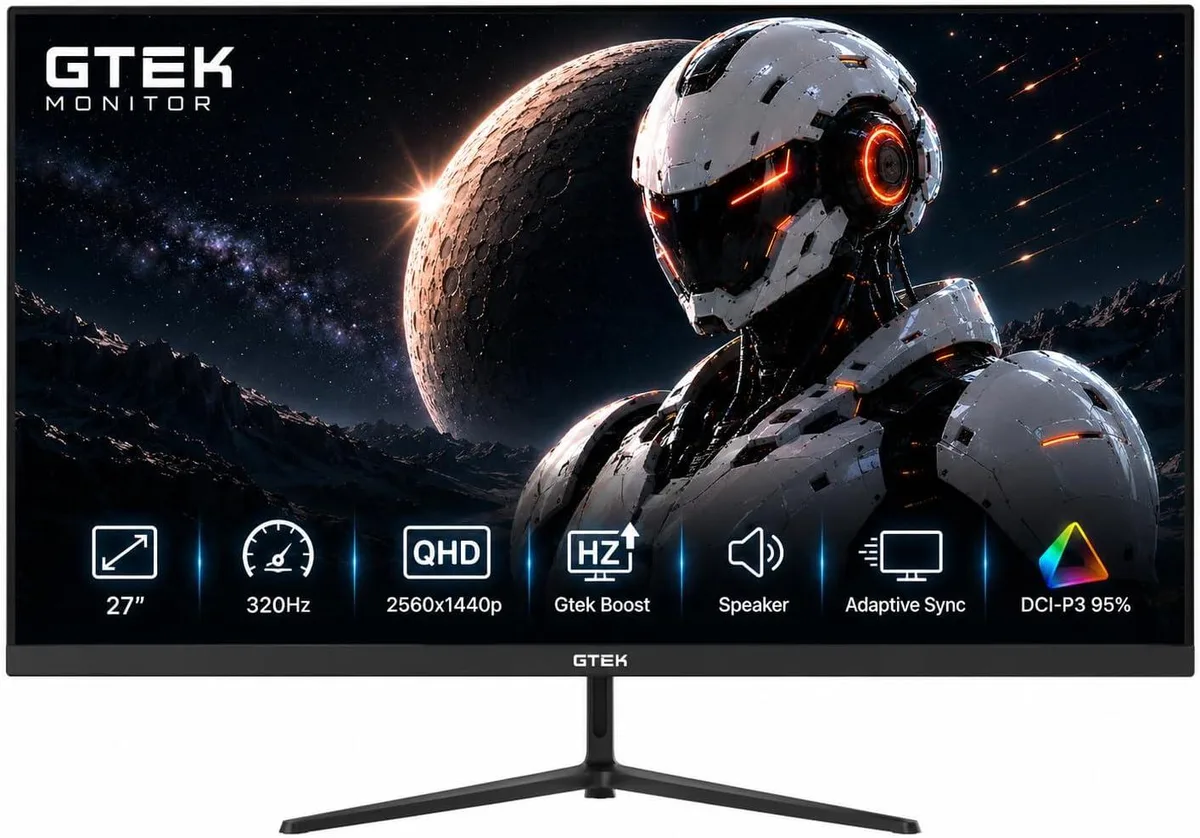
GTEK ELECTRONICS Q2732PS 27" 320Hz 2560x1440 gaming monitor
A 27-inch IPS gaming monitor with 2560 x 1440 resolution, 320 Hz refresh rate, 1 ms response time, height-adjustable stand, two HDMI and two DisplayPort inputs, plus built-in speakers
- Screen Size27"
- PanelIPS
- Resolution2560 x 1440P
- Aspect Ratio16:9
- Response Time1 ms
- Refresh Rate320Hz
- Fluid competitive motion with 320 Hz refresh and 1 ms overdrive response
- Sharp 2560 x 1440 QHD detail on a 27 inch IPS panel
- Adjustable height and tilt for comfortable long sessions
- Two HDMI and two DisplayPort inputs plus built-in speakers
- Tear-free FreeSync and G-Sync compatibility with flicker-free low blue light eye care
27-inch 320Hz QHD gaming monitor
This 27-inch IPS panel delivers a 2560 x 1440P resolution at a 320Hz refresh rate with a 1ms response time. It targets competitive players who need high motion clarity and a 16:9 aspect ratio for fast-paced titles.
Simple stand assembly and cable routing
The box includes an adjustable height and tilt stand that attaches without tools. Users should verify their graphics card can sustain high frame rates at 1440P to match the 320Hz panel, otherwise the refresh advantage goes unused.
Suits esports players on mid-range systems
The 2560 x 1440P resolution balances detail and GPU load for 300Hz-plus gaming. Buyers who want more screen real estate for productivity or a larger diagonal for immersive single-player experiences should look at something else.
Highlights
- Fluid competitive motion with 320 Hz refresh and 1 ms overdrive response
- Sharp 2560 x 1440 QHD detail on a 27 inch IPS panel
- Adjustable height and tilt for comfortable long sessions
- Two HDMI and two DisplayPort inputs plus built-in speakers
- Tear-free FreeSync and G-Sync compatibility with flicker-free low blue light eye care
Specifications
| Screen Size | 27" |
|---|---|
| Panel | IPS |
| Resolution | 2560 x 1440P |
| Aspect Ratio | 16:9 |
| Response Time | 1 ms |
| Refresh Rate | 320Hz |
| HDMI | 2 |
| Built-in Speakers | Yes |
| Shipping weight | 6.80 kg |
| Package size | 686 × 305 × 127 mm |
Questions about this item
How do I verify the monitor is running at 320 Hz after setup?
Open the on-screen display menu, select the information tab, and confirm the current refresh rate reads 320 Hz; also check your graphics driver control panel to ensure the output is set to 320 Hz at 2560 x 1440 resolution.
What comes in the box and what must I buy separately?
The package includes the 27 inch IPS panel, an adjustable height and tilt stand, power cable, and at least one video cable; you may need an extra DisplayPort or HDMI cable if you plan to use both inputs simultaneously.
Should I choose the 320 Hz model or the 300 Hz version mentioned in the highlights?
The specifications list a single 320 Hz refresh rate for this MPN, so select this model to obtain the highest supported refresh rate.
Also in this aisle
People compared these
Same shelf, same checkout — eight coins and a 30-minute rate lock.


Lenovo
Lenovo Legion Pro 32UD-10 31.5 inch 144 Hz gaming monitor
- 31.5 inch"
- 144 Hz
$819.99
0.01059336BTC
In stock