
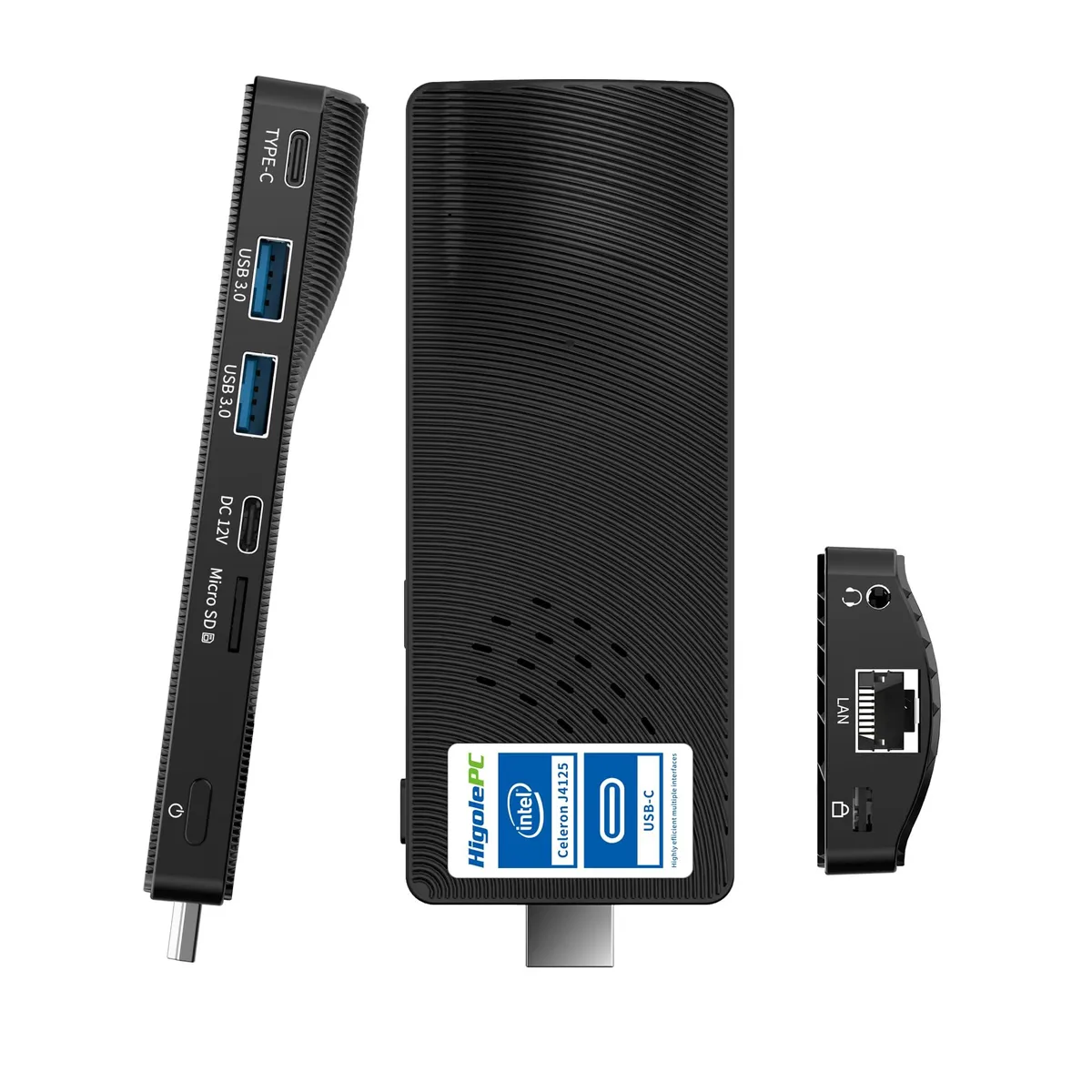


Higole
Higole PC Stick Windows 11 Pro N4100 4GB 64GB
A Windows 11 Pro stick PC with an Intel Celeron N4100, 4 GB DDR4 RAM, 64 GB storage, dual 4K output via USB-C and HDMI, WiFi 5, Gigabit Ethernet and Bluetooth 4.2
Model Intel Celeron N4100 4GB+64GB
- Intel Celeron J4105 8GB +128GB
- Intel Celeron J4105 8GB +256GB
- Intel Celeron N4100 4GB+64GB
- Windows 10 N4200 4GB+64GB
Struck-through versions exist but are not stocked here.
- Windows 11 Pro ready for immediate professional use
- Intel Celeron N4100 with 4 GB DDR4 handles office tasks smoothly
- Dual 4K output via USB-C and HDMI expands workspace
- Gigabit Ethernet plus WiFi 5 and Bluetooth 4.2 keep connections fast
- Open BIOS enables custom boot and power settings
Ready-to-use office stick
The Higole PC Stick ships with Windows 11 Pro installed and supports Ubuntu or Linux. An Intel Celeron N4100 processor, 4GB of DDR4 RAM and 64GB of storage handle everyday office tasks, web browsing and media playback in a device that plugs directly into a display.
Fits tight spaces and basic workflows
This stick suits users who need a silent, portable Windows machine for light productivity, digital signage or a secondary travel desktop. Buyers who require more storage, higher multi-thread performance or discrete graphics should look at larger mini PCs or full-sized desktops.
Plug in and configure
Connect the stick to an HDMI port, attach the DC power adapter, add a keyboard and mouse via USB 3.0 or Bluetooth 4.2, then follow the Windows setup. The open BIOS allows boot-order changes and network boot, but the single USB 3.0 port often means a hub is needed for multiple peripherals.
Highlights
- Windows 11 Pro ready for immediate professional use
- Intel Celeron N4100 with 4 GB DDR4 handles office tasks smoothly
- Dual 4K output via USB-C and HDMI expands workspace
- Gigabit Ethernet plus WiFi 5 and Bluetooth 4.2 keep connections fast
- Open BIOS enables custom boot and power settings
Specifications
No published specifications for this item yet.
Other versions of this model
2 more in the same range
Same family, different memory, cooler or clock — compare before you commit.


Questions about this item
What display connectors must my monitors have to use the dual 4K output on this stick PC?
You need one monitor with an HDMI input and one with a USB-C video input, or suitable adapters for each port.
Will the Intel Celeron N4100 and 4GB DDR4 RAM run my older USB 2.0 peripherals without extra drivers?
Yes, the USB 3.0 port is backward compatible with USB 2.0 devices and Windows 11 Pro includes standard drivers for keyboards, mice and flash drives.
How can I confirm the stick PC is using its Gigabit Ethernet link at full speed after setup?
Open Settings > Network & Internet > Ethernet, select the connection and verify the link speed reads 1 Gbps.
Also in this aisle
People compared these
Same shelf, same checkout — eight coins and a 30-minute rate lock.


HPE
HPE P22020B21 2U Cable Management Arm for DL38X Gen10 Plus Rail Kit
$52.99$67.99−22%
0.00068149BTC
In stock
Lenovo
Lenovo ThinkSystem ST250 V3 7DCEA01YNA Tower Server Xeon E-2434 16 GB RAM
$1,267.99
0.01630729BTC
In stock