

Hitachi, Ltd.
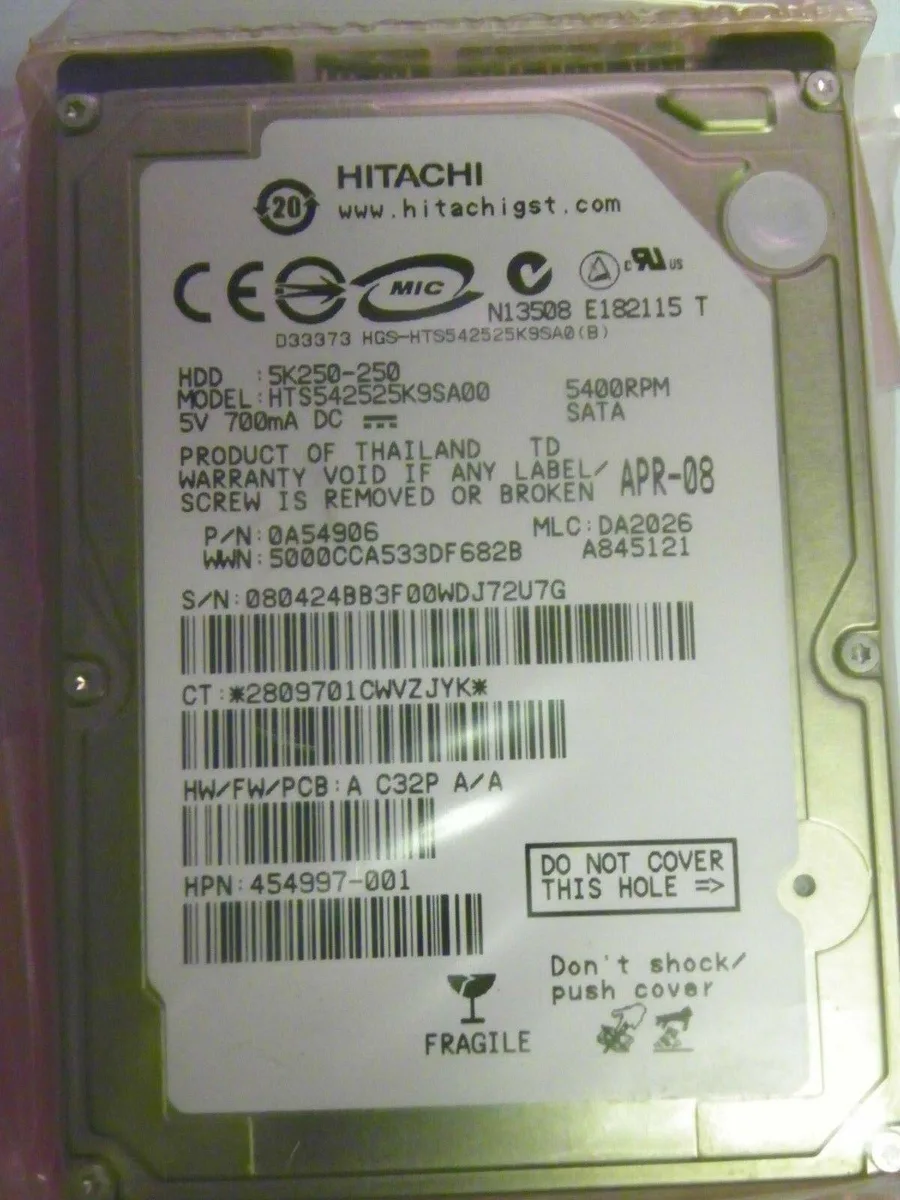
Hitachi, Ltd. Hts542525K9Sa00 250Gb 2.5" Sata internal hard drive
2.5-inch SATA internal hard drive with 250 GB capacity for laptop upgrades
- 250 GB capacity stores documents and media files
- 5 inch form factor fits standard laptop drive bays
- SATA interface connects directly to compatible notebook controllers
- New condition delivers full manufacturer specification out of the box
- Silver finish matches typical internal chassis aesthetics
250 GB 2.5" SATA drive
This 250 GB 2.5-inch SATA internal hard drive is built for laptop storage upgrades or replacements. It connects through a standard SATA interface and arrives in new condition.
Suits laptop repairs and basic storage
It fits users who need a direct 2.5-inch SATA replacement for an older notebook or a secondary data drive. Builders who need faster transfer speeds, larger capacities or a different physical interface should look at other options.
SATA I interface decides compatibility
The drive uses a SATA I connection, so the host system must support that interface for the drive to function. Verify the laptop or enclosure accepts SATA I before purchase.
Highlights
- 250 GB capacity stores documents and media files
- 5 inch form factor fits standard laptop drive bays
- SATA interface connects directly to compatible notebook controllers
- New condition delivers full manufacturer specification out of the box
- Silver finish matches typical internal chassis aesthetics
Specifications
No published specifications for this item yet.
Questions about this item
How do I install this 2.5" SATA drive in a laptop, and what step is often missed?
Slide the drive into the 2.5" bay, secure it with the caddy screws, then connect the SATA data and power cables; the step often missed is fastening the caddy before sliding the assembly in.
What maintenance or replacement will this 250 GB SATA I drive need later?
No scheduled maintenance is required; the drive will eventually need replacement when bad sectors appear or the motor wears out after years of use.
What limit appears first on this SATA I drive during sustained use?
The SATA I interface caps sustained transfer speed, so throughput plateaus at the link maximum before any thermal limit is reached.
Also in this aisle
People compared these
Same shelf, same checkout — eight coins and a 30-minute rate lock.




Western Digital
Western Digital G-DRIVE ArmorATD 5TB portable hard drive SDPH81G005TGBA1D
$298.99
0.0038282BTC
In stock
OWC
OWC Gemini Ultra X6 12TB Thunderbolt portable SSD (OWCTB3GMA6X12)
- 12TB
- Thunderbolt
$2,645.99
0.03387865BTC
In stock