

Panasonic
Panasonic Toughbook CF-19 10.1" Touch 2.7GHz i5 500GB HDD 4GB RAM Verizon 4G LTE
- Black
- Windows 10 Pro
$464.99
0.00597881BTC
In stockWe take cryptocurrency — so the coins you hold can buy real hardware.Pay in crypto, spend it on real hardware. Free insured shipping worldwide over $399. Plain, unbranded boxes, sent from Germany.Free insured shipping over $399. Your rate is locked for 30 minutes once checkout opens.Rate locked 30 minutes. Every item sealed, serial-checked and covered by a 24-month warranty.Sealed, 24-month warranty.


HP
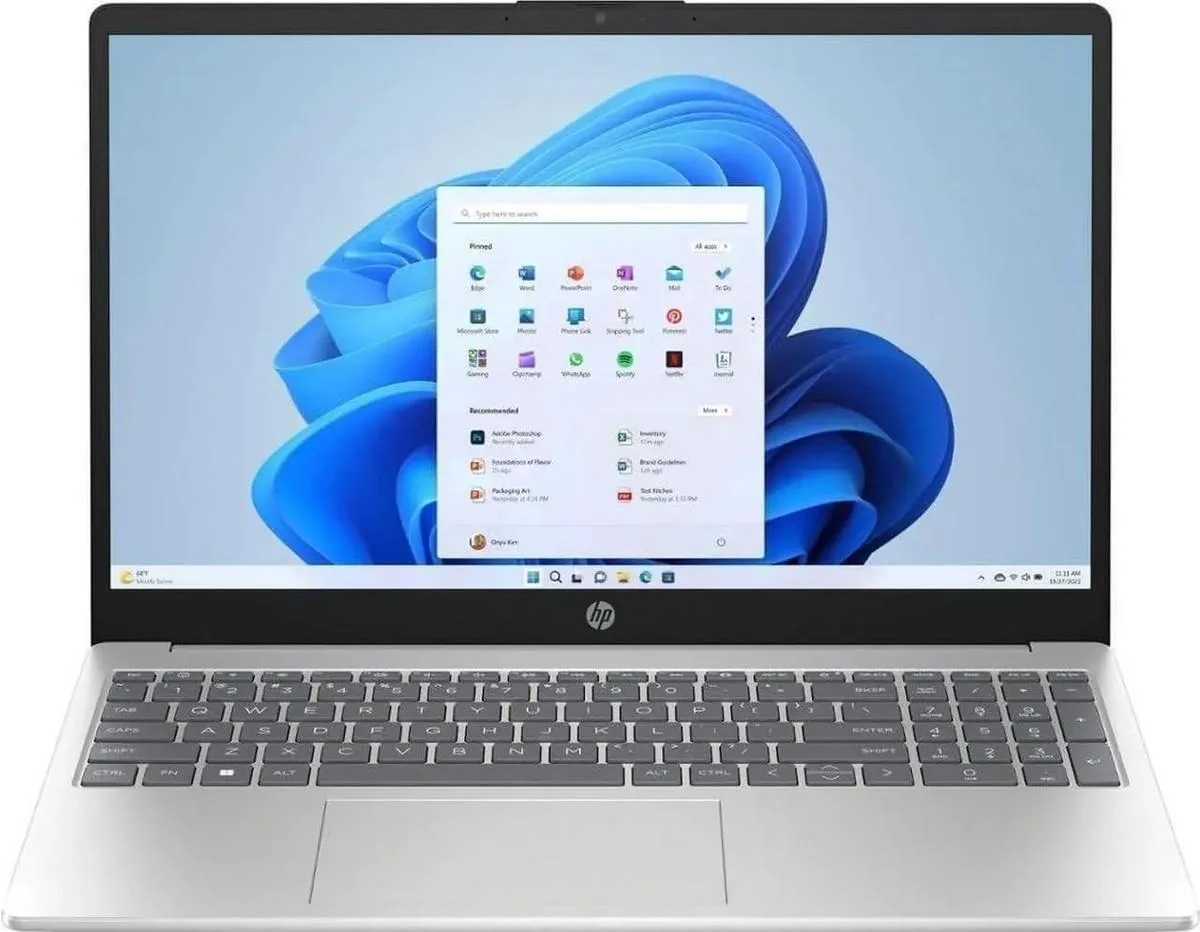
A 15.6-inch Full HD touch laptop with a 12-core Intel Core Ultra 5 225U up to 4.8 GHz, 16 GB DDR5 and a 4 TB NVMe SSD
This HP 15-FD2050WM laptop combines a 15.6-inch Full HD touch display with an Intel Core Ultra 5 225U processor. It provides 16GB of DDR5 memory and a 4TB NVMe SSD for storage. Windows 11 Home comes pre-installed on the silver chassis. The integrated Intel UHD Graphics handles visual output.
The single 4TB NVMe drive serves users who want one large volume for applications and files. Buyers who need a second drive bay for separate operating systems or mirrored backups cannot add one here. The 12-core CPU with 4.8GHz turbo frequency supports multitasking across office and creative workloads. Touch input adds direct control for navigation and annotation.
The 4TB NVMe SSD is the specification that decides fit. It holds large media libraries, project archives and virtual machines without external drives. Users with smaller datasets may find the capacity excessive for their needs. The drive uses the NVMe protocol for fast boot and load times.
| Brand | HP |
|---|---|
| Model | 15-FD2050WM |
| Part Number | D4JK5UA#ABA |
| Color | Silver |
| Operating System | Windows 11 Home |
| CPU Type | Intel Core Ultra 5 (Series 2) |
| Turbo Frequency | 4.8GHz |
| Number of Cores | 12-core Processor |
| Smart Cache | 12MB |
| Screen Size | 15.6" |
| Touchscreen | Yes |
| Wide Screen Support | Yes |
| Display Type | Full HD |
| Resolution | 1920 x 1080 |
| GPU/VPU | Intel UHD Graphics |
| Graphic Type | Integrated Card |
| SSD | 4 TB |
| HDD | No |
| Storage Spec | 4TB NVMe SSD |
| Memory | 16GB |
| Memory Speed | DDR5 5600 |
| Memory Spec | 8 GB x 2 |
| Memory Slot (Total) | 2 |
| Memory Slot (Available) | 0 |
| Max Memory Supported | 64 GB |
| Optical Drive Type | No |
| WLAN | 802.11ax Wireless LAN |
| WiFi Generation | Wi-Fi 6 |
| Bluetooth | Bluetooth 5.4 |
| USB | 3 |
| Video Port | 1 x HDMI |
| HDMI | 1 x HDMI |
| Audio Ports | 1 x Headphone/Microphone Combo Jack |
| Audio | Integrated Sound card |
| Speaker | Integrated Stereo Speakers |
| Touchpad | Yes |
| Keyboard | Standard |
| Backlit Keyboard | Non-backlit |
| Webcam | Yes |
| Style | Standard |
| Type | Home / Personal |
| Battery | 3-cell Lithium Ion |
| Battery Life | Up to 8 Hours |
| Dimensions (W x D x H) | 9.29 x 14.17 x 0.73 in |
| Weight | 3 - 3.9 lbs. |
The 4 TB NVMe SSD connects through the board's NVMe interface, which in this laptop caps sustained transfer speeds at the PCIe lane limit rather than the drive's own ceiling.
The drive fits a standard M.2 2280 slot on the motherboard and is secured with a single screw; no caddy or adapter is needed.
Remove the bottom cover, insert the drive at an angle into the M.2 slot, press it flat and fasten the retention screw; the step most often missed is pressing the drive fully down before tightening the screw.
Also in this aisle
Same shelf, same checkout — eight coins and a 30-minute rate lock.
What you pay in, and what you read prices in.
Sent from your wallet at checkout
Display only — the catalogue is priced in USD
No currency matches that.
Pick the language the site speaks to you in.
New here?
Already have one?
There is no automatic reset: this shop sends no mail, so there is no one-time link to ask for. Leave the address on the account and it gets picked up by hand.
Request noted
Nothing is on its way to your inbox — this shop sends no mail at all. Someone picks these up by hand.
Remembered it?


