


HP
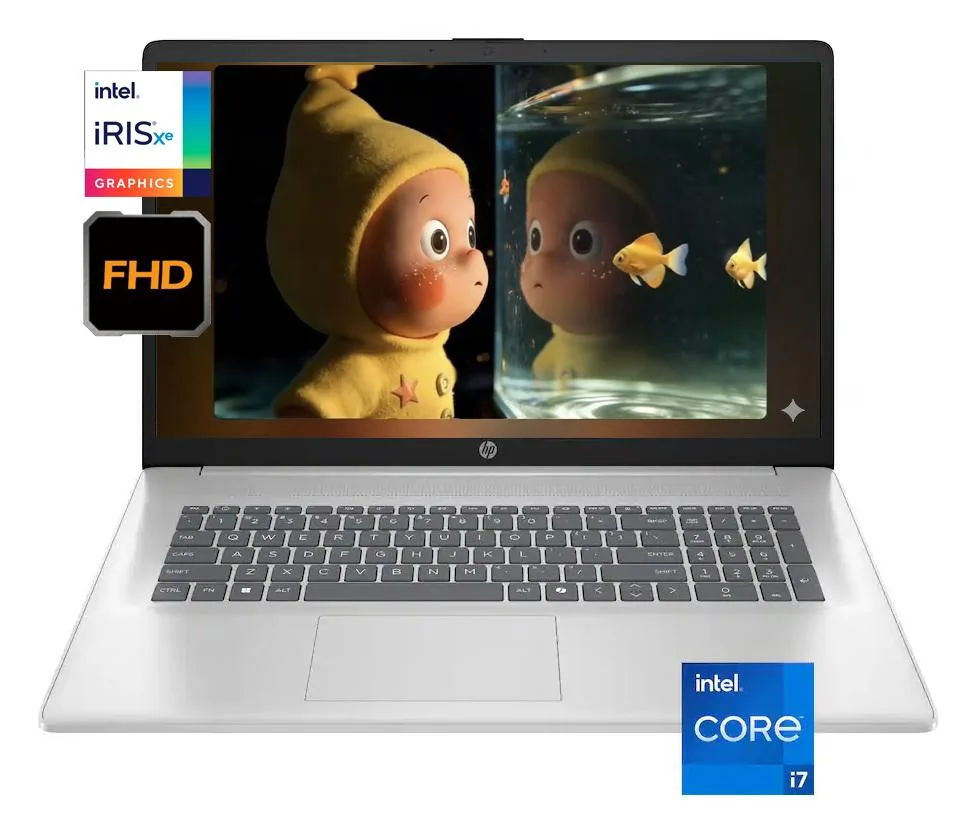
HP 17.3" laptop Intel Core i7-1355U 16GB DDR4 1TB SSD Windows 11 Pro Silver
A 17.3 inch Full HD IPS laptop with a 10-core Intel Core i7-1355U, 16GB DDR4 memory and a 1TB SSD running Windows 11 Pro
- ColorSilver
- AI FeaturesAI Ready
- Operating SystemWindows 11 Pro
- CPU TypeIntel Core i7 13th Gen
- Processor NameIntel Core i7-1355U
- Number of Cores10-core Processor
Options 16G · 1TB · Pro
- 16G · 1TB · Pro
- 16G · 512G · Home
- 16G · 1TB · Home
- 16G · 2TB · Home
- 32G · 512G · Home
- 32G · 1TB · Home
- 32G · 2TB · Home
- 16G · 512G · Pro
- 16G · 2TB · Pro
- 32G · 512G · Pro
- 32G · 1TB · Pro
- 32G · 2TB · Pro
Show 2 more configurations
- Large 17.3" anti-glare IPS display for comfortable viewing
- 10-core Intel Core i7-1355U handles demanding workloads efficiently
- 16GB DDR4 3200MHz memory keeps multitasking smooth
- 1TB PCIe NVMe SSD provides fast, ample storage
- Up to 10 hours battery life supports all-day productivity
17.3-inch business laptop with Core i7-1355U
This HP laptop pairs a 13th-generation Intel Core i7-1355U processor with 16GB of DDR4 3200 memory and a 1TB PCIe NVMe SSD. The 10-core CPU reaches a 5GHz boost clock and includes 12MB of L3 cache. Windows 11 Pro is pre-installed on the silver chassis.
Professionals needing a large screen
The 17.3-inch IPS panel delivers 1920 x 1080 resolution at 60Hz with 250 nits brightness and 45 percent NTSC colour coverage. Integrated Intel Iris Xe graphics handles everyday visual tasks. Buyers who require a touchscreen, dedicated graphics for heavy rendering, or a wider colour gamut should consider other configurations.
16GB DDR4 and 1TB SSD for multitasking headroom
The memory and storage combination comfortably runs multiple business applications, browser tabs and video calls simultaneously. The 512GB PCIe NVMe module noted in highlights suggests the 1TB total may span two slots. Users working with very large local datasets or virtual machines may find the 16GB ceiling limiting.
Highlights
- Large 17.3" anti-glare IPS display for comfortable viewing
- 10-core Intel Core i7-1355U handles demanding workloads efficiently
- 16GB DDR4 3200MHz memory keeps multitasking smooth
- 1TB PCIe NVMe SSD provides fast, ample storage
- Up to 10 hours battery life supports all-day productivity
Specifications
| Brand | HP |
|---|---|
| Color | Silver |
| AI Features | AI Ready |
| Operating System | Windows 11 Pro |
| CPU Type | Intel Core i7 13th Gen |
| Processor Name | Intel Core i7-1355U |
| Number of Cores | 10-core Processor |
| CPU L3 Cache | 12 MB |
| Screen Size | 17.3" |
| Touchscreen | Non-Touch Screen |
| Display Type | FHD |
| Resolution | 1920 x 1080 |
| Panel | IPS |
| Refresh Rate | 60 Hz |
| GPU/VPU | Intel Iris Xe Graphics |
| Graphic Type | Integrated Card |
| SSD | 1 TB |
| HDD | No |
| Memory | 16GB |
| Memory Speed | DDR4 3200 |
| LAN | 10/100/1000Mbps |
| WiFi Generation | Wi-Fi 6 |
| Bluetooth | Yes |
| USB | 2 x USB 3.0 |
| Video Port | 1 x HDMI |
| HDMI | 1 x HDMI 1.4 |
| Other port | 1x Headphone/Microphone combo jack (3.5mm) |
| Audio Ports | 1 x Headphone/Microphone Combo Jack |
| Audio | 1x Headphone/Microphone combo jack (3.5mm) |
| Speaker | Integrated Stereo Speakers |
| Touchpad | Yes |
| Keyboard | Standard |
| Backlit Keyboard | Non-backlit |
| Webcam | 720p HD |
| Style | Standard |
| Type | Work / Business |
| Usage | Business |
| Battery | 3-cell Lithium Polymer |
| Battery Life | Up to 10 Hours |
| Weight | 4 - 4.9 lbs. |
Other versions of this model
5 more in the same range
Same family, different memory, cooler or clock — compare before you commit.


HP
HP laptop i7-1355U 16GB DDR4 2TB SSD 17.3" FHD IPS Silver
- Silver
- AI Ready
$714.99
0.00908362BTC
In stockQuestions about this item
Does the laptop need an external monitor, keyboard and mouse to start working?
No. The 17.3 inch IPS panel at 1920 x 1080 resolution, the built-in keyboard and the integrated touchpad are all included so the system runs immediately after power-on.
Can I keep using my older USB-A 3.0 flash drives and external hard drives with the two USB-A 3.0 ports?
Yes. The two USB-A 3.0 ports accept existing USB-A 3.0 devices directly, and the single USB-C 3.0 port works with USB-C cables or adapters for older peripherals.
How can I verify the Intel Iris Xe graphics are active after the first boot?
Open Windows Settings, go to System then Display, select Advanced display and confirm the adapter shows Intel Iris Xe Graphics driving the 60 Hz panel.
Also in this aisle
People compared these
Same shelf, same checkout — eight coins and a 30-minute rate lock.

NINGMEI
NINGMEI NL150 laptop Intel N150 16GB 512GB 15.6 Windows 11
- Windows 11 Home
- Intel® Processor N-…
$240.99
0.00306167BTC
In stock
Microsoft
Microsoft Surface Laptop 5 13.5" Touch i5-1235U 8GB 256GB SSD Silver
- Silver
- Windows 11 Home
$324.99
0.00412885BTC
In stock
Lenovo
Lenovo IdeaPad 5 15.6" Touch i7-1165G7 12GB 512GB Blue
- Blue
- Windows 11 Home
$464.99
0.00590749BTC
In stock
Lenovo
Lenovo IdeaPad 5 15.6" Touch i7-1165G7 12GB 512GB Grey
- Grey
- Windows 11 Home
$468.99
0.0059583BTC
In stock