

Acer America
Acer America Aspire Go 15 AG15-51P-510U 15.3" WUXGA i5-1334U 8GB 256GB Steel Gray
- Steel Gray
- Windows 11 Home
$431.99
0.00547065BTC
In stockWe take cryptocurrency — so the coins you hold can buy real hardware.Pay in crypto, spend it on real hardware. Free insured shipping worldwide over $399. Plain, unbranded boxes, sent from Germany.Free insured shipping over $399. Your rate is locked for 30 minutes once checkout opens.Rate locked 30 minutes. Every item sealed, serial-checked and covered by a 24-month warranty.Sealed, 24-month warranty.


HP
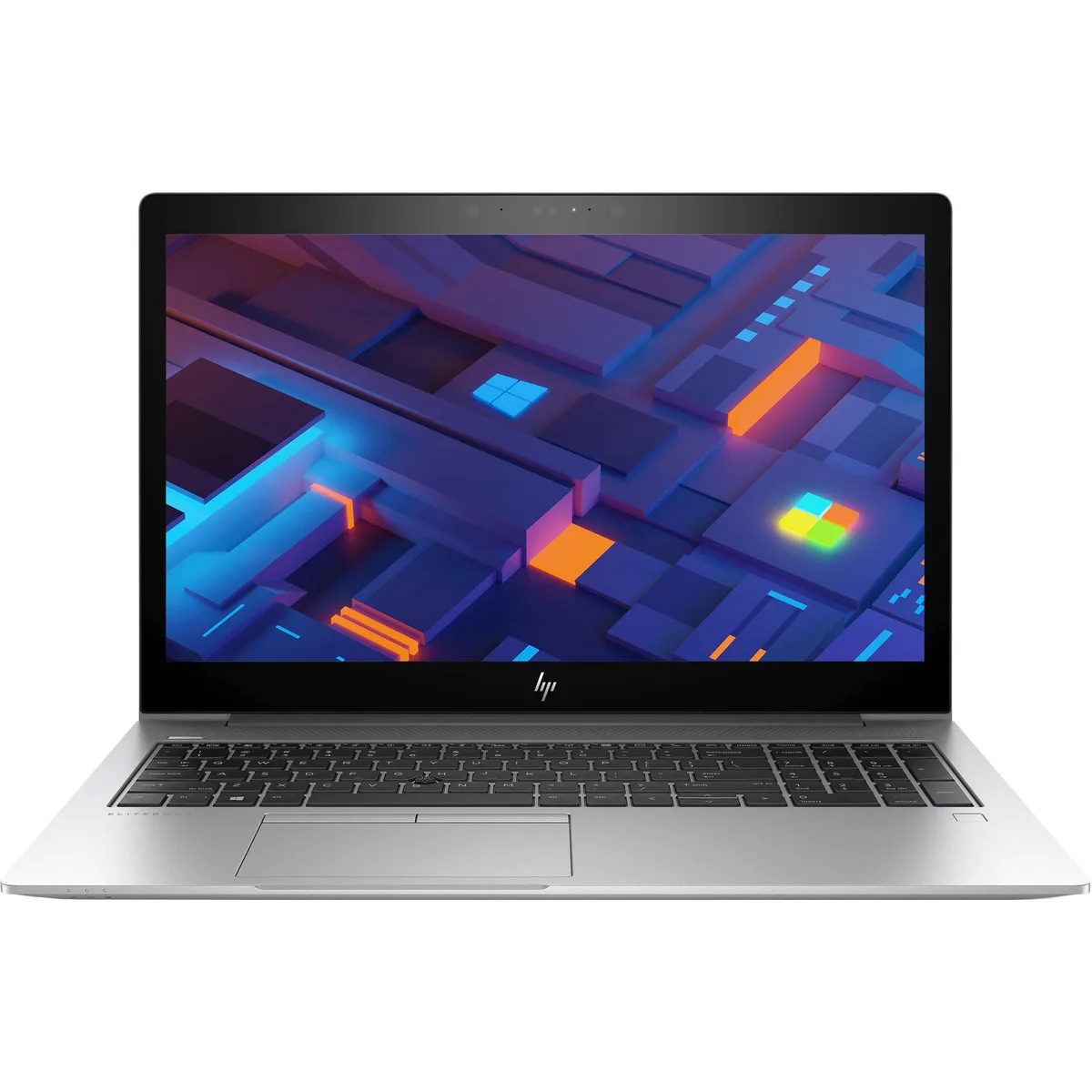
15.6-inch business laptop with quad-core i7-8650U, 32 GB DDR4, 256 GB NVMe SSD, 1080p display and Thunderbolt 3
The HP EliteBook 850 G5 delivers a 1.9 GHz Intel Core i7-8650U, 32 GB DDR4 memory and a 256 GB NVMe drive in a silver chassis. A 15.6-inch 1920 x 1080 non-touch display and Windows 11 Pro complete the package for office workloads.
Buyers who want a touchscreen, discrete graphics or a larger solid-state drive should look elsewhere. The integrated UHD 620 graphics share system memory and are not built for gaming or heavy 3D rendering.
Four cores and eight threads at 15 W TDP give strong multi-thread performance for business multitasking while keeping thermals manageable in the slim 15.6-inch form factor.
| Brand | HP |
|---|---|
| Series | EliteBook |
| Model | 850 G5 |
| Color | Silver |
| Operating System | Windows 11 Pro |
| CPU Type | Intel Core i7 8th Gen |
| Processor Name | Intel Core i7-8650U |
| Core Name | Kaby Lake R |
| Number of Cores | Quad-core Processor |
| CPU L3 Cache | 6 MB |
| Screen Size | 15.6" |
| Touchscreen | Non-Touch Screen |
| Wide Screen Support | Yes |
| Display Type | FHD |
| Resolution | 1920 x 1080 |
| Display Features | LED backlight |
| GPU/VPU | Intel UHD Graphics 620 |
| Video Memory | Shared system memory |
| Graphic Type | Integrated Card |
| SSD | 256GB PCIe |
| Storage Spec | NVMe PCIe M.2 SSD |
| Memory | 32GB |
| Max Memory Supported | 32GB |
| LAN | 10/100/1000Mbps |
| WLAN | 802.11ac Wireless LAN |
| Bluetooth | Yes |
| USB | 3 |
| Thunderbolt | 1 x Thunderbolt 3 |
| Video Port | 1 x HDMI |
| HDMI | Yes |
| Ethernet | 1 x RJ-45 |
| Touchpad | Yes |
| Webcam | Yes |
| Style | Standard |
| Type | Mainstream |
| Usage | Business |
| Software Included | Fresh install and activated Windows 11 with zero bloatware. Windows 11 will be activated via your unit's unique digital license and ready to go right out of the box. |
| Consumer Alert | Grade BLCD - This laptop will have some cosmetic blemishes that include scratches and/or other surface imperfections. Some laptops may exhibit shiny keys on the keyboard and/or shiny surfaces around the keyboard. All key characters will be legible. The LCD will have minor blemishes such as minor white spots or a small hairline scratch. Laptop may also be missing a rubber foot. Grade BLCD units will be priced much lower then the Grade A equivalent and will have the same warranty as all products. Vinyl skin cover may be applied. |
The 256GB NVMe M.2 SSD uses the standard M.2 2280 form factor. It mounts directly into the internal M.2 slot on the motherboard and is secured with a single retaining screw. No additional brackets, caddies, or cables are required for installation.
The 32GB DDR4 memory is installed in two SO-DIMM slots accessible by removing the bottom cover. The common mistake is not pressing the modules firmly enough until the side clips click audibly, which leaves the memory unseated and causes a no-boot condition.
The internal lithium-ion battery will gradually lose capacity after several hundred charge cycles. When runtime becomes unacceptably short, the battery must be replaced by removing the bottom cover, disconnecting the battery cable, and swapping in a compatible HP replacement pack.
Also in this aisle
Same shelf, same checkout — eight coins and a 30-minute rate lock.
What you pay in, and what you read prices in.
Sent from your wallet at checkout
Display only — the catalogue is priced in USD
No currency matches that.
Pick the language the site speaks to you in.
New here?
Already have one?
There is no automatic reset: this shop sends no mail, so there is no one-time link to ask for. Leave the address on the account and it gets picked up by hand.
Request noted
Nothing is on its way to your inbox — this shop sends no mail at all. Someone picks these up by hand.
Remembered it?



