


HP
HP ProBook 850 G8 J5-850G8A15 laptop i7-1165G7 16GB 512GB 15.6 FHD
Grade A refurbished 15.6" FHD business laptop with Intel Core i7-1165G7, 16GB memory, 512GB NVMe SSD and Windows 11 Pro
- ColorSilver
- Cosmetic ConditionGrade A (Excellent)
- Operating SystemWindows 11 Pro 64-bit
- CPU TypeIntel Core i7 11th Gen
- Processor NameIntel Core i7-1165G7
- Number of CoresQuad-core Processor
- Quad-core i7-1165G7 at 2.8GHz drives demanding workloads
- 16GB memory and 512GB NVMe SSD keep multitasking fast
- 6" FHD 1920x1080 display gives crisp visuals
- Thunderbolt 4 and HDMI 2.0 connect dual 4K monitors
- Grade A cosmetic condition with Windows 11 Pro 64-bit ready to work
Refurbished ProBook 850 G8 for business users
This HP ProBook 850 G8 is a refurbished 15.6-inch laptop graded A for excellent cosmetic condition. It runs Windows 11 Pro 64-bit on an Intel Core i7-1165G7 quad-core processor with 12 MB L3 cache and a base speed of 2.8 GHz. Integrated Intel Iris Xe graphics share the 16 GB of system memory. The 512 GB NVMe SSD provides fast storage for the operating system and applications.
Suits mobile professionals needing Thunderbolt 4
The thin-and-light chassis weighs 3.7 lbs and measures 14.15 x 9.2 x 0.75 inches, making it practical for daily commuting. Two Thunderbolt 4 ports support high-speed docks and external displays, while HDMI 2.0 adds a direct video link. Buyers who want a dedicated GPU for heavy 3D rendering or a touchscreen for pen input should look at other configurations, as this unit uses shared graphics and a non-touch FHD panel.
Power adapter included for immediate use
The package contains the refurbished laptop and a compatible power adapter, so the system is ready to deploy without extra purchases. A microSD card reader allows quick media offload from cameras or phones. The dual USB 3.2 Gen 1 Type-A ports handle legacy peripherals, and the combo audio jack supports headset conferencing. No optical drive is fitted, so software installs rely on network or USB media.
Highlights
- Quad-core i7-1165G7 at 2.8GHz drives demanding workloads
- 16GB memory and 512GB NVMe SSD keep multitasking fast
- 6" FHD 1920x1080 display gives crisp visuals
- Thunderbolt 4 and HDMI 2.0 connect dual 4K monitors
- Grade A cosmetic condition with Windows 11 Pro 64-bit ready to work
Specifications
| Brand | HP |
|---|---|
| Series | ProBook |
| Model | 850 G8 |
| Part Number | J5-850G8A15 |
| Color | Silver |
| Cosmetic Condition | Grade A (Excellent) |
| Operating System | Windows 11 Pro 64-bit |
| CPU Type | Intel Core i7 11th Gen |
| Processor Name | Intel Core i7-1165G7 |
| Number of Cores | Quad-core Processor |
| CPU L3 Cache | 12 MB |
| Screen Size | 15.6" |
| Touchscreen | Non-Touch Screen |
| Wide Screen Support | Yes |
| Resolution | 1920 x 1080 |
| GPU/VPU | Intel Iris Xe Graphics |
| Video Memory | Shared system memory |
| Graphic Type | Integrated Card |
| SSD | 512GB NVMe |
| Memory | 16GB |
| Optical Drive Type | No |
| USB | 2 x USB 3.2 Gen 1 Type-A |
| Thunderbolt | 2 x Thunderbolt 4 |
| HDMI | 1 x HDMI 2.0 |
| Audio Ports | 1 x Headphone/Microphone Combo Jack |
| Webcam | Yes |
| Card Reader | microSD Card Reader |
| Style | Thin and Light |
| Type | Work / Business |
| Usage | Business / Workstation |
| Dimensions (W x D x H) | 14.15" x 9.2" x 0.75" |
| Weight | 3.7 lbs. |
| Package Content | 1x refurbished Laptop, 1x Power Adapter |
| Shipping weight | 2.27 kg |
| Package size | 460 × 305 × 76 mm |
Questions about this item
Does the 512 GB NVMe drive need any extra caddy or bracket to fit the ProBook 850 G8?
The NVMe SSD is already installed in the laptop, so no additional caddy or bracket is required.
Can I keep using my existing HDMI 2.0 monitor with the HDMI 2.0 port on this unit?
Yes, the HDMI 2.0 output will drive your current monitor at its native resolution without adapters.
How can I verify the Intel Iris Xe graphics are active after installing Windows 11 Pro?
Open Device Manager, expand Display adapters and confirm Intel Iris Xe Graphics appears with no warning icon.
Also in this aisle
People compared these
Same shelf, same checkout — eight coins and a 30-minute rate lock.

MSI
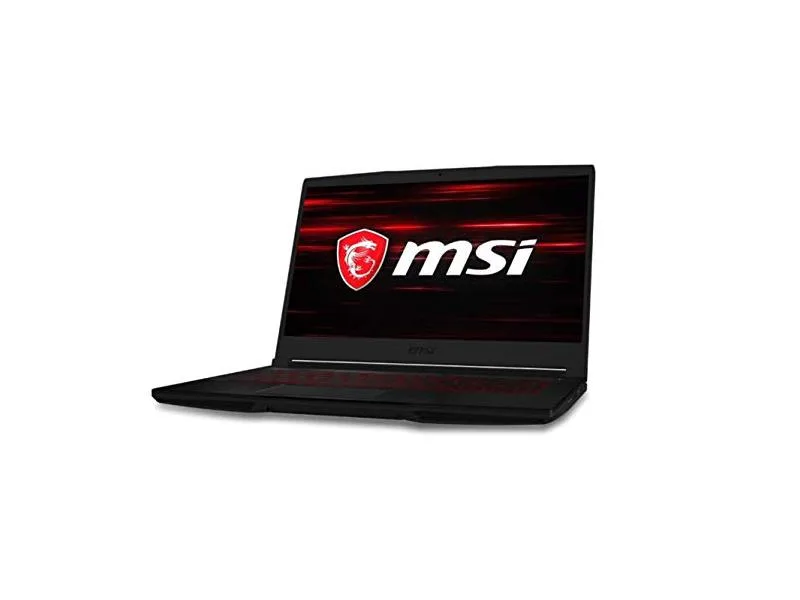
MSI GF63 Thin 10SCXR-222 15.6 laptop i5-10300H 8GB 256GB GTX 1650 4.1GB Black
- 15.6"
- Mainstream
$657.99
0.00836467BTC
In stock