


IHDAPP
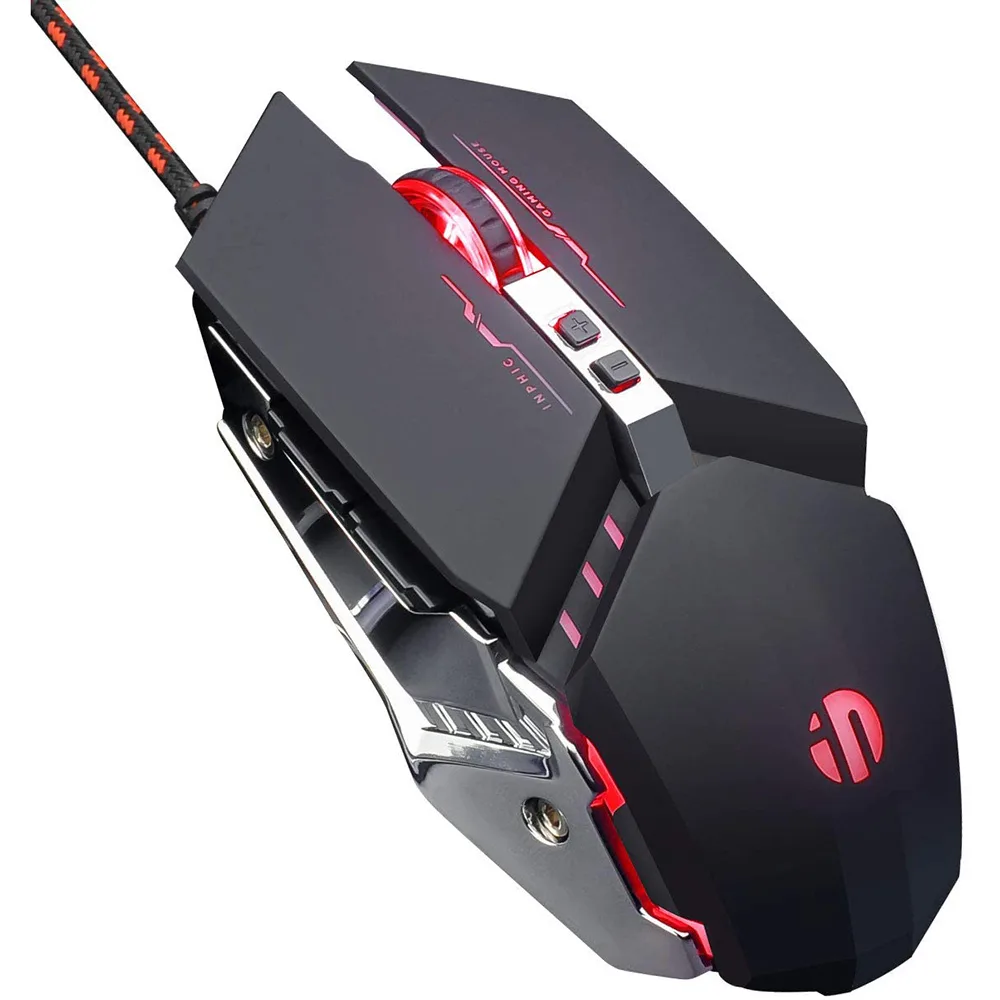
IHDAPP Gaming Mouse 4800 DPI 7 Button Wired Black
Wired gaming mouse with 4800 DPI sensor, seven programmable buttons, silent clicks and RGB breathing light
- TypeWired
- Resolution (DPI)4800 dpi
- Buttons7
- ColorBlack
- Silent clicks cut noise by 80 % for quiet gaming or office work
- Four adjustable DPI levels from 1200 to 4800 give precise speed control
- Six programmable macro buttons let you customise commands for any game
- Symmetrical ergonomic shape with rubber texture suits both left and right hands
- RGB breathing backlight cycles through colours and can be turned off instantly
Gaming Mouse 4800 DPI 7 Button
The IHDAPP Gaming Mouse is a wired optical peripheral with a 4800 DPI sensor and seven programmable buttons. It connects via USB and works on Windows and Mac OS without extra drivers. The symmetrical shape suits left- or right-handed users and includes an aluminium base for added weight.
4 Adjustable DPI Silent Click Upgrade
Four selectable DPI steps at 1200, 1600, 2400 and 4800 let you match cursor speed to the task. Premium micro-switches cut click noise by 80 percent for a quieter workspace. Six macro keys can be programmed through supplied Windows software to replace repetitive keystrokes.
RGB Lighting Office And Casual Play
Circular breathing LEDs cycle through colours and can be disabled with a two-button combo. The mouse targets home-office workers, students and casual gamers who want programmable macros and silent clicks. Buyers who need onboard Mac programming, wireless freedom or higher sensor resolutions should look elsewhere.
Highlights
- Silent clicks cut noise by 80 % for quiet gaming or office work
- Four adjustable DPI levels from 1200 to 4800 give precise speed control
- Six programmable macro buttons let you customise commands for any game
- Symmetrical ergonomic shape with rubber texture suits both left and right hands
- RGB breathing backlight cycles through colours and can be turned off instantly
Specifications
| Type | Wired |
|---|---|
| Resolution (DPI) | 4800 dpi |
| Buttons | 7 |
| Color | Black |
Questions about this item
What USB connector and cable length does the IHDAPP Gaming Mouse use?
It connects via a standard USB-A plug and is plug-and-play; no extra driver is required for Windows 10/8/7/XP/Me/2000, Vista or Mac OS.
How do I program the six macro buttons, and what is the common mistake?
Install the supplied Windows software, assign each of the six buttons, then save the profile to the mouse; the step users miss is skipping the save-to-device action so macros disappear after a reboot.
How long do the silent-click switches last and can they be replaced?
The micro switches are rated for 10 million clicks and reduce noise by 80 %; they are soldered to the PCB, so replacement requires desoldering rather than a simple swap.
Also in this aisle
People compared these
Same shelf, same checkout — eight coins and a 30-minute rate lock.



BFKK
BFKK Wireless Gaming Mouse PAW 3950Max 42000 DPI 8KHz 38g Black & Sticker
- Black
$106.99
0.00136437BTC
In stock
