Inctel
Inctel Fanless Mini PC i7-1255U 8GB 256GB DDR4
- Nettop Computer
- Black
$630.99
0.00807729BTC
In stockWe take cryptocurrency — so the coins you hold can buy real hardware.Pay in crypto, spend it on real hardware. Free insured shipping worldwide over $399. Plain, unbranded boxes, sent from Germany.Free insured shipping over $399. Your rate is locked for 30 minutes once checkout opens.Rate locked 30 minutes. Every item sealed, serial-checked and covered by a 24-month warranty.Sealed, 24-month warranty.


Inctel
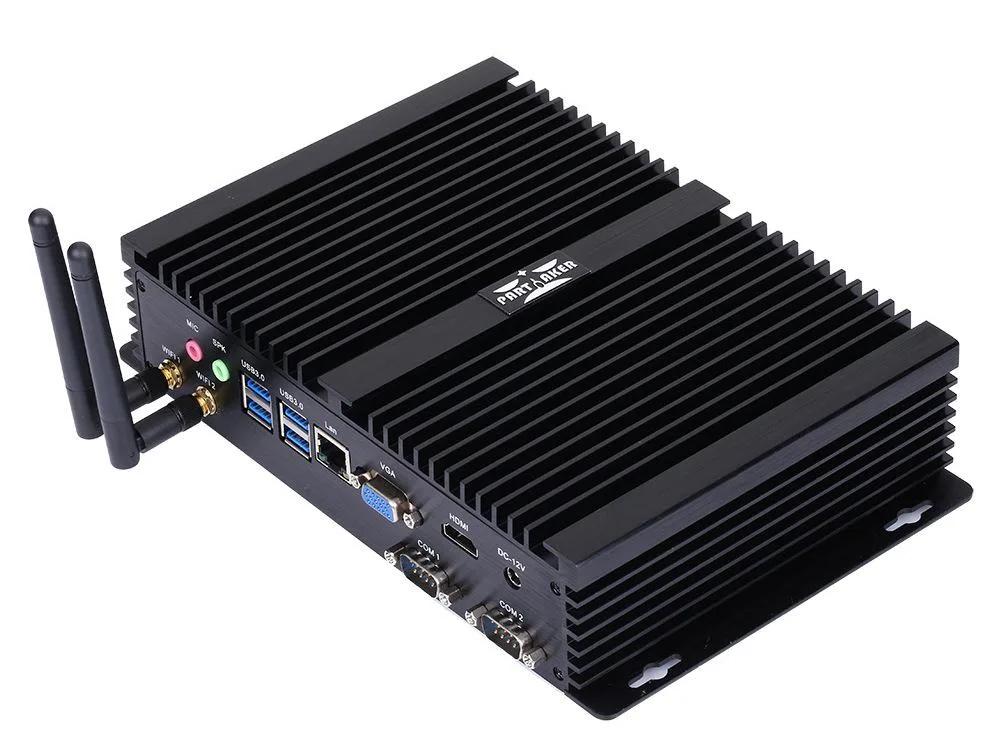
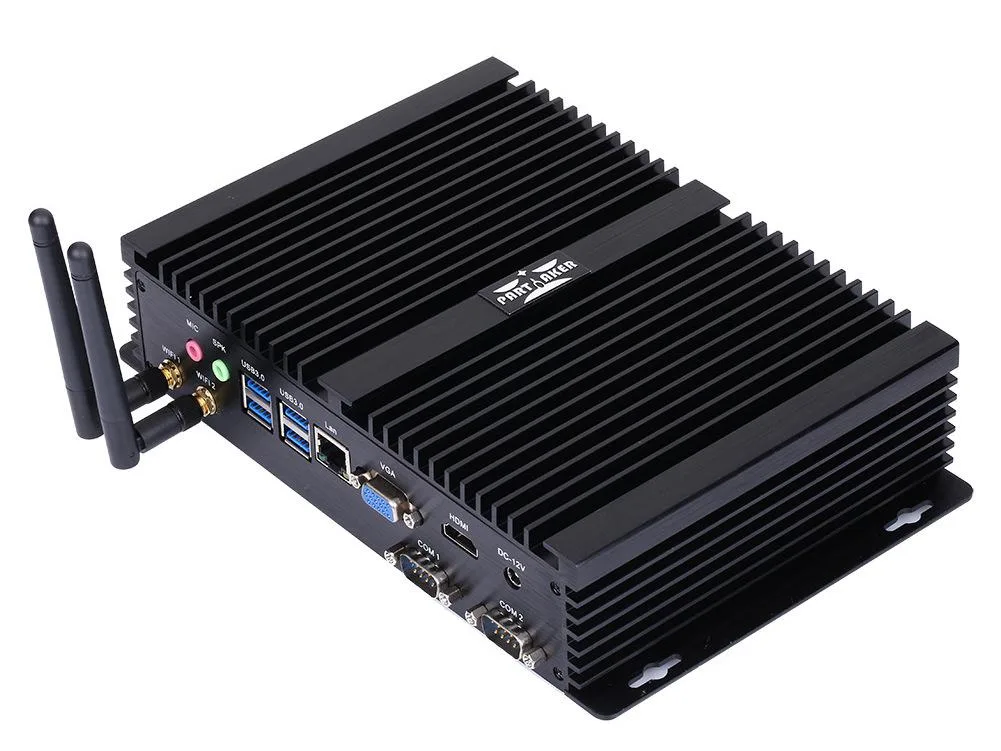
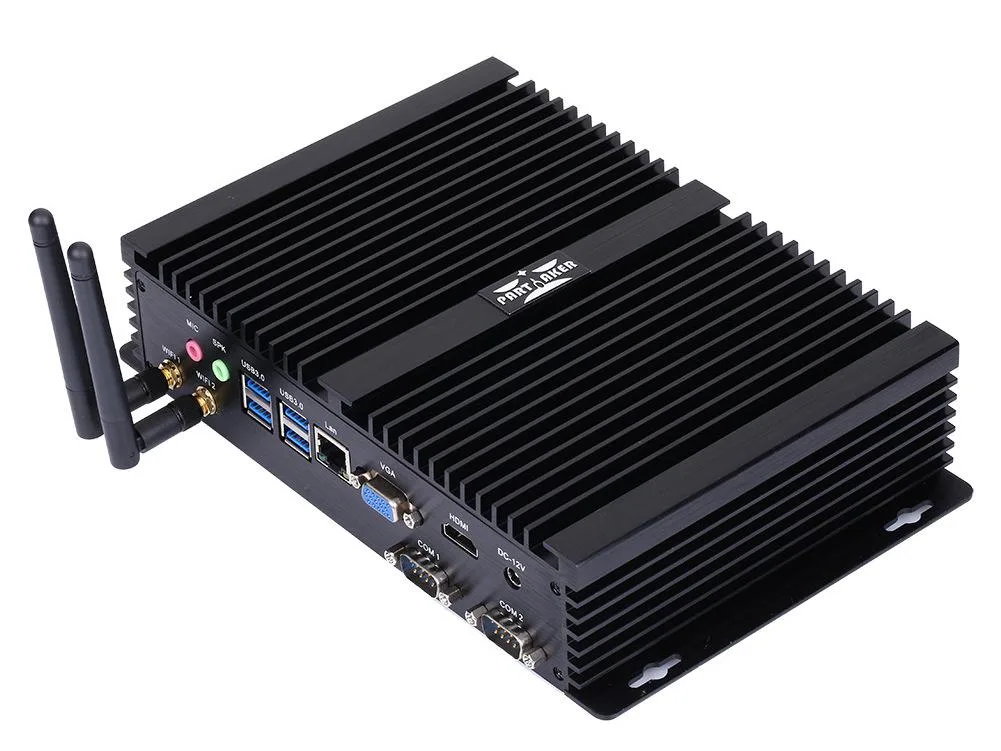
Fanless industrial nettop with Intel Core i7-1255U, 16GB DDR4, 256GB SSD, dual-display HDMI and VGA, plus COM ports for legacy gear
CPU Type Intel Core i7 12th Gen
CPU Name 3.5GHz
Memory Capacity 16GB DDR4
SSD 256GB
Struck-through versions exist but are not stocked here.
The Inctel Core i7-1255U desktop PC ships with Windows 11 Pro and 16 GB of DDR4-3200 memory in a dual-channel SO-DIMM layout. A 256 GB SSD provides the boot drive while the chassis accepts an additional mSATA module, a 2.5-inch SATA device and an M.2 2280 NVME stick for local data expansion. The ten-core, twelve-thread processor runs at a 3.5 GHz base with a 4.7 GHz maximum turbo inside a 15 W envelope. Intel Iris Xe graphics drives two independent displays through HDMI at up to 4096 x 2304 at 60 Hz and VGA for legacy panels.
A brushed black aluminium alloy enclosure acts as a heatsink, eliminating moving parts and allowing continuous 7x24 operation in noise-sensitive environments. The front and rear panel combine DC power input, one HDMI, one VGA, one Gigabit LAN, three USB 2.0 ports, four USB 3.0 ports, microphone and speaker jacks, and two RS-232 COM ports for serial peripherals. No monitor is included; the compact nettop form factor mounts on a DIN rail or VESA bracket behind a display or inside a cabinet.
Passive cooling dissipates the processor’s 15 W thermal design power without fans, so acoustic output is effectively zero during typical office, kiosk or edge-computing loads. The low-power CPU and integrated Iris Xe graphics keep sustained power draw modest, reducing the burden on the external DC supply. Headroom exists for the optional 2.5-inch drive and extra memory up to 64 GB without changing the thermal profile.
| Type | Nettop Computer |
|---|---|
| Color | Black |
| Monitor | Monitor not included |
| Operating System | Windows 11 Pro |
| Windows 11 | Ready |
| CPU Type | Intel Core i7 12th Gen |
| CPU Name | 3.5GHz |
| GPU/VGA Type | Intel Iris Xe Graphics |
| Memory Capacity | 16GB DDR4 |
| SSD | 256GB |
| HDD | No |
| Screen Size | No Screen |
Other versions of this model
Same family, different memory, cooler or clock — compare before you commit.
The HDMI port on this Inctel desktop PC delivers up to 4096 x 2304 at 60 Hz, enabling dual-screen setups with simultaneous or different content on each display.
The rugged black aluminium case includes standard VESA mounting holes so the unit can be attached directly to a monitor arm or wall bracket without extra brackets.
Install the first module in the primary SO-DIMM slot, then add the second module in the remaining slot; the system will not boot if only the secondary slot is filled.
Also in this aisle
Same shelf, same checkout — eight coins and a 30-minute rate lock.
What you pay in, and what you read prices in.
Sent from your wallet at checkout
Display only — the catalogue is priced in USD
No currency matches that.
Pick the language the site speaks to you in.
New here?
Already have one?
There is no automatic reset: this shop sends no mail, so there is no one-time link to ask for. Leave the address on the account and it gets picked up by hand.
Request noted
Nothing is on its way to your inbox — this shop sends no mail at all. Someone picks these up by hand.
Remembered it?