


Jansicotek
Jansicotek M10 Wireless Gaming Mouse 2400 DPI 6 Buttons Black
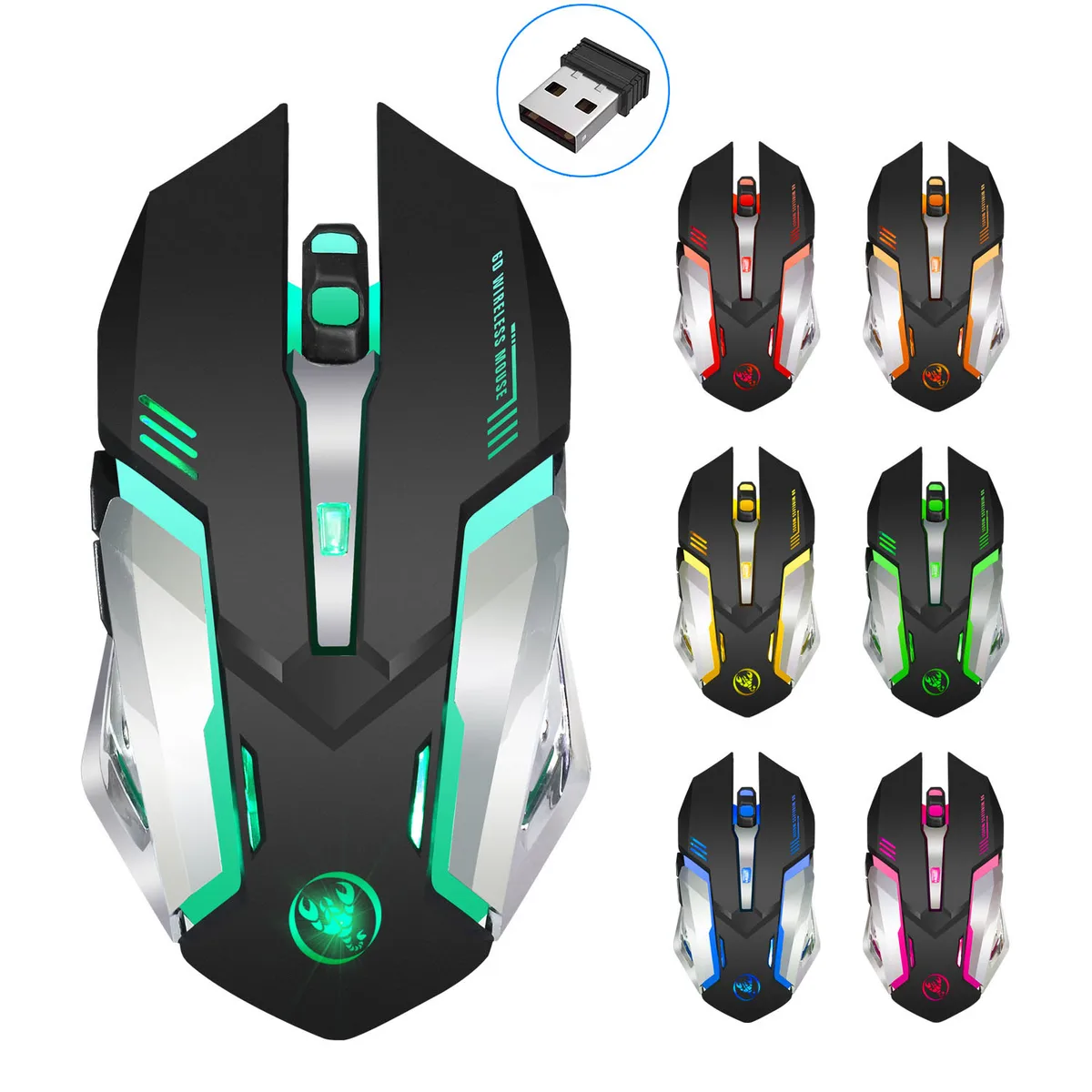
A wireless gaming mouse with 2400 DPI optical sensor, six buttons and 7-colour breathing light
- TypeRF Wireless
- InterfaceUSB 2.0
- Mouse Grip StylePalm
- Tracking MethodOptical
- Resolution (DPI)2400 dpi
- Hand OrientationLeft Hand
- 4 GHz wireless keeps you connected up to 10 metres
- 2400 DPI optical sensor tracks precisely on many surfaces
- Six programmable buttons put key commands under your fingers
- Quiet left and right clicks cut noise by half for shared spaces
- Auto-sleep after eight minutes extends the 600 mAh battery life
Right-hand ergonomic wireless mouse
The Jansicotek M10 is a 2.4 GHz RF wireless gaming mouse with a 2400 dpi optical sensor and six programmable buttons. Its palm-grip shape is moulded for right-handed users who want a single device for both gaming sessions and everyday office work. A 600 mAh lithium cell charges through a 50 cm USB 2.0 cable and the receiver stores inside the body for travel.
Quiet clicks and auto-sleep power saving
Left and right buttons are engineered to cut click noise by roughly half, making the mouse suitable for libraries, shared offices or late-night play without disturbing others. An energy-saving chip puts the device to sleep after eight minutes of inactivity; any button press wakes it instantly. A red flash on the scroll wheel signals low battery so work or play is not interrupted unexpectedly.
Upgrade from basic office mice
The 5-step DPI range (800/1200/1600/2000/2400) replaces fixed-sensitivity pointers that force compromise between precision and speed. Seven-colour breathing lighting adds visual feedback absent on standard peripherals. Buyers who need left-handed ergonomics, Bluetooth connectivity or more than six buttons should look elsewhere.
Highlights
- 4 GHz wireless keeps you connected up to 10 metres
- 2400 DPI optical sensor tracks precisely on many surfaces
- Six programmable buttons put key commands under your fingers
- Quiet left and right clicks cut noise by half for shared spaces
- Auto-sleep after eight minutes extends the 600 mAh battery life
Specifications
| Type | RF Wireless |
|---|---|
| Interface | USB 2.0 |
| Mouse Grip Style | Palm |
| Tracking Method | Optical |
| Resolution (DPI) | 2400 dpi |
| Hand Orientation | Left Hand |
| Buttons | 6 |
| Scrolling Capability | Scroll Ring |
| Color | Black |
| Operating System Supported | Windows 7, Windows 8, Windows 8.1, Windows 10, Windows XP, Vista, ME, 2000. Mac OS X 10.4 |
| System Requirement | USB port |
Questions about this item
How do I install the USB 2.0 receiver for the 2.4 GHz wireless link and what step is often missed?
Plug the nano receiver into a USB 2.0 port, wait for the driver to load, then press any button to wake the mouse from its 8-minute auto-sleep mode before use.
What maintenance will the 600 mAh lithium battery need later?
When the scroll wheel flashes red the battery is low; recharge it using the supplied 50 cm charging cable connected to a USB port.
At what point does the 10 metre wireless range become the limiting factor during sustained use?
The connection remains stable up to 10 metres; beyond that distance dropouts and interference appear before any other limit is reached.
Also in this aisle
People compared these
Same shelf, same checkout — eight coins and a 30-minute rate lock.



BFKK
BFKK Wireless Gaming Mouse PAW 3950Max 42000 DPI 8KHz 38g Black & Sticker
- Black
$106.99
0.00136116BTC
In stock
