
KHACHIMO
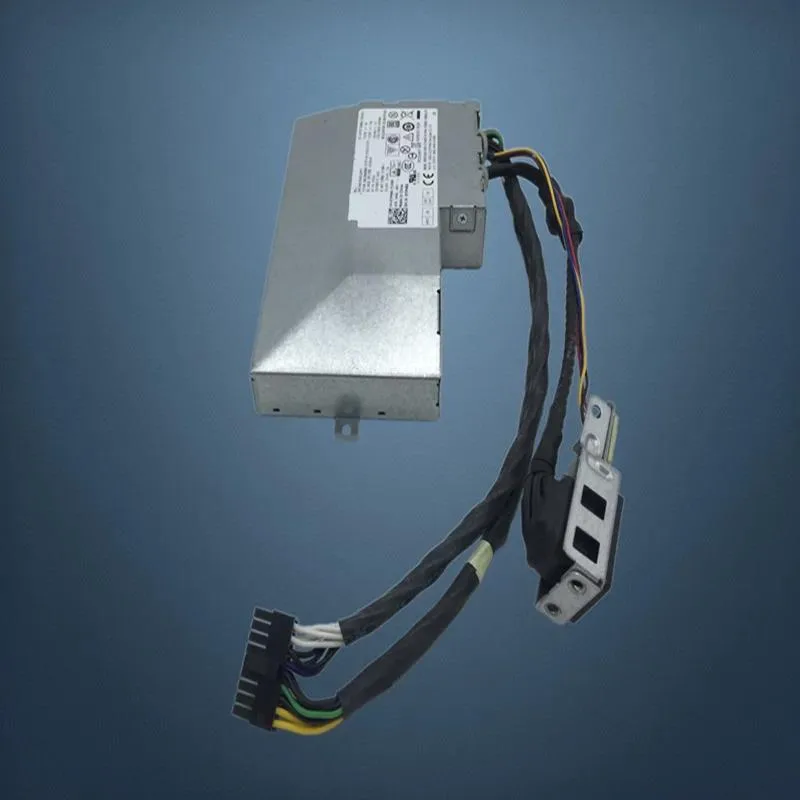
KHACHIMO AIO OptiPlex 3250 5250 7450 18Pin 155W power supply
Replacement 155 W ATX unit for OptiPlex 3250, 5250 and 7450 AIOs with 18-pin connector, 80 PLUS Gold efficiency and zero-RPM fan mode
- TypeATX
- Compatible with OptiPlex 3250, 5250 and 7450 AIOs via 18-pin connector
- 80 PLUS Gold efficiency cuts power draw and keeps temperatures lower
- Zero RPM fan mode stops the fan at low loads for silent running
- Modern Standby support gives near-instant wake from sleep
- Resonant LLC with DC-to-DC conversion delivers clean power and reduces coil whine
Dell OptiPlex AIO compatibility
This 155W power supply is built for Dell OptiPlex 3250, 5250 and 7450 all-in-one desktops. It uses an 18-pin connector that matches the proprietary motherboard header found in those models. The unit is new and rated for standard ATX input.
Upgrade from a failed or noisy original
It replaces the Dell AC155EA-00, APE003 and related part numbers when the original supply fails or develops coil whine. The jump is worth it if the system will not power on, shuts down under load or produces audible electrical noise. Zero RPM fan mode keeps the chassis silent at low and medium loads.
155W peak on a proprietary 18-pin rail
The 18-pin interface limits total output to 155 watts and cannot be adapted to standard 24-pin ATX boards. Resonant LLC topology with DC-to-DC conversion delivers stable voltages within that envelope. Modern Standby support enables rapid wake from sleep, but the fixed connector and wattage prevent use in higher-power builds.
Highlights
- Compatible with OptiPlex 3250, 5250 and 7450 AIOs via 18-pin connector
- 80 PLUS Gold efficiency cuts power draw and keeps temperatures lower
- Zero RPM fan mode stops the fan at low loads for silent running
- Modern Standby support gives near-instant wake from sleep
- Resonant LLC with DC-to-DC conversion delivers clean power and reduces coil whine
Specifications
| Type | ATX |
|---|
Questions about this item
Will the 18Pin connector fit the Dell OptiPlex 3250, 5250 and 7450 AIO chassis?
The 18Pin connector is built for the OptiPlex 3250, 5250 and 7450 all-in-one models; align the keyed plug with the motherboard socket and press until it clicks.
What is the installation step people most often miss when fitting this 155W unit?
After securing the PSU with its mounting screws, connect the 18Pin cable to the motherboard before closing the chassis; skipping this leaves the system dead on first boot.
When should the fan or the whole 155W power supply be replaced?
Replace the unit if the Zero RPM fan stays loud under light load, if coil whine appears, or if the system fails to wake from Modern Standby sleep states.
Also in this aisle
People compared these
Same shelf, same checkout — eight coins and a 30-minute rate lock.


Silverstone Technology
Silverstone Decathlon R Gold 750W ATX 3.0 power supply
$146.99
0.0018633BTC
In stock
Silverstone Technology
Silverstone Technology FA311-B FARA 311 Micro-ATX PC case
- Micro ATX
$62.99
0.00079848BTC
In stock