


KTC
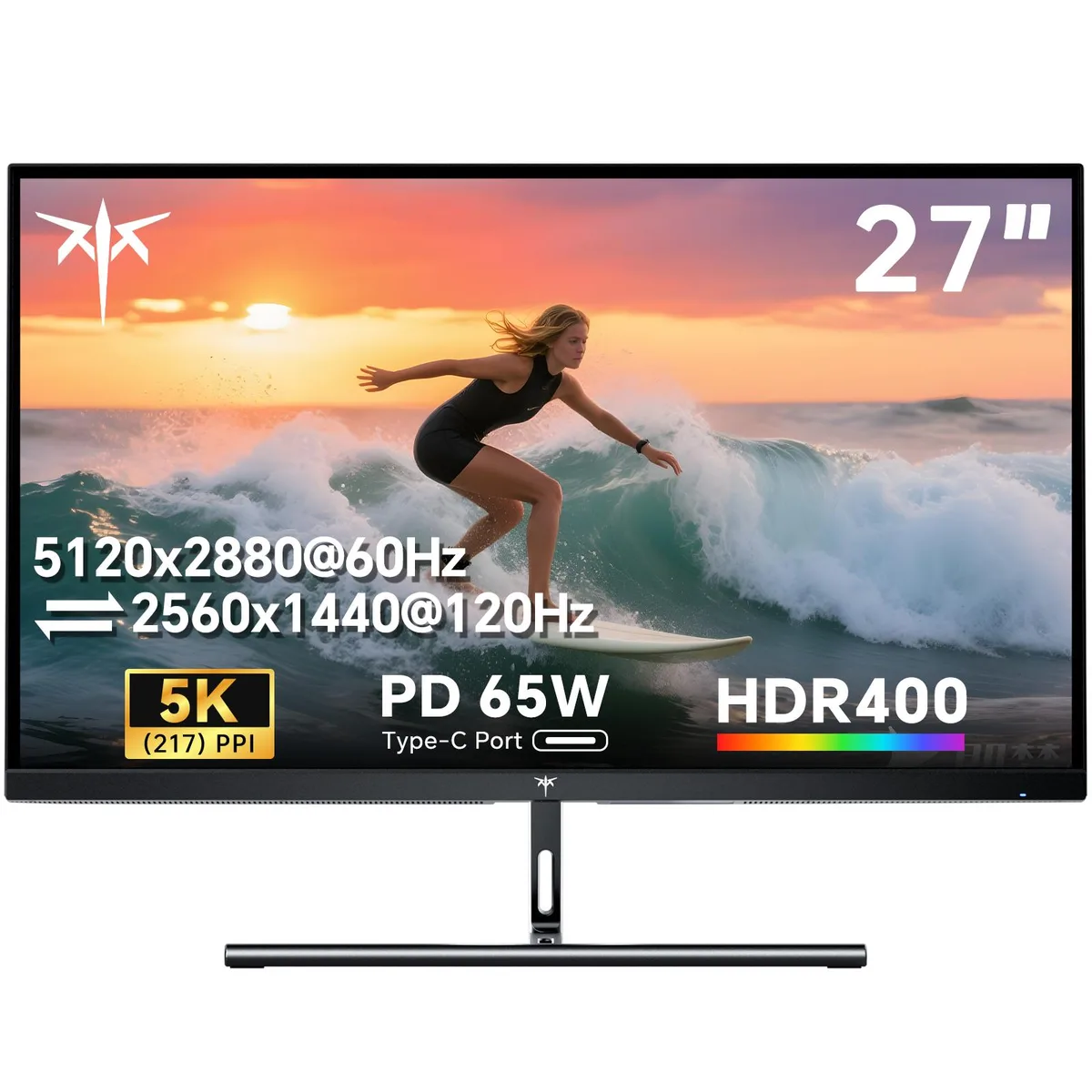
KTC H27P3 27" 5120×2880 60/120Hz gaming monitor
27-inch IPS monitor with 5120×2880 resolution at 60 Hz or 2560×1440 at 120 Hz, 1 ms response, 500 cd/m² brightness, HDR 400, 135 % sRGB gamut, 65 W USB-C, DisplayPort 1.4, HDMI 2.0, VESA 75×75
- Screen Size27"
- PanelIPS
- Maximum Resolution5120 x 2880
- Resolution5120 x 2880 (5K) / 2560 ×1440 (2K)
- Aspect Ratio16:9
- Brightness500 cd/m2
- Ultra-sharp 5120×2880 detail at 217 PPI
- Switch between 5K 60Hz and 2K 120Hz modes
- HDR400 with 500 cd/m² brightness and 2000:1 contrast
- 65W USB-C plus DisplayPort 1.4 and HDMI 2.0
- 135% sRGB gamut area with 1.07 billion colours
27" 5K Dual-Mode Monitor
The KTC H27P3 is a 27-inch IPS gaming monitor that delivers a native 5120×2880 resolution at 217 PPI. It targets creative professionals and enthusiasts who need ultra-sharp detail for design work, media editing or high-fidelity gaming on a Mac mini or PC.
65W USB-C and VESA 75×75 Mount
A single USB-C port carries video, data and up to 65W of power delivery for laptop charging. The stand offers tilt adjustment, while a VESA 75×75 pattern allows wall or arm mounting to free desk space and fix the viewing angle.
5K 60Hz or 2K 120Hz Switchable
Dual-mode operation lets you choose between 5120×2880 at 60Hz for maximum pixel density and 2560×1440 at 120Hz for smoother motion. The jump is worth it when you alternate between colour-critical workflows and fast-paced gaming without swapping displays.
Highlights
- Ultra-sharp 5120×2880 detail at 217 PPI
- Switch between 5K 60Hz and 2K 120Hz modes
- HDR400 with 500 cd/m² brightness and 2000:1 contrast
- 65W USB-C plus DisplayPort 1.4 and HDMI 2.0
- 135% sRGB gamut area with 1.07 billion colours
Specifications
| Model | H27P3 |
|---|---|
| Screen Size | 27" |
| Panel | IPS |
| Maximum Resolution | 5120 x 2880 |
| Resolution | 5120 x 2880 (5K) / 2560 ×1440 (2K) |
| Aspect Ratio | 16:9 |
| Brightness | 500 cd/m2 |
| Contrast Ratio | 2000:1 |
| Response Time | 1 ms |
| Color Gamut | sRGB 135% |
| Display Colors | 1.07 Billion |
| Refresh Rate | 5K 60Hz/2K 120Hz |
| HDR Standard | HDR400 |
| HDMI | 1 x HDMI 2.0 |
| DisplayPort | 1 x DisplayPort 1.4 |
| USB 3.0 | 2 |
Questions about this item
What bandwidth does the DisplayPort 1.4 connection actually deliver at 5120×2880?
DisplayPort 1.4 carries the 5120×2880 signal at 60 Hz; switching to 2560×1440 raises the refresh rate to 120 Hz.
What mounting pattern does the 27-inch panel use for a VESA arm?
The monitor has 75×75 mm VESA holes on the rear for standard monitor arms or wall brackets.
How do I enable the 2560×1440 120 Hz mode after plugging in the DisplayPort cable?
Select 2560×1440 at 120 Hz in the OSD resolution menu or your GPU control panel; the panel will not switch automatically.
Also in this aisle
People compared these
Same shelf, same checkout — eight coins and a 30-minute rate lock.


Lenovo
Lenovo Legion Pro 32UD-10 31.5 inch 144 Hz gaming monitor
- 31.5 inch"
- 144 Hz
$819.99
0.0105961BTC
In stock