

Lenovo
Lenovo ThinkPad T480s i5-8250U 16GB 1TB 14" FHD WWAN Black
- Black
- Windows 10 Pro
$1,090.99
0.01373887BTC
In stockWe take cryptocurrency — so the coins you hold can buy real hardware.Pay in crypto, spend it on real hardware. Free insured shipping worldwide over $399. Plain, unbranded boxes, sent from Germany.Free insured shipping over $399. Your rate is locked for 30 minutes once checkout opens.Rate locked 30 minutes. Every item sealed, serial-checked and covered by a 24-month warranty.Sealed, 24-month warranty.
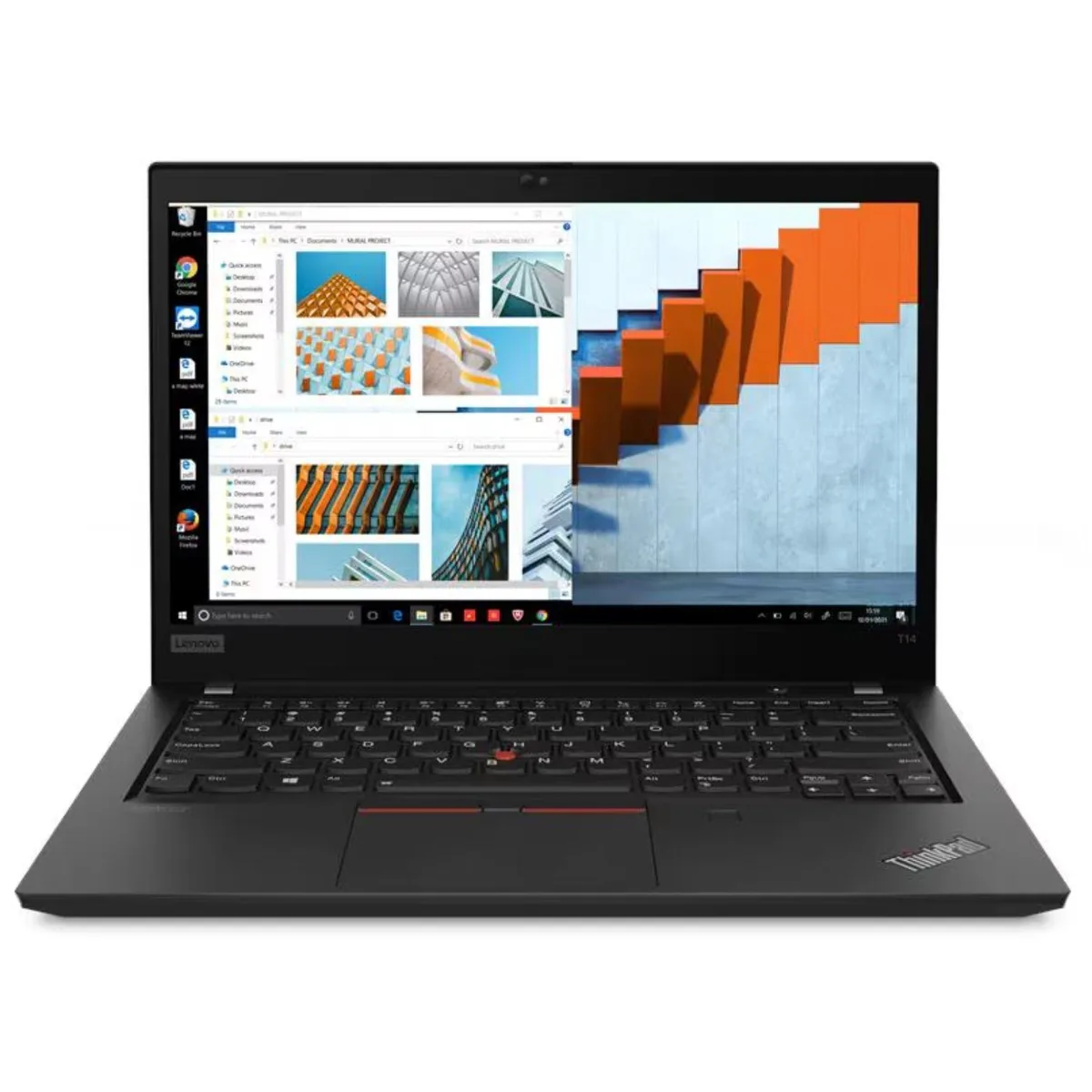


Lenovo
14-inch FHD IPS laptop with Intel Core i7-1185G7, 16GB DDR4, 256GB NVMe SSD, Wi-Fi 6 and Windows 11 Pro
The Lenovo ThinkPad T14 Gen 2 is a 14.0 inch Windows 11 Pro notebook built around a quad-core Intel Core i7-1185G7 processor with 12 MB L3 cache and a base clock of 3.0 GHz. It ships with 16 GB of DDR4-3200 memory and a 256 GB PCIe NVMe SSD. Integrated Intel Iris Xe graphics drive the 1920 x 1080 IPS panel rated at 250 nits and 45% NTSC coverage. Connectivity includes Wi-Fi 6 AX201 and Bluetooth 5.1.
This configuration suits professionals who need a light 14 inch chassis, a vPro-class Core i7, and Windows 11 Pro for managed deployments. The 16 GB DDR4-3200 and fast NVMe storage handle typical office workloads and multitasking smoothly. Buyers who need a dedicated GPU for 3D rendering, video editing, or gaming should look elsewhere. The 256 GB drive may also feel tight for users with large local media libraries or multiple virtual machines.
Under continuous load the quad-core i7-1185G7 can reach 4.8 GHz via Turbo Boost, but the integrated Iris Xe graphics share system memory and thermal headroom with the CPU. Extended compile jobs or heavy multitasking will gradually throttle clock speeds as the thin chassis dissipates heat. The 250 nit IPS screen remains stable, while Wi-Fi 6 and Bluetooth 5.1 maintain steady wireless throughput during long sessions.
| Brand | Lenovo |
|---|---|
| Model | ThinkPad T14 Gen 2 |
| Part Number | 20W1S2YY00-I030-RB- |
| Color | Black |
| Operating System | Windows 11 Pro |
| CPU Type | Intel Core i7 11th Gen |
| Core Name | Intel Core i7-1185G7 |
| Number of Cores | Quad-core Processor |
| Screen Size | 14.0" |
| Touchscreen | No |
| Resolution | 1920 x 1080 |
| GPU/VPU | Intel Iris Xe Graphics |
| Video Memory | Shared system memory |
| Graphic Type | Integrated Graphics |
| SSD | 256 GB |
| HDD | No |
| Memory | 16GB |
| Memory Speed | DDR4 3200 |
| Memory Spec | 16 |
| Optical Drive Type | No |
| LAN | No |
| WLAN | 802.11ax Wireless LAN |
| Bluetooth | Bluetooth 5.1 |
| USB | 1 x USB 3.2 Gen 1 1 x USB 3.2 Gen 1 (Always On) 2 x Thunderbolt 4 / USB4 40Gbps (support data transfer, Power Delivery 3.0 and DisplayPort1.4a) |
| Video Port | 1 x HDMI 2.0 |
| Ethernet | No |
| Audio Ports | 1 x Headphone / microphone combo jack (3.5mm) |
| Speaker | Stereo speakers, 2W x2, Dolby Audio |
| Touchpad | Multi Touch |
| Keyboard | 6-row, spill-resistant |
| Webcam | HD 720p |
| Type | Mainstream |
| Battery | Integrated Li-Polymer 50Wh battery |
| Weight | 3.23 |
The installed memory runs at DDR4 3200; any additional SO-DIMM should be rated for 3200 MT/s to avoid down-clocking.
Yes, the AX201 is backward compatible with 802.11n networks, though it will operate at the router's maximum speed.
Open Device Manager, locate the drive under Disk drives, view its Properties > Details > Hardware IDs and verify the PCIe 3.0 x4 link.
Also in this aisle
Same shelf, same checkout — eight coins and a 30-minute rate lock.
What you pay in, and what you read prices in.
Sent from your wallet at checkout
Display only — the catalogue is priced in USD
No currency matches that.
Pick the language the site speaks to you in.
New here?
Already have one?
There is no automatic reset: this shop sends no mail, so there is no one-time link to ask for. Leave the address on the account and it gets picked up by hand.
Request noted
Nothing is on its way to your inbox — this shop sends no mail at all. Someone picks these up by hand.
Remembered it?


