


Lenovo
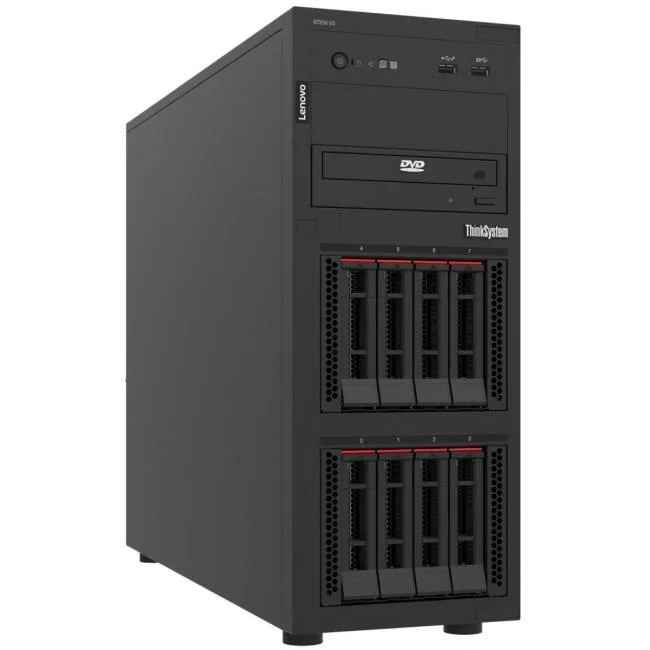
Lenovo ThinkSystem ST250 V3 6315P 16GB Tower Server
Entry-level tower server with Intel Xeon 6315P quad-core processor, up to 128 GB DDR5 memory, RAID support and Lenovo XClarity management
- Intel Xeon 6315P quad-core processor delivers stable server performance at 2.80 GHz base speed
- Up to 128 GB DDR5 memory at 4800 MHz across four slots for expandable capacity
- Four PCIe slots plus six USB ports provide flexible I/O and expansion options
- RAID 0, 1, 5, 10, 50 support protects data with multiple redundancy levels
- Lenovo XClarity Controller 2 enables remote enterprise management and OS deployment
Entry-Level Enterprise Tower Server
The Lenovo ThinkSystem ST250 V3 is an entry-level enterprise tower server built for small businesses and branch offices. It runs on an Intel Xeon 6315P quad-core processor with a 2.80 GHz base speed and 12 MB cache. The system ships with 16 GB of memory and supports up to 128 GB of DDR5 RAM at 4800 MHz across four slots.
Thermals, Noise and Power in Normal Use
The server is designed for reliable server workloads with stable performance from the Xeon processor. Enterprise management is handled through Lenovo XClarity Controller 2 for remote monitoring and control. Gigabit Ethernet provides standard network connectivity for daily operations.
Build Integration and Expansion
Four PCIe slots allow the addition of NVIDIA Quadro GPUs for enhanced graphics workloads or other expansion cards. Storage flexibility includes RAID support for levels 0, 1, 5, 10 and 50 to protect data. Six USB ports offer connectivity for peripherals and external devices.
Highlights
- Intel Xeon 6315P quad-core processor delivers stable server performance at 2.80 GHz base speed
- Up to 128 GB DDR5 memory at 4800 MHz across four slots for expandable capacity
- Four PCIe slots plus six USB ports provide flexible I/O and expansion options
- RAID 0, 1, 5, 10, 50 support protects data with multiple redundancy levels
- Lenovo XClarity Controller 2 enables remote enterprise management and OS deployment
Specifications
| Brand | Lenovo |
|---|
Questions about this item
How do I install the DDR5 memory modules and which step is most often missed?
Power off the server, open the chassis, align each DDR5 DIMM with the slot key, press firmly until the retention clips click on both sides, then close the cover. The step most often missed is confirming both clips have fully latched.
What maintenance will the Intel Xeon 6315P processor need over its service life?
The processor itself requires no scheduled maintenance. Plan to clean dust from heatsinks and fans periodically, verify thermal paste condition if the cooler is ever removed, and keep firmware updated via Lenovo XClarity Controller 2.
What limit appears first when the system runs sustained workloads at 2.80 GHz?
Thermal limits on the quad-core Xeon 6315P typically appear first under sustained load. Ensure adequate airflow through the tower chassis and monitor temperatures via XClarity to avoid throttling.
Also in this aisle
People compared these
Same shelf, same checkout — eight coins and a 30-minute rate lock.



HPE
HPE P22020B21 2U Cable Management Arm for DL38X Gen10 Plus Rail Kit
$52.99$67.99−22%
0.00068149BTC
In stock
Lenovo
Lenovo ThinkSystem ST250 V3 7DCEA01YNA Tower Server Xeon E-2434 16 GB RAM
$1,267.99
0.01630729BTC
In stock