

Acer America
Acer America Aspire Go 15 AG15-51P-510U 15.3" WUXGA i5-1334U 8GB 256GB Steel Gray
- Steel Gray
- Windows 11 Home
$431.99
0.00547488BTC
In stockWe take cryptocurrency — so the coins you hold can buy real hardware.Pay in crypto, spend it on real hardware. Free insured shipping worldwide over $399. Plain, unbranded boxes, sent from Germany.Free insured shipping over $399. Your rate is locked for 30 minutes once checkout opens.Rate locked 30 minutes. Every item sealed, serial-checked and covered by a 24-month warranty.Sealed, 24-month warranty.


Lenovo
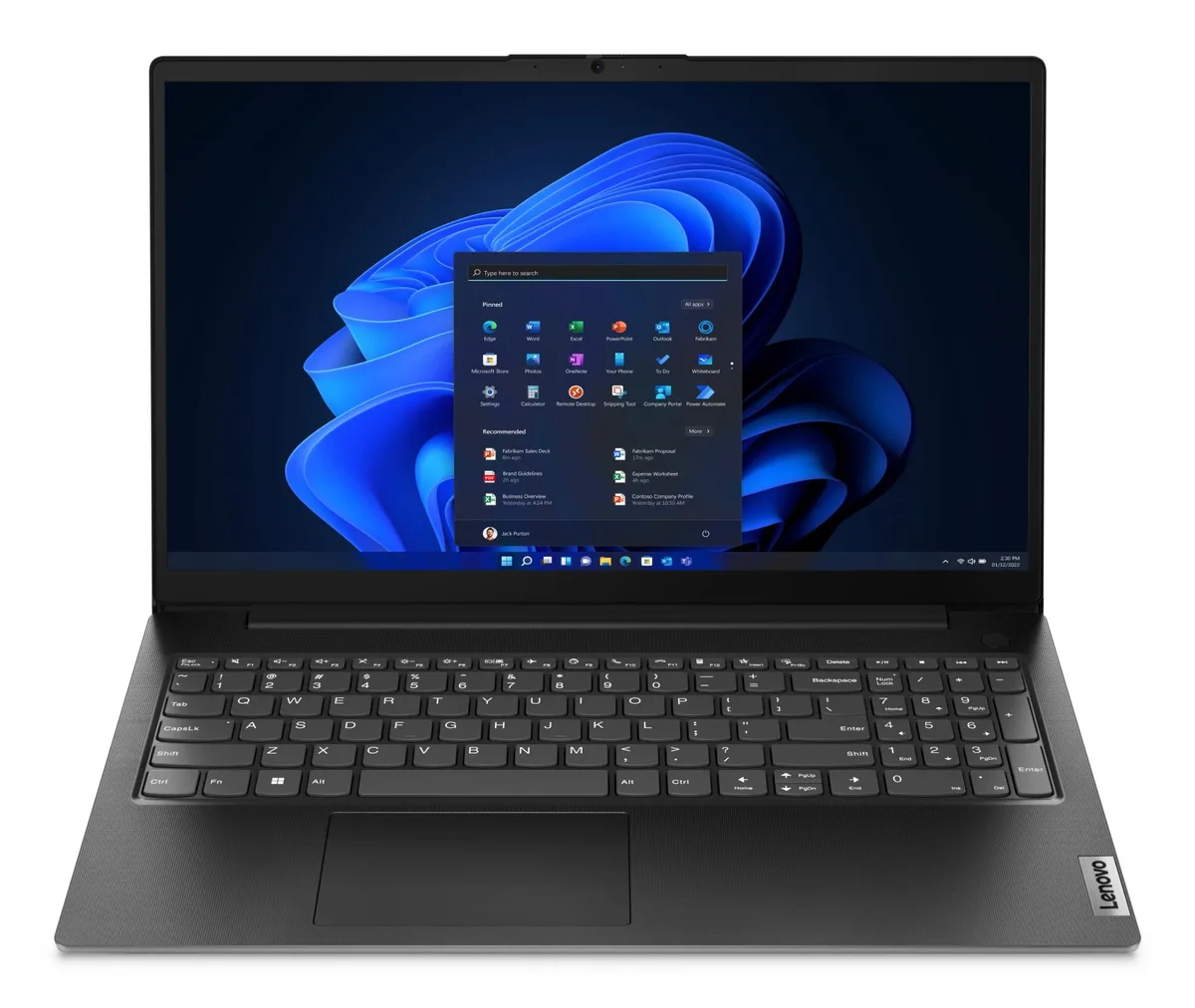
15.6-inch Full HD laptop with 10-core Intel Core i5, 24GB DDR4 RAM and 512GB NVMe storage
The Lenovo V15 G4 ships with Windows 11 Pro, a 10-core Intel Core i5-13420H processor reaching 4.6GHz and 24GB DDR4 memory. A 512GB NVMe drive holds the operating system and files. The 15.6 inch Full HD TN panel runs at 60 Hz with a 500:1 contrast ratio and hardware low-blue-light certification. Integrated Intel UHD Graphics drives the internal display and external monitors.
One USB-C 3.2 Gen 1 port supports Power Delivery 3.0 and DisplayPort 1.2 for charging and video output. An HDMI 1.4b port adds a second external display option. Two USB-A 3.2 Gen 1 ports and one USB-A 2.0 port connect peripherals. A Gigabit Ethernet jack provides wired networking. The 3.5mm combo jack handles audio. The chassis meets MIL-STD-810H durability testing.
The 720p webcam includes a physical privacy shutter. A full-size keyboard with numeric pad suits spreadsheet work. The integrated graphics share system memory, leaving the NVMe slot occupied by the 512GB drive. The 60 Hz panel and TN technology keep power draw modest during typical productivity loads. Fan noise remains low during light office applications.
| Brand | Lenovo |
|---|---|
| Model | V15 G4 |
| Part Number | 83A100PSUS |
| Color | Black |
| Operating System | Windows 11 Pro |
| CPU Type | Intel Core i5 13th Gen |
| Turbo Frequency | 4.6GHz |
| Number of Cores | 10-core Processor |
| Smart Cache | 12MB |
| Screen Size | 15.6" |
| Touchscreen | Non-Touch Screen |
| Wide Screen Support | Yes |
| Display Type | Full HD |
| Resolution | 1920 x 1080 |
| GPU/VPU | Intel UHD Graphics |
| Graphic Type | Integrated Card |
| SSD | 512GB |
| HDD | No |
| Storage Spec | 512GB NVMe SSD |
| Memory | 24GB |
| Memory Speed | DDR4 3200 |
| Memory Spec | 8 GB onboard + 16 GB x 1 |
| Memory Slot (Total) | 1 |
| Memory Slot (Available) | 0 |
| Max Memory Supported | 40 GB |
| Optical Drive Type | No |
| LAN | 10/100/1000Mbps |
| WLAN | 802.11ac Wireless LAN |
| WiFi Generation | Wi-Fi 5 |
| Bluetooth | Bluetooth 5.1 |
| USB | 3 |
| Video Port | 1 x HDMI |
| HDMI | 1 x HDMI |
| Ethernet | 1 x RJ-45 (1Gbps) |
| Audio Ports | 1 x Headphone/Microphone Combo Jack |
| Audio | Integrated Sound card |
| Speaker | Integrated Stereo Speakers |
| Touchpad | Yes |
| Keyboard | Standard |
| Backlit Keyboard | Non-backlit |
| Webcam | No |
| Style | Standard |
| Type | Home / Personal |
| AC Adapter/Charger | 65-watt AC Adapter |
| Battery Life | Up to 3 Hours |
| Dimensions (W x D x H) | 9.28 x 14.14 x 0.78 in |
| Weight | 3 - 3.9 lbs. |
The 10-core processor reaches 4.6 GHz turbo, but sustained speeds depend on the cooling system built into the 15.6" chassis.
The laptop meets MLT-STD-810H durability standards; fan noise and surface temperature will vary with workload and ambient conditions.
Use the HDMI 1.4b port or the USB-C 3.2 Gen 1 port with DisplayPort 1.2 support; both are built into the laptop.
Also in this aisle
Same shelf, same checkout — eight coins and a 30-minute rate lock.
What you pay in, and what you read prices in.
Sent from your wallet at checkout
Display only — the catalogue is priced in USD
No currency matches that.
Pick the language the site speaks to you in.
New here?
Already have one?
There is no automatic reset: this shop sends no mail, so there is no one-time link to ask for. Leave the address on the account and it gets picked up by hand.
Request noted
Nothing is on its way to your inbox — this shop sends no mail at all. Someone picks these up by hand.
Remembered it?



