


MAIWO
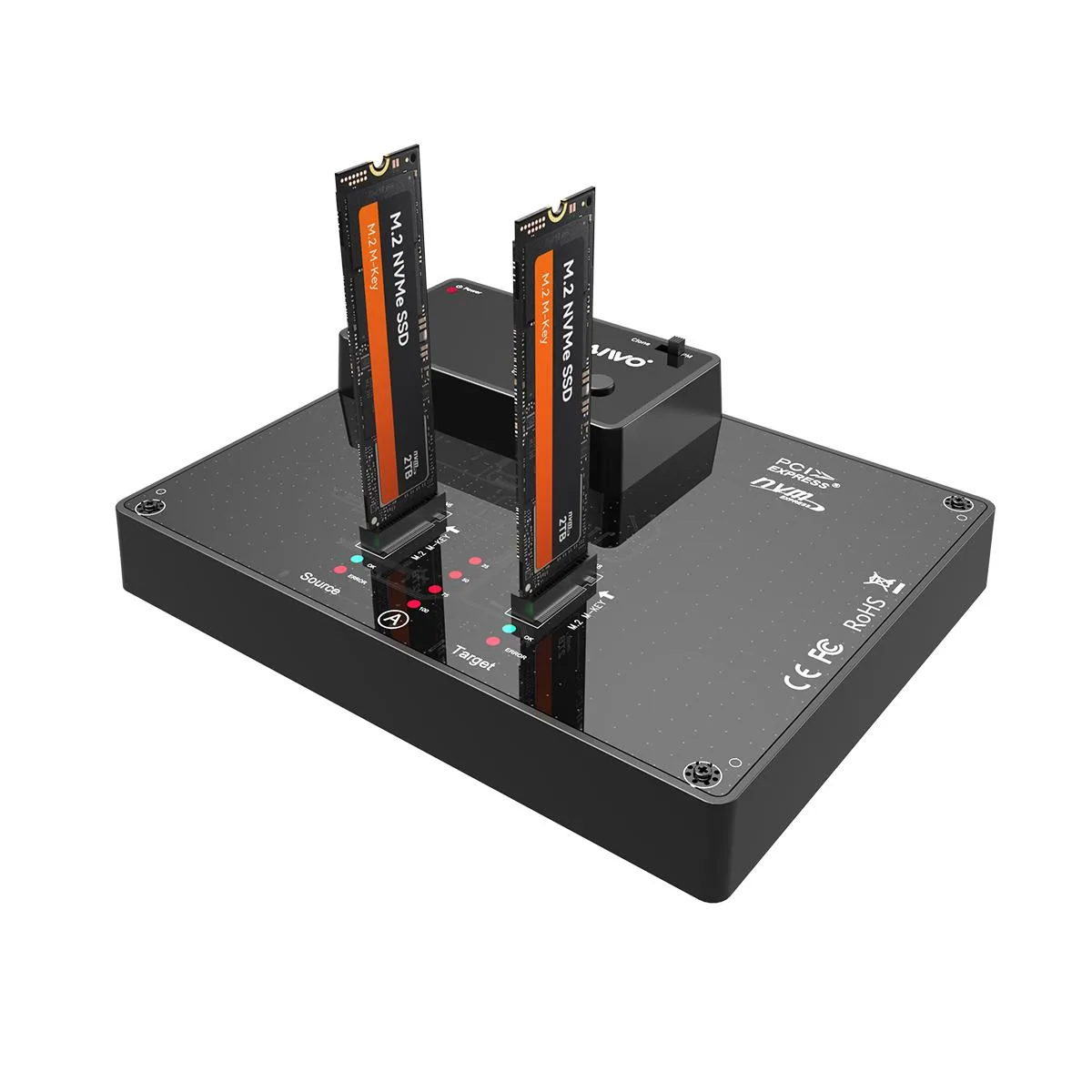
MAIWO K3015P Dual Bay NVMe Docking Station
Dual-bay M.2 NVMe docking station with 10 Gbps USB 3.1 Gen 2 Type-C, offline one-key cloning and LED status indicators
- SizeM.2
- ColorBlack
- External InterfaceUSB3.1 Gen2 Type C
- AC AdapterYes
- MaterialClassic Plastic
- Clone drives without a computer using the one-key button
- Transfer data at up to 10Gbps via USB 3.1 Gen 2 Type-C
- Supports M.2 NVMe SSDs in 2230, 2242, 2260, 2280 and 22110 sizes
- LED indicators show cloning progress and drive status
- Built-in power switch controls drive power independently
Dual-Bay NVMe Docking Station
The MAIWO K3015P accepts two M.2 NVMe SSDs simultaneously and connects via a USB 3.1 Gen 2 Type-C port. It is built for technicians and power users who need to duplicate drives or access high-speed storage without opening a computer case.
Plastic Chassis with External Power
The enclosure uses a classic plastic shell and ships with an AC adapter to ensure both bays receive stable power during cloning or heavy transfers. A dedicated power switch and a separate clone button let you start or stop operations without unplugging cables, while LED indicators show drive activity and clone progress at a glance.
Standalone Drive Duplicator
The one-key clone function copies all data from the source SSD to the target SSD without a host PC, provided the destination drive capacity exceeds the source. This replaces software-based imaging workflows for IT refresh cycles or forensic imaging, and the 10 Gbps USB link upgrades transfer speeds for users still limited to 5 Gbps ports.
Highlights
- Clone drives without a computer using the one-key button
- Transfer data at up to 10Gbps via USB 3.1 Gen 2 Type-C
- Supports M.2 NVMe SSDs in 2230, 2242, 2260, 2280 and 22110 sizes
- LED indicators show cloning progress and drive status
- Built-in power switch controls drive power independently
Specifications
| Brand | MAIWO |
|---|---|
| Series | Dual Bay NVME SSD Duplicator |
| Model | M.2 SSD Enclosure |
| Size | M.2 |
| Color | Black |
| External Interface | USB3.1 Gen2 Type C |
| AC Adapter | Yes |
| Material | Classic Plastic |
Questions about this item
What USB standard does the USB 3.1 Gen 2 Type-C port use, and what practical speed does it cap at?
The port follows USB 3.1 Gen 2 and caps at 10 Gbps, so large files move at the full rate only when the host also supports that standard.
Which M.2 form factors fit in the two bays, and is any extra hardware needed to secure them?
Both slots accept 2230, 2242, 2260, 2280 and 22110 NVMe drives; no screws or adapters are required for installation.
How do I start a standalone clone, and what is the step users most often miss?
Insert the source drive in bay 1 and the target in bay 2, connect the AC adapter, then hold the clone button for 3 to 5 seconds — the target must be larger than the source or the operation will not begin.
Also in this aisle
People compared these
Same shelf, same checkout — eight coins and a 30-minute rate lock.




Western Digital
Western Digital G-DRIVE ArmorATD 5TB portable hard drive SDPH81G005TGBA1D
$298.99
0.00382213BTC
In stock
OWC
OWC Gemini Ultra X6 12TB Thunderbolt portable SSD (OWCTB3GMA6X12)
- 12TB
- Thunderbolt
$2,645.99
0.03382494BTC
In stock