


Mellanox Technologies
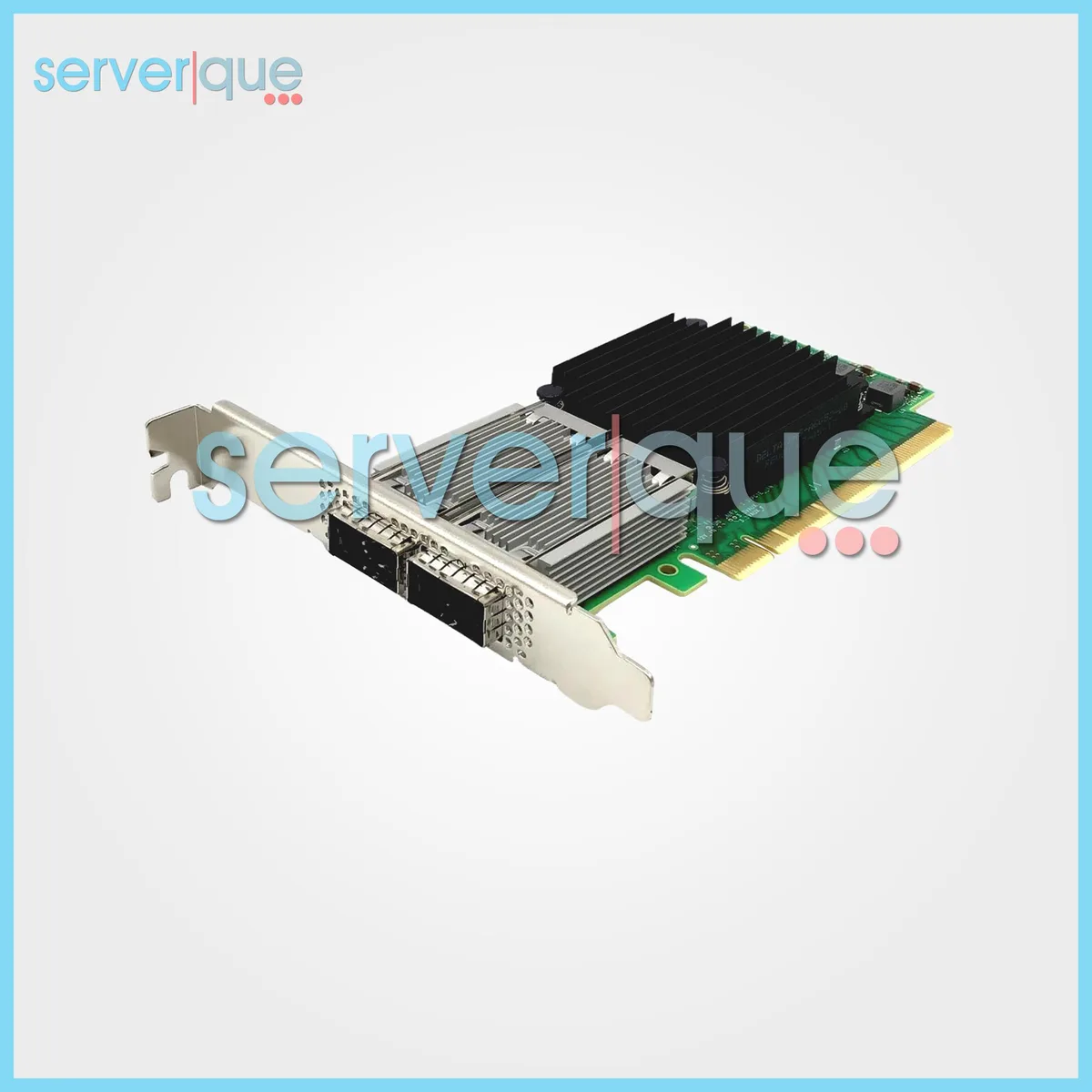
Mellanox Technologies MCX556A-ECAT ConnectX-5 QSFP28 100Gb dual-port network card
A dual-port QSFP28 adapter delivering 100 Gb/s InfiniBand and Ethernet connectivity over a PCI Express 3.0 x16 interface
- Speed1000Mbps
- InterfacePCI-Express
- Class1000M, PCIE
- Dual 100 Gb ports double aggregate bandwidth
- PCI Express 3.0 x16 delivers 16 GT/s lane speed
- ConnectX-5 engine offloads protocol processing to free CPU cycles
- Virtual Protocol Interconnect supports both InfiniBand and Ethernet fabrics
- Plug-in card form factor fits standard PCIe slots
Dual-Port 100Gb Adapter
The Mellanox ConnectX-5 MCX556A-ECAT is a dual-port host bus adapter built for PCI Express 3.0 x16 slots. It delivers 100Gb connectivity through two QSFP28 cages for InfiniBand EDR and Ethernet workloads.
Suited for high-performance clusters
This card targets data-centre operators running web-scale, analytics, database or storage platforms that demand 100Gb bandwidth and Virtual Protocol Interconnect. It does not fit builds that require a single-port adapter or a different slot width.
PCI Express 3.0 x16 interface
The adapter requires a full-length PCIe 3.0 x16 slot to operate at its rated 100Gb dual-port speed. Verify that your server or workstation provides this exact slot before purchase.
Highlights
- Dual 100 Gb ports double aggregate bandwidth
- PCI Express 3.0 x16 delivers 16 GT/s lane speed
- ConnectX-5 engine offloads protocol processing to free CPU cycles
- Virtual Protocol Interconnect supports both InfiniBand and Ethernet fabrics
- Plug-in card form factor fits standard PCIe slots
Specifications
| Brand | Mellanox |
|---|---|
| Part Number | MCX556A-ECAT |
| Speed | 1000Mbps |
| Interface | PCI-Express |
| Class | 1000M, PCIE |
Questions about this item
What PCIe slot width does the MCX556A-ECAT require?
The card uses a PCI Express 3.0 x16 slot, so a full-length x16 mechanical slot is needed for proper installation.
Which orientation should the bracket face when seating the card in a server chassis?
Align the gold fingers with the PCIe 3.0 x16 slot and press evenly until the retention bracket clicks into the chassis screw hole.
When should the QSFP28 transceivers be inspected or replaced?
Check transceiver lenses during scheduled dust cleaning; replace any module showing signal errors or physical damage to the optical interface.
Also in this aisle
People compared these
Same shelf, same checkout — eight coins and a 30-minute rate lock.




NVIDIA
NVIDIA ConnectX-7 MCX75343AMS-NEAC 400GbE network card
- InfiniBand: NDR/NDR…
- Single-port OSFP In…
$1,770.99$2,021.99−12%
0.02279208BTC
In stock