
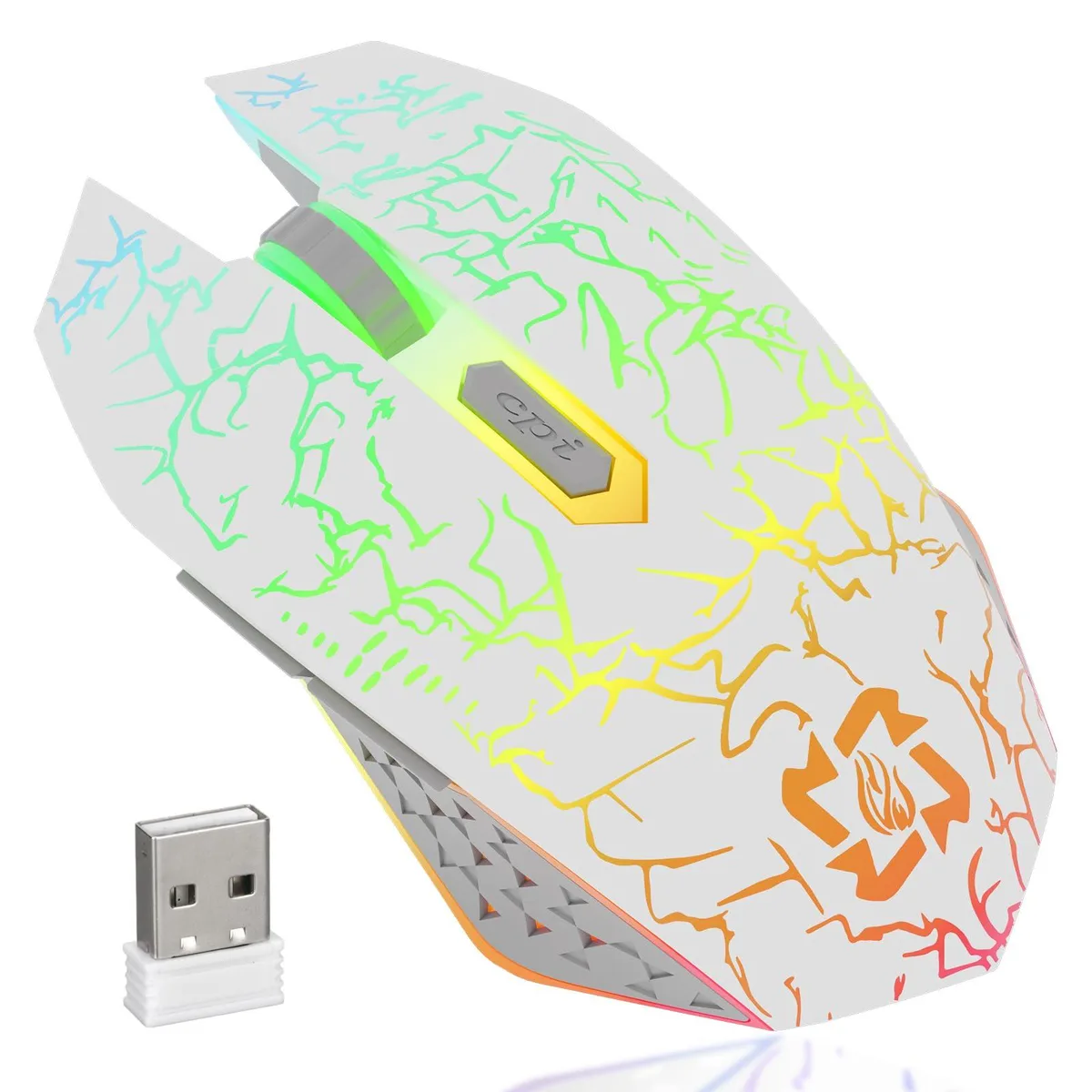


MELOGAGA White Gaming Mouse 1600 DPI 6 Buttons
White wireless gaming mouse with dual-mode connectivity, adjustable DPI up to 1600, six programmable buttons, RGB breathing lights, and a rechargeable battery
- TypeUSB
- InterfaceUSB
- Tracking MethodOptical
- Resolution (DPI)1600
- Hand OrientationRight
- Buttons6
- Dual Bluetooth and 2.4G wireless gives cable-free freedom
- Three adjustable DPI levels from 800 to 1600 suit any task
- Six programmable buttons plus silent clicks boost efficiency
- RGB 7-colour breathing lights add style and auto-off to save power
- Built-in rechargeable battery charges via USB and sleeps after one minute
White Wireless Gaming Mouse
The MELOGAGA gaming mouse connects via Bluetooth or 2.4G wireless using the included USB receiver. It operates on Windows 8, 10, Mac OS and iOS 13+ devices without extra software. A right-handed optical sensor provides three adjustable DPI levels: 800, 1200 and 1600.
Suits Quiet Desktop or Mobile Play
The soundless switches and RGB breathing lights suit late-night sessions at a desk or on a laptop. Buyers who need programmable macros, additional side buttons or a higher maximum DPI should look at another model. The mouse enters sleep mode after one minute of inactivity to preserve the rechargeable battery.
Check OS and Port Compatibility
Verify your system runs Windows 8, 10, Mac OS or iOS 13 and later before ordering. Ensure a free USB-A port is available for the 2.4G receiver if you prefer that connection mode. Charge the mouse for two hours using the supplied cable before first use.
Highlights
- Dual Bluetooth and 2.4G wireless gives cable-free freedom
- Three adjustable DPI levels from 800 to 1600 suit any task
- Six programmable buttons plus silent clicks boost efficiency
- RGB 7-colour breathing lights add style and auto-off to save power
- Built-in rechargeable battery charges via USB and sleeps after one minute
Specifications
| Brand | MELOGAGA |
|---|---|
| Type | USB |
| Interface | USB |
| Tracking Method | Optical |
| Resolution (DPI) | 1600 |
| Hand Orientation | Right |
| Buttons | 6 |
| Scrolling Capability | Soundless |
| Color | White |
| Operating System Supported | Windows 8/10, Mac OS |
| System Requirement | Windows 8/10, Mac OS |
Questions about this item
Do I need a free USB port for the 2.4G receiver to use this mouse?
Yes, the 2.4G wireless mode requires plugging the included USB receiver into a free USB-A port on your computer.
Will the 2.4G USB receiver work if I keep it plugged into an older desktop that only has USB 2.0 ports?
The receiver uses a standard USB interface and will function normally in USB 2.0 ports on older desktops.
How can I confirm the mouse is charging and when it reaches full charge?
A blue LED lights up while charging and turns off once the battery is fully charged after about two hours.
Also in this aisle
People compared these
Same shelf, same checkout — eight coins and a 30-minute rate lock.



BFKK
BFKK Wireless Gaming Mouse PAW 3950Max 42000 DPI 8KHz 38g Black & Sticker
- Black
$106.99
0.00136116BTC
In stock
