minisforum
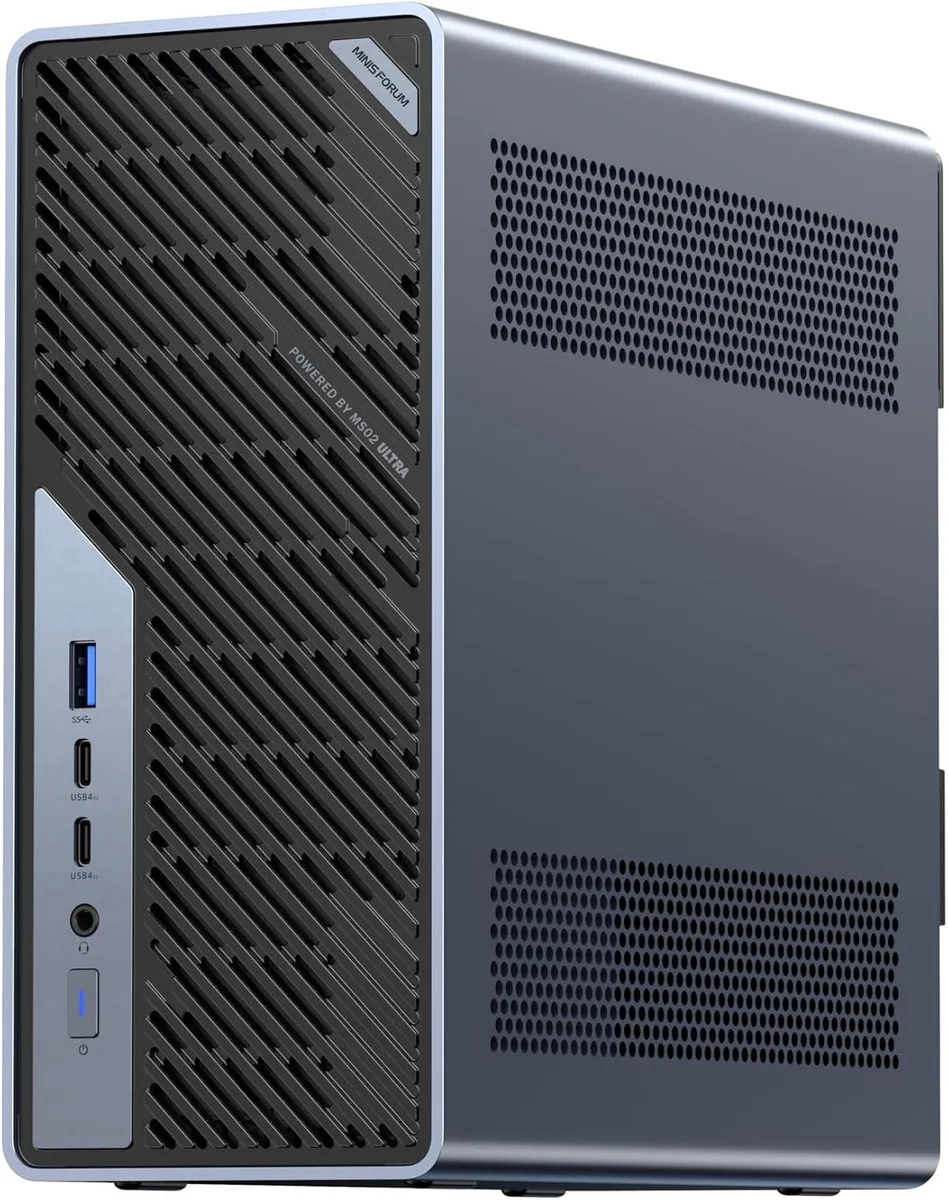
minisforum MS-02 Ultra Workstation Core Ultra 5 235HX barebone mini PC
- Black
- FCBGA2114
$437.99
0.0055812BTC
In stockWe take cryptocurrency — so the coins you hold can buy real hardware.Pay in crypto, spend it on real hardware. Free insured shipping worldwide over $399. Plain, unbranded boxes, sent from Germany.Free insured shipping over $399. Your rate is locked for 30 minutes once checkout opens.Rate locked 30 minutes. Every item sealed, serial-checked and covered by a 24-month warranty.Sealed, 24-month warranty.


minisforum
Barebone mini workstation with 24-core Intel Core Ultra 9 285HX, four DDR5 slots for up to 256 GB, four PCIe 4.0 SSD bays, dual 25 Gb SFP+ plus 10 Gb and 2.5 Gb Ethernet, Wi-Fi 7, Bluetooth 5.4.
Option MS02-285HX · 0+0
This barebone mini PC arrives with a 24-core Intel Core Ultra 9 285HX processor soldered to the FCBGA2114 socket. It targets professionals who need workstation-class compute for 3D rendering, video editing or AI workloads in a compact desktop form factor. The system ships without memory or storage so builders can populate the four DDR5 SO-DIMM slots and four PCIe 4.0 x4 M.2 bays to match their exact capacity and redundancy needs. Buyers who want a pre-assembled unit with Windows and drives included should look elsewhere.
Manufacturer highlights describe dedicated airflow channels, six heat pipes and dual fans designed to keep the 24-core CPU stable under sustained heavy workloads. The cooling layout aims for efficient, quiet operation even when all cores are fully loaded for extended periods. No acoustic measurements, fan curves or power-draw figures are supplied in the data.
The defining specification is the combination of two 25G SFP+ ports, one 10G RJ45 and one 2.5G RJ45 Ethernet interface alongside Wi-Fi 7 and Bluetooth 5.4. This multi-gigabit wired backbone lets the workstation move large datasets into local storage or across a high-speed fabric without a network bottleneck. Four PCIe 4.0 x4 M.2 slots and support for up to 256 GB of DDR5 ECC memory complete the expansion envelope.
| Brand | MINISFORUM |
|---|---|
| Model | DeskMini |
| Color | Black |
| AI Features | Available |
| CPU Socket | FCBGA2114 |
| CPU Type | Intel Core Ultra 9 285HX |
| CPU Cores | 24 |
| Integrated Graphics | Intel Graphics |
| Wireless LAN | 802.11ax |
| Bluetooth | Bluetooth 5.4 |
| Max LAN Speed | 10/100/1000/2500Mbps/10Gbps |
| WiFi Generation | Wi-Fi 7 |
| HDMI | 1 |
| Rear USB | 3 |
| Memory slot | 4 |
| Memory Type Supported | DDR5 |
| Max Memory Supported | 256GB |
| Dual Channel Memory Supported | Yes |
| Memory installed | No Memory |
| Other | 4x PCIe4.0x4 |
Other versions of this model
Same family, different memory, cooler or clock — compare before you commit.
Insert each stick at an angle until the gold contacts disappear, then press down until both side clips click; the step people miss is seating the module fully before locking it, which leaves the contact pads partially exposed and causes a no-boot condition.
The dual fans and six heat pipes in the dedicated airflow channels are the primary moving parts; dust accumulation on the heatsink fins reduces cooling efficiency, so plan to clean or replace the fan assembly after extended heavy workloads.
The cooling solution with six heat pipes and dual fans sets the practical ceiling; under continuous multi-core work the processor will hit its thermal throttle point before the 25 Gbps SFP+ or 10 Gbps RJ45 network interfaces saturate.
Also in this aisle
Same shelf, same checkout — eight coins and a 30-minute rate lock.
What you pay in, and what you read prices in.
Sent from your wallet at checkout
Display only — the catalogue is priced in USD
No currency matches that.
Pick the language the site speaks to you in.
New here?
Already have one?
There is no automatic reset: this shop sends no mail, so there is no one-time link to ask for. Leave the address on the account and it gets picked up by hand.
Request noted
Nothing is on its way to your inbox — this shop sends no mail at all. Someone picks these up by hand.
Remembered it?