


MSI
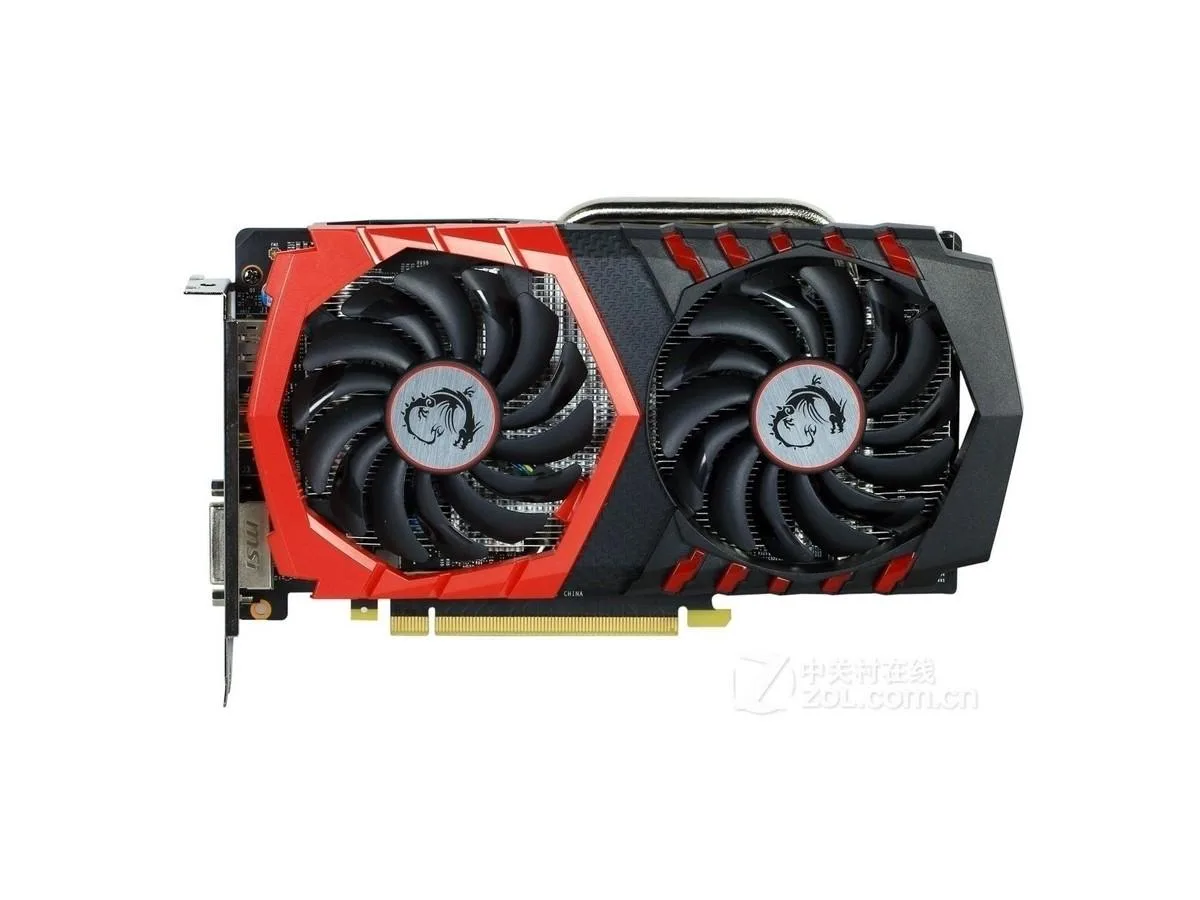
MSI GeForce GTX 1050Ti GAMING X 4G 128bit GDDR5 graphics card
Entry-level graphics card with 4 GB GDDR5 memory and 128-bit bus for 1080p gaming and multi-monitor setups
- InterfacePCI Express 3.0 16X
- Chipset ManufacturerNVIDIA
- Core Clock7008/7108MHz
- Memory Size4GB
- Memory Interface128bit
- Memory TypeGDDR5
- 4GB GDDR5 memory enables smooth 1080p gaming
- PCI Express 3.0 16X interface delivers high bandwidth
- 7680×4320 max resolution supports ultra-high-definition displays
- 6-pin power connector ensures stable operation
- GTX 1050Ti chipset provides efficient graphics performance
GTX 1050Ti 4GB Gaming Card
The MSI GeForce GTX 1050Ti GAMING X 4G is a discrete graphics card built for 1080p gaming and multi-display productivity. It connects through a PCI Express 3.0 16X slot and uses a single 6-pin power connector for operation.
Upgrade From Integrated Graphics
This card replaces processor graphics or older entry-level GPUs that cannot drive 7680×4320 output. The jump is worthwhile when you need hardware-accelerated 4GB GDDR5 memory and a 128-bit interface for modern titles at medium settings.
Budget 1080p Builds
It suits builders assembling cost-conscious systems for esports titles, media playback or multi-monitor office work. Users targeting high-refresh 1440p gaming or ray-traced workloads should consider higher-tier hardware.
Highlights
- 4GB GDDR5 memory enables smooth 1080p gaming
- PCI Express 3.0 16X interface delivers high bandwidth
- 7680×4320 max resolution supports ultra-high-definition displays
- 6-pin power connector ensures stable operation
- GTX 1050Ti chipset provides efficient graphics performance
Specifications
| Brand | MSI |
|---|---|
| Model | MSI GeForce GTX 1050Ti GAMING X 4G |
| Interface | PCI Express 3.0 16X |
| Chipset Manufacturer | NVIDIA |
| Core Clock | 7008/7108MHz |
| Memory Size | 4GB |
| Memory Interface | 128bit |
| Memory Type | GDDR5 |
| Max Resolution | 7680×4320 |
| Power Connector | 6pin |
Questions about this item
Will the 6pin power connector on this GTX 1050Ti reach my PSU in a mid-tower case?
The card draws auxiliary power through a single 6pin connector; route the cable before seating the card to avoid bending the PCB.
Which slot do I use for the PCI Express 3.0 16X interface and what is the common mistake?
Insert the card into the primary x16 slot, secure the retention bracket screw, then attach the 6pin power lead — skipping the screw is the frequent error.
How do I clean the dual-fan cooler on this 4GB GDDR5 model without voiding the shop inspection seal?
Use low-pressure compressed air through the fan grilles while holding the blades still; do not disassemble the shroud or remove the thermal paste.
Also in this aisle
People compared these
Same shelf, same checkout — eight coins and a 30-minute rate lock.


Silverstone Technology
SilverStone Technology Strider 1200W 80 Plus Platinum Modular Power Supply
- ATX Mid Tower
- 1200W
$324.03
0.00418449BTC
In stock