


MSI
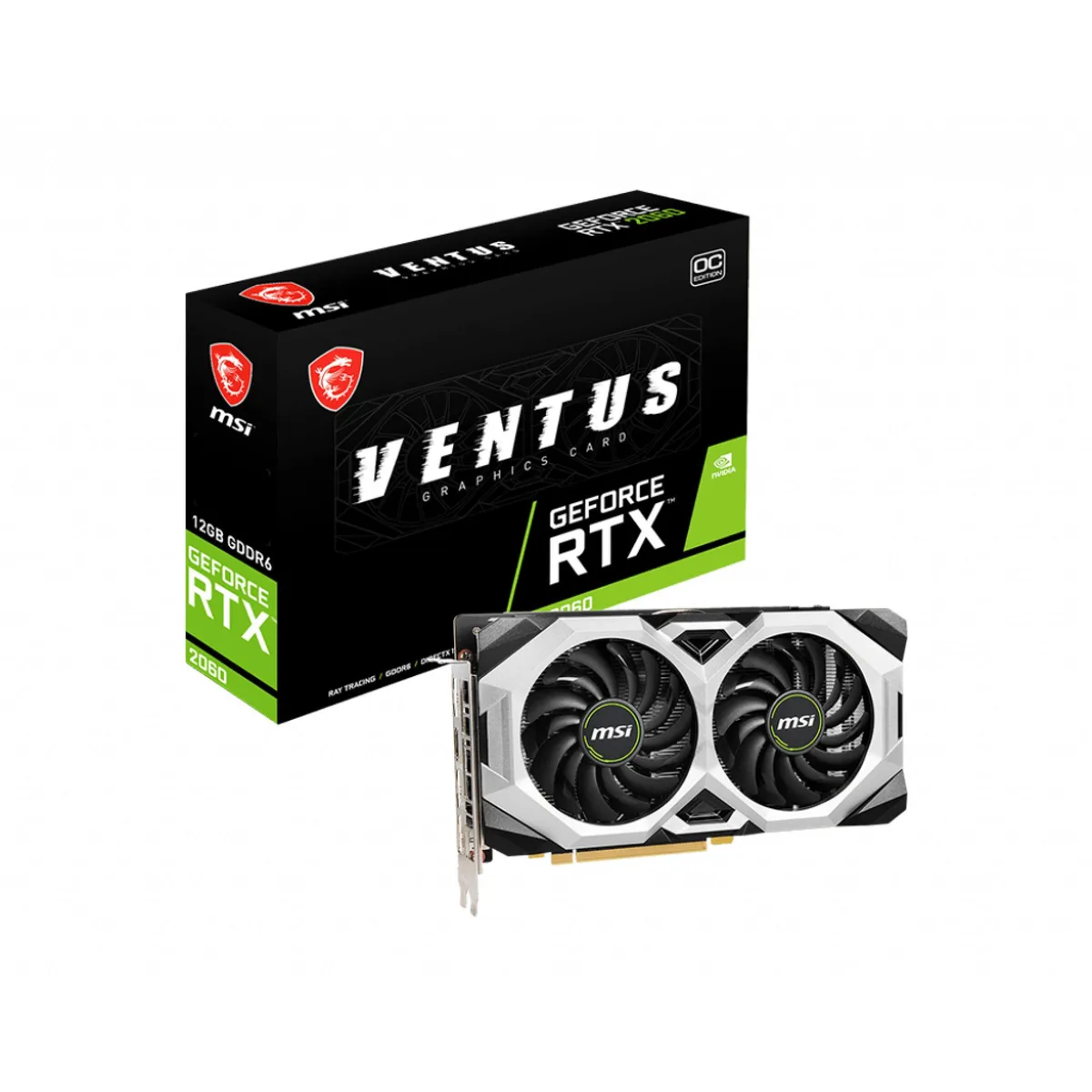
MSI GeForce RTX 2060 Ventus 12G OC graphics card 12GB GDDR6
A 12 GB GDDR6 graphics card with 2176 CUDA cores and a 1680 MHz boost clock for 7680 x 4320 output
- Memory TypeGDDR6
- 12 GB GDDR6 memory for high-resolution textures
- Boost clock reaches 1680 MHz for responsive frame rates
- 2176 CUDA cores accelerate parallel workloads
- Dual TORX Fan 2.0 design keeps thermals in check
- Supports 7680 x 4320 output for multi-monitor setups
12 GB GDDR6 graphics card
The MSI GeForce RTX 2060 Ventus 12G OC delivers 12 GB of GDDR6 memory and 2176 CUDA cores on a PCI Express 3.0 interface. It targets 1440p gaming and creative workloads that benefit from the larger frame buffer. The boost clock reaches 1680 MHz out of the box. This card suits builders who need more VRAM than the standard 6 GB variant provides.
Upgrade from 6 GB RTX 2060
Moving from the 6 GB model to this 12 GB version doubles video memory while keeping the same Turing architecture and CUDA core count. The jump is worthwhile when texture packs, modded titles or multi-monitor setups exceed the smaller buffer. Higher memory capacity reduces stutter in memory-heavy scenes without changing the underlying compute performance. Buyers staying on PCIe 3.0 platforms avoid a platform change.
Dual-fan cooling for standard builds
The Ventus dual-fan design uses TORX Fan 2.0 blades and direct-contact copper heat pipes with premium thermal compound. It occupies two slots and fits typical mid-tower cases without special clearance planning. PCIe 3.0 compatibility means it works on older chipsets as well as current boards. The 7680 x 4320 maximum resolution supports high-DPI multi-display productivity.
Highlights
- 12 GB GDDR6 memory for high-resolution textures
- Boost clock reaches 1680 MHz for responsive frame rates
- 2176 CUDA cores accelerate parallel workloads
- Dual TORX Fan 2.0 design keeps thermals in check
- Supports 7680 x 4320 output for multi-monitor setups
Specifications
| Memory Type | GDDR6 |
|---|
Questions about this item
What PCI Express slot does the RTX 2060 Ventus 12G OC need?
The card uses a PCI Express 3.0 interface and fits a standard x16 slot on the motherboard.
Which power connectors must be attached when installing this card?
Connect the required 8-pin PCIe power cable from the PSU; the system will not boot without it.
How should the TORX Fan 2.0 coolers be maintained over time?
Use compressed air to clear dust from the dual fans and heatsink fins every few months to keep temperatures low.
Also in this aisle
People compared these
Same shelf, same checkout — eight coins and a 30-minute rate lock.


PrimoChill
PrimoChill Praxis Wetbench Open-Air Test Bench 461.8mm
- Open-Air
$274.89
0.00355238BTC
In stock
Silverstone Technology
SilverStone Technology Strider 1200W 80 Plus Platinum Modular Power Supply
- ATX Mid Tower
- 1200W
$324.03
0.00418741BTC
In stock