

ASUS
ASUS TUF Gaming FX505DT-EB73 gaming laptop 15.6 120Hz Ryzen 7 3750H GTX 1650 8GB 512GB
$999.99
0.01291209BTC
In stockWe take cryptocurrency — so the coins you hold can buy real hardware.Pay in crypto, spend it on real hardware. Free insured shipping worldwide over $399. Plain, unbranded boxes, sent from Germany.Free insured shipping over $399. Your rate is locked for 30 minutes once checkout opens.Rate locked 30 minutes. Every item sealed, serial-checked and covered by a 24-month warranty.Sealed, 24-month warranty.
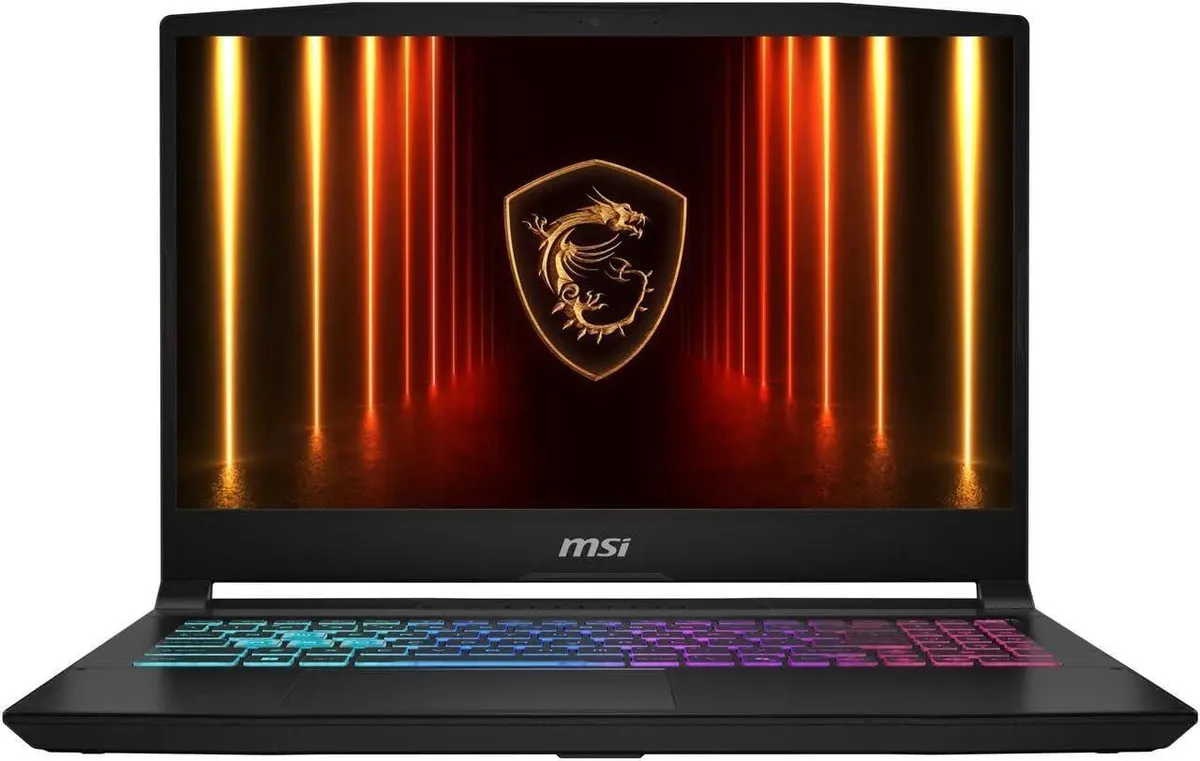


MSI
A 15.6-inch QHD 165Hz gaming laptop with an Intel Core i7 16-core processor, RTX 5070 8GB GDDR7 graphics, 16GB DDR5 memory and a 2TB PCIe SSD
The Katana 15 pairs a 15.6 inch QHD panel running at 165 Hz with an Intel Core i7 14650HX processor and an RTX 5070 graphics card carrying 8 GB of GDDR7 memory. Sixteen gigabytes of DDR5 4800 system memory and a 2 TB PCIe SSD complete a configuration aimed at high-refresh competitive play and content creation on Windows 11 Home.
This machine fits gamers who want a 15.6 inch QHD 165 Hz display driven by a 16 core 24 thread CPU and RTX 5070 graphics. It also suits creators needing 16 GB DDR5 and a 2 TB PCIe SSD in a 5.29 pound chassis. Buyers needing a touchscreen, an SD card reader, a fingerprint reader or a lighter ultraportable form factor should consider other models.
Verify that your external monitors can accept a 2560 x 1440 signal over the HDMI port and that your peripherals work with three USB Type-A and two USB Type-C ports. Confirm your network infrastructure supports 802.11ac Wi-Fi or wired RJ45 Ethernet. Ensure you have space for a 14.13 by 10.31 by 0.99 inch footprint and a power outlet for the supplied adapter.
| Brand | MSI |
|---|---|
| Series | Katana 15 |
| Model | MSI 15.6 |
| Color | Black |
| CPU Type | Intel Core i7 14th Gen |
| Processor Name | 2.20GHz |
| Number of Cores | 16-core Processor |
| Screen Size | 15.6" |
| Touchscreen | Non-Touch Screen |
| Display Type | QHD |
| Resolution | 2560 x 1440 |
| Operating System | Windows 11 Home |
| GPU/VPU | GeForce RTX 5070 Laptop GPU |
| Video Memory | 8GB |
| Graphic Type | Integrated Card |
| SSD | 2TB PCIe SSD |
| Memory | 16GB |
| Memory Speed | DDR5 4800 |
| Optical Drive Type | No |
| WLAN | 802.11ac Wireless LAN |
| WiFi Generation | Wi-Fi 6E |
| Bluetooth | Yes |
| USB | 1 |
| HDMI | 1 x HDMI |
| Ethernet | 1 x RJ-45 (100Mbps) |
| Audio | Integrated Sound card |
| Speaker | Internal Speakers |
| Backlit Keyboard | Backlit |
| Style | Standard |
| Type | Gaming |
| Battery Life | Up to 7 Hours |
The laptop includes the 2560 x 1440 panel and GeForce RTX 5070 8GB GDDR7 built in, so no external monitor or GPU is required for them to work.
Yes, the chassis provides 3 x USB Type-A ports in addition to the 2 x USB Type-C ports, so older mice, keyboards and drives plug straight in.
Open Settings > System > Display > Advanced display and verify the refresh rate dropdown shows 165 Hz for the internal 15.6 QHD panel.
Also in this aisle
Same shelf, same checkout — eight coins and a 30-minute rate lock.
What you pay in, and what you read prices in.
Sent from your wallet at checkout
Display only — the catalogue is priced in USD
No currency matches that.
Pick the language the site speaks to you in.
New here?
Already have one?
There is no automatic reset: this shop sends no mail, so there is no one-time link to ask for. Leave the address on the account and it gets picked up by hand.
Request noted
Nothing is on its way to your inbox — this shop sends no mail at all. Someone picks these up by hand.
Remembered it?


