


MSI
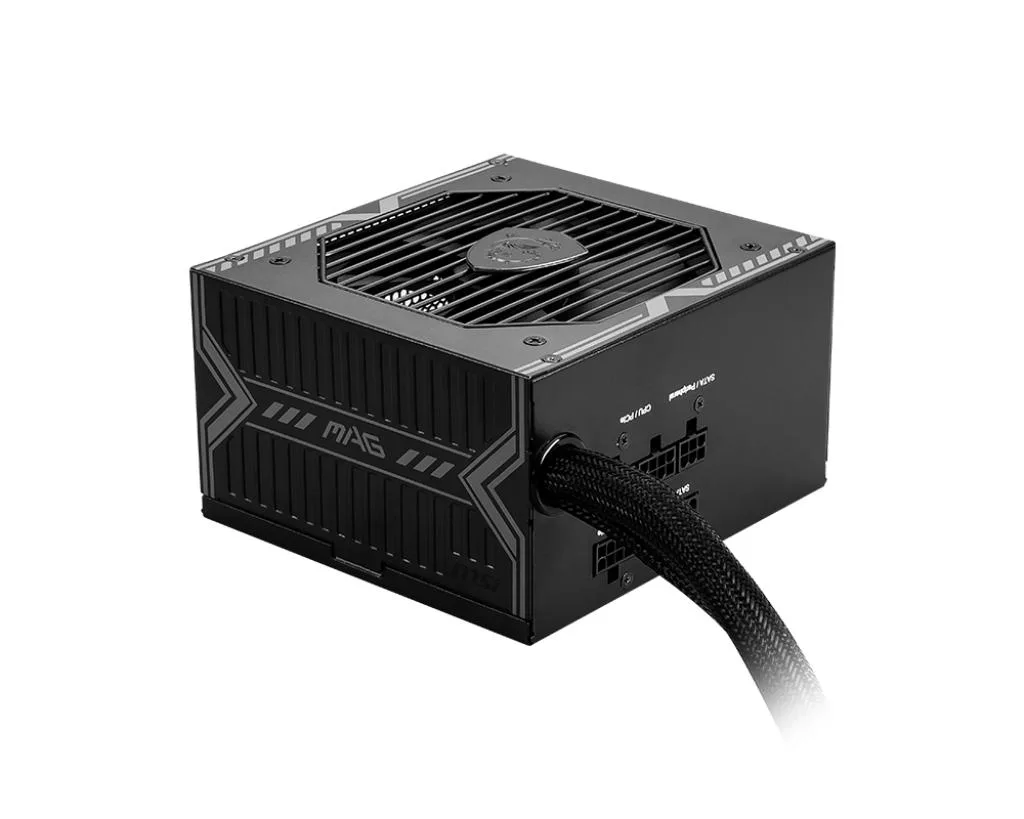
MSI MAG A750BE 750W 80 Plus Bronze ATX Power Supply
Delivers 750W ATX power with 80 Plus Bronze efficiency for gaming systems
- TypeATX
- Maximum Power750W
- 750 W continuous power for stable system operation
- 80 Plus Bronze efficiency reduces wasted energy
- ATX form factor fits standard PC cases
- 100 % manufacturer tested for reliable performance
- new condition — sealed and unused
Product identity
The MSI MAG A750BE is an ATX power supply rated at 750W with 80 Plus Bronze efficiency certification. It is built to deliver reliable energy to gaming PCs and workstation builds that demand steady output under load.
Who it suits and who it does not
This unit fits builders assembling a mid-range system with a single graphics card and standard peripherals. It is not intended for configurations that require higher wattage headroom, multiple high-end GPUs, or fully modular cable management.
The deciding specification
The 750W maximum power rating is the figure that determines whether this supply can support your component list. Match the total estimated draw of your parts against this limit before purchasing.
Highlights
- 750 W continuous power for stable system operation
- 80 Plus Bronze efficiency reduces wasted energy
- ATX form factor fits standard PC cases
- 100 % manufacturer tested for reliable performance
- new condition — sealed and unused
Specifications
| Brand | MSI |
|---|---|
| Part Number | MAG A750BE |
| Type | ATX |
| Maximum Power | 750W |
Questions about this item
How do I install the MSI MAG A750BE into a standard ATX case, and which step do builders often miss?
Mount the unit with the four case screws, connect the 24-pin motherboard and 8-pin CPU cables, then plug the AC cord and flip the rear I/O switch — the step most often missed is turning that switch on before pressing the case power button.
What maintenance or replacement will the MSI MAG A750BE need later?
Clean dust from the intake grill and fan blades every few months with compressed air; the internal fan is the only moving part and may need replacement after several years of continuous operation.
What limit appears first on the MSI MAG A750BE under sustained load?
The 750 W maximum power rating is the first ceiling you will hit; exceeding it triggers over-power protection and shuts the unit down.
Also in this aisle
People compared these
Same shelf, same checkout — eight coins and a 30-minute rate lock.


Silverstone Technology
Silverstone Decathlon R Gold 750W ATX 3.0 power supply
$146.99
0.00186491BTC
In stock
Silverstone Technology
Silverstone Technology FA311-B FARA 311 Micro-ATX PC case
- Micro ATX
$62.99
0.00079917BTC
In stock