

Micron Technology, Inc.
Micron Technology, Inc. MT4JTF12864AZ-1G4D1 1GB DDR3 1333 Desktop RAM
- 1GB
- DDR3 1333 (PC3 1060…
$28.99
0.00037462BTC
In stockWe take cryptocurrency — so the coins you hold can buy real hardware.Pay in crypto, spend it on real hardware. Free insured shipping worldwide over $399. Plain, unbranded boxes, sent from Germany.Free insured shipping over $399. Your rate is locked for 30 minutes once checkout opens.Rate locked 30 minutes. Every item sealed, serial-checked and covered by a 24-month warranty.Sealed, 24-month warranty.


MSI
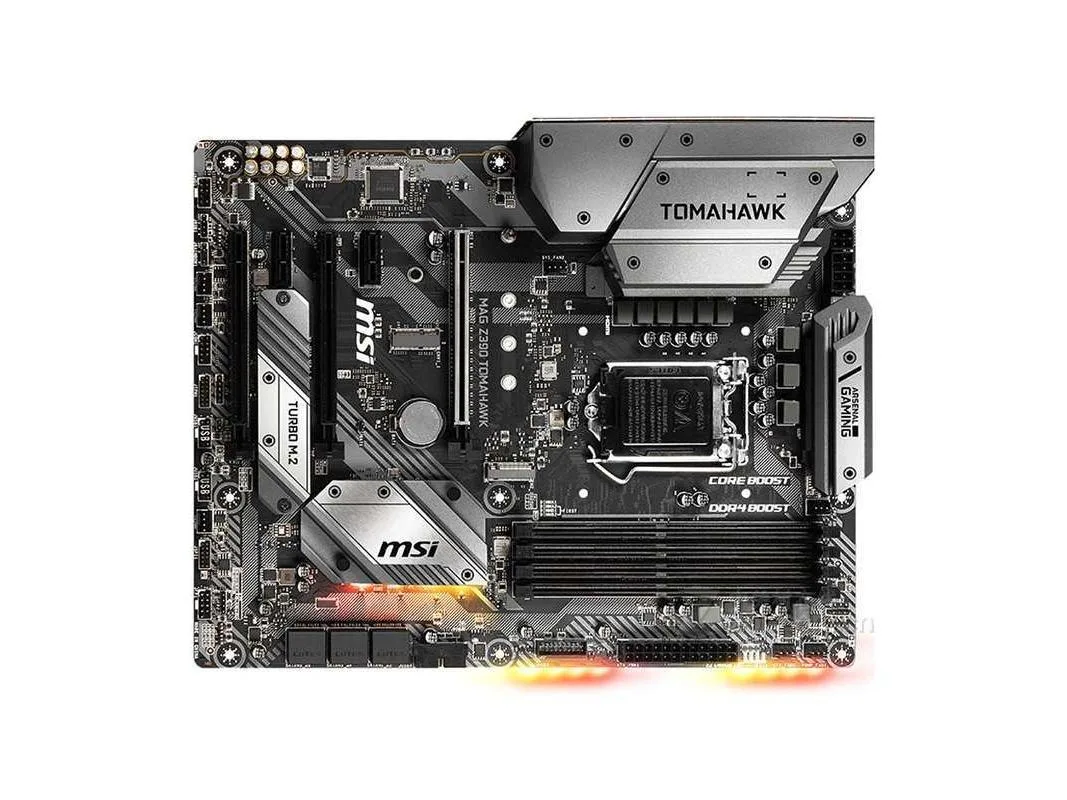
Z390 ATX board with LGA 1151 socket, dual-channel DDR4 up to 4400 MHz and 128 GB capacity, dual Gigabit LAN, Realtek ALC892 7.1 audio, plus USB 3.1 Gen2 Type-C and multiple M.2 and SATA connectors
The MSI MAG Z390 TOMAHAWK is an Intel Z390 motherboard built for LGA 1151 processors including 9th and 8th generation Core CPUs. It uses a standard ATX layout with the Z390 chipset providing native high-speed I/O. The board targets builders who want a mainstream platform with robust power delivery and dual Gigabit LAN.
This board suits users who value wired networking redundancy and 7.1 channel Realtek ALC892 audio without adding expansion cards. It is less suited for builds needing multiple M.2 storage devices because only a single E-key M.2 slot for Intel CNVi wireless modules is present. Buyers wanting extensive PCIe lane flexibility should note the three x16 slots operate in x16/x4/x1 modes.
Four DDR4 slots support up to 128GB at speeds reaching 4400MHz, giving ample headroom for heavy multitasking and content creation. Six SATA III ports handle large SSD or HDD arrays, while the single M.2 E-key slot does not support storage drives. USB connectivity includes four 10Gbps ports (one Type-C) plus four 5Gbps and six 2.0 headers for plentiful peripheral connections.
| Brand | MSI |
|---|---|
| Series | MSI MAG Z390 TOMAHAWK |
| Model | MSI MAG Z390 TOMAHAWK |
| CPU Socket Type | LGA 1151 |
| CPU Type | Intel Core ™ 9000 Series/8th Gen Intel Core ™/Pentium Gold/Celeron processors with LGA 1151 pin |
| Chipset | Intel Z390 |
| Memory Standard | Supports dual-channel DDR4 4400MHz memory |
| Maximum Memory Supported | 128GB |
| PCI Slots | 3 PCIe 3.0 x16 slots (supports x16/x4/x1 modes) 2 PCIe 3.0 x1 slots 1 M.2 slot (E key) for Intel CNVi wireless modules only |
| SATA RAID | M.2 interface, 6xSATA III interface |
| Audio Chipset | Realtek ALC892 decoding chip 7.1 channel high-quality sound effects Supports S/PDIF output |
| LAN Chipset | 1 Intel I219-V Gigabit network interface card 1 Intel I211-AT Gigabit network interface card |
| Onboard USB | Intel Z390 chipset 4 USB 3.1 Gen2 (SuperSpeed USB 10Gbps) ports (1 Type-C and 3 Type-A ports on the backplane) 4 USB 3.1 Gen1 (SuperSpeed USB) ports, provided via internal USB ports 6 USB 2.0 (High-speed USB) ports (2 Type-A ports on the backplane, 4 via onboard USB 2.0 ports) |
The board runs dual-channel DDR4 up to 4400MHz, so any kit rated at or below that frequency will work without manual tuning.
The board already includes one Intel I219-V and one Intel I211-AT Gigabit controller, so additional NICs of the same type are unnecessary unless you need more than two wired ports.
Open the Realtek Audio Console in Windows, select 7.1 speaker configuration, then run the speaker test — each of the eight channels should play a distinct tone.
Also in this aisle
Same shelf, same checkout — eight coins and a 30-minute rate lock.
What you pay in, and what you read prices in.
Sent from your wallet at checkout
Display only — the catalogue is priced in USD
No currency matches that.
Pick the language the site speaks to you in.
New here?
Already have one?
There is no automatic reset: this shop sends no mail, so there is no one-time link to ask for. Leave the address on the account and it gets picked up by hand.
Request noted
Nothing is on its way to your inbox — this shop sends no mail at all. Someone picks these up by hand.
Remembered it?



