


MSI
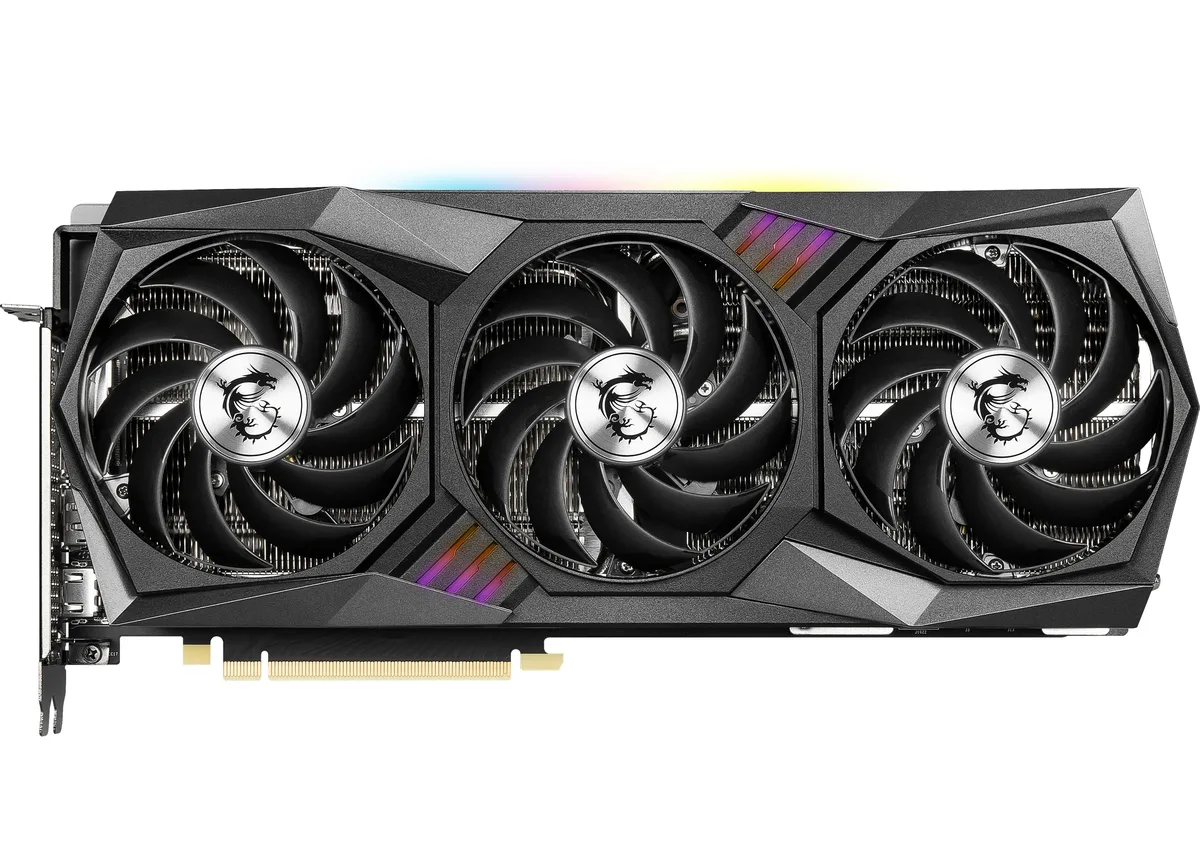
MSI RTX 3080 GAMING Z TRIO 12G LHR graphics card
Refurbished GeForce RTX 3080 with 12GB GDDR6X, 8960 CUDA cores, 1815 MHz boost and triple-fan cooling for 4K gaming
- InterfacePCI Express 4.0
- Chipset ManufacturerNVIDIA
- GPU SeriesNVIDIA GeForce RTX 30 Series
- GPUGeForce RTX 3080
- ArchitectureAmpere
- Boost Clock1815 MHz
- 12GB 384-bit GDDR6X memory feeds high-resolution textures at 19 Gbps
- 8960 CUDA cores deliver compute throughput for 4K gaming and creative workloads
- Boost clock reaches 1815 MHz for responsive frame rates under load
- HDMI 2.1 and three DisplayPort 1.4a outputs drive up to four 7680 x 4320 displays
- TRI FROZR 2 thermal design with TORX Fan 4.0 and core pipes keeps the 390W TDP card cool
12GB GDDR6X Ampere card
The MSI RTX 3080 Gaming Z Trio 12G LHR is a refurbished graphics card built on the Ampere architecture with 8960 CUDA cores and a 1815 MHz boost clock. It targets enthusiasts who need 12GB of 384-bit GDDR6X memory running at 19 Gbps for 4K gaming and creative workloads. The PCI Express 4.0 interface and triple-fan TRI FROZR 2 cooler support sustained performance.
Upgrade from 8GB or lower VRAM
Moving from a card with 8GB or less VRAM removes the texture pooling and stutter that appear in modern titles at high resolution. The 12GB frame buffer and 390W TDP make the jump worthwhile when your current GPU hits its memory limit before its compute limit. A 750W power supply and three 8-pin connectors are required to feed the higher power target.
Installation notes and common issues
The card occupies three slots and needs a case with sufficient length and airflow for the triple-fan design. Connect all three 8-pin power cables from separate rails if possible; daisy-chained cables can cause instability under load. Ensure the motherboard BIOS and GPU driver are current to avoid PCI Express 4.0 link-width negotiation problems.
Highlights
- 12GB 384-bit GDDR6X memory feeds high-resolution textures at 19 Gbps
- 8960 CUDA cores deliver compute throughput for 4K gaming and creative workloads
- Boost clock reaches 1815 MHz for responsive frame rates under load
- HDMI 2.1 and three DisplayPort 1.4a outputs drive up to four 7680 x 4320 displays
- TRI FROZR 2 thermal design with TORX Fan 4.0 and core pipes keeps the 390W TDP card cool
Specifications
| Brand | MSI |
|---|---|
| Series | Gaming |
| Model | RTX 3080 GAMING Z TRIO 12G LHR |
| Interface | PCI Express 4.0 |
| Chipset Manufacturer | NVIDIA |
| GPU Series | NVIDIA GeForce RTX 30 Series |
| GPU | GeForce RTX 3080 |
| Architecture | Ampere |
| Boost Clock | 1815 MHz |
| CUDA Cores | 8960 |
| Effective Memory Clock | 19 Gbps |
| Memory Size | 12GB |
| Memory Interface | 384-Bit |
| Memory Type | GDDR6X |
| DirectX | DirectX 12 Ultimate |
| OpenGL | OpenGL 4.6 |
| Multi-Monitor Support | 4 |
| HDMI | 1 x HDMI 2.1 |
| DisplayPort | 3 x DisplayPort 1.4a |
| Max Resolution | 7680 x 4320 |
| Virtual Reality Ready | Yes |
| Cooler | Triple Fans |
| Thermal Design Power | 390W |
| Recommended PSU Wattage | 750W |
| Power Connector | 3 x 8-Pin |
| HDCP Ready | Yes |
| Features | TRI FROZR 2 Thermal Design TORX Fan 4.0: A masterpiece of teamwork, fan blades work in pairs to create unprecedented levels of focused air pressure. Core Pipe: Precision-crafted heat pipes ensure max contact to the GPU and spread heat along the full length of the heatsink. Airflow Control: Don't sweat it, Airflow Control guides the air to exactly where it needs to be for maximum cooling. RGB Mystic Light Mystic Light gives you complete control of the RGB lighting for MSI devices and compatible RGB products. MSI Center MSI's exclusive MSI Center software lets you monitor, tweak and op |
| Form Factor | ATX |
| Max GPU Length | 323 mm |
| Card Dimensions (L x H) | 12.72" x 5.51" |
| Shipping weight | 1.88 kg |
| Package size | 406 × 221 × 79 mm |
Questions about this item
Will the triple-slot cooler and 390 W TDP fit in my mid-tower case and power supply?
The card uses a triple-fan TRI FROZR 2 cooler that occupies three expansion slots and has a 390 W thermal design power, so verify your case clearance and a 750 W PSU with three 8-pin PCIe cables.
What is the correct way to seat the PCI Express 4.0 interface and attach the three 8-pin power connectors without bending the PCB?
Align the gold fingers with the motherboard slot, press evenly until the retention latch clicks, then plug all three 8-pin connectors firmly into the card before routing cables to avoid torque on the board.
When should I plan to clean the TORX Fan 4.0 blades and re-paste the Core Pipe heatsink?
Dust the three fans every six months with compressed air; thermal paste on the GPU core pipe typically lasts several years, so replace it only if temperatures rise noticeably under load.
Also in this aisle
People compared these
Same shelf, same checkout — eight coins and a 30-minute rate lock.


PrimoChill
PrimoChill Praxis Wetbench Open-Air Test Bench 461.8mm
- Open-Air
$274.89
0.00355238BTC
In stock
Silverstone Technology
SilverStone Technology Strider 1200W 80 Plus Platinum Modular Power Supply
- ATX Mid Tower
- 1200W
$324.03
0.00418741BTC
In stock