


myVolts
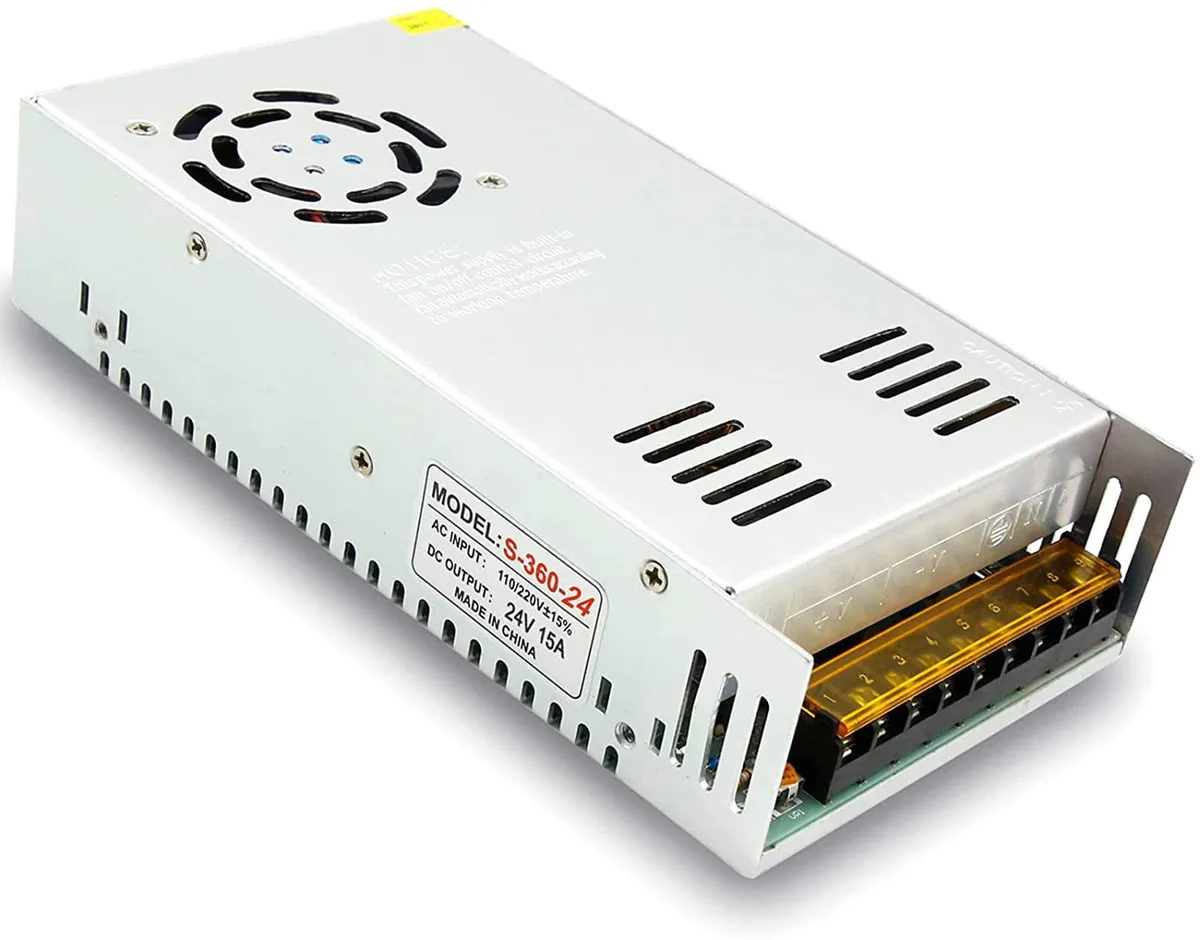
myVolts 24V 15A 360W Switching Power Supply
Converts 110V or 220V AC to 24V DC at 15A with 360W output, adjustable trim-pot, and overload, short-circuit and over-voltage protection
- TypeAT
- Converts AC 110V/220V to DC 24V 15A 360W
- Adjustable output voltage from 20.89V to 29.94V via trim-pot
- Auto-reset protection against short-circuit, overload and over-voltage 115%-135%
- Cooling fan activates automatically for low-temperature operation
- Suitable for continuous use up to 40% load at 60°C
24V 360W Switching Power Supply
The myVolts 24V 15A 360W Switching Power Supply converts AC 110V or 220V input to a regulated DC 24V output rated at 15A. It suits industrial automation, LED displays, communications equipment, computer projects, 3D printers and CCTV systems that require a steady 24V source. The unit delivers 360W maximum power with an adjustable trim-pot for fine voltage tuning.
Installation and common issues
A voltage selector switch on the chassis must be set to the correct AC input (110V or 220V) before the unit is energised; failure to do so will damage the supply. An auto on/off cooling fan manages thermals, while built-in short-circuit, overload and over-voltage protection (115%-135%) cut off the output and auto-reset. Professional installation by a licensed electrician is highly recommended.
Pre-order checklist
Verify that your load operates at 24V and draws less than 360W; continuous 24/7 operation should not exceed 40% of the full 360W rating. Confirm the ambient temperature stays within -10 to 60 degrees Celsius. Ensure the AC mains available at the install site matches either 110V or 220V so the selector switch can be set correctly.
Highlights
- Converts AC 110V/220V to DC 24V 15A 360W
- Adjustable output voltage from 20.89V to 29.94V via trim-pot
- Auto-reset protection against short-circuit, overload and over-voltage 115%-135%
- Cooling fan activates automatically for low-temperature operation
- Suitable for continuous use up to 40% load at 60°C
Specifications
| Type | AT |
|---|
Questions about this item
How do I confirm the supply is delivering the correct voltage after installation?
Measure the DC output with a multimeter; out of the box it reads 24.19 V, the trim-pot adjusts down to 20.89 V and up to 29.94 V.
What comes in the box and what must I source separately?
The unit itself is supplied; you must provide an AC mains cord for the 110 V or 220 V input and the DC wiring to your load.
Which input-voltage setting should I select for my region?
Use the external switch to choose 110 V or 220 V AC before powering on, matching your local mains supply.
Also in this aisle
People compared these
Same shelf, same checkout — eight coins and a 30-minute rate lock.


Silverstone Technology
Silverstone Decathlon R Gold 750W ATX 3.0 power supply
$146.99
0.00185479BTC
In stock
Silverstone Technology
Silverstone Technology FA311-B FARA 311 Micro-ATX PC case
- Micro ATX
$62.99
0.00079484BTC
In stock