

NEMIX RAM
NEMIX RAM 64GB DDR4 3200 4Rx4 1.2V 288-PIN ECC LRDIMM server RAM
- DDR4 3200 (PC4 2560…
- 22
$429.99
0.00548569BTC
In stockWe take cryptocurrency — so the coins you hold can buy real hardware.Pay in crypto, spend it on real hardware. Free insured shipping worldwide over $399. Plain, unbranded boxes, sent from Germany.Free insured shipping over $399. Your rate is locked for 30 minutes once checkout opens.Rate locked 30 minutes. Every item sealed, serial-checked and covered by a 24-month warranty.Sealed, 24-month warranty.
myVolts
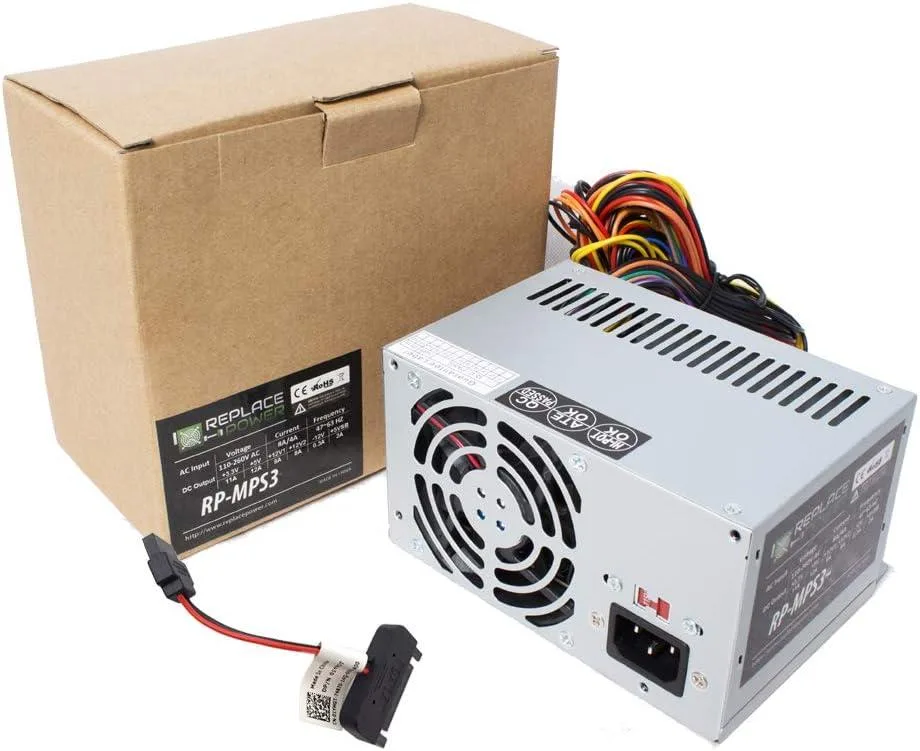
Replacement AT power supply with 20+4 pin ATX, 12 V 4-pin, 6-pin and three SATA connectors for HP Pavilion 510-p011la desktops
This power supply is built as a direct replacement for the HP Pavilion Desktop 510-p011la DT PC. It matches the original AT form factor and connector layout so the system powers up without adapter cables or case modifications. Ideal for owners restoring a failed unit or upgrading an ageing original supply.
The unit uses a conventional AT design with a 20+4 pin ATX connector, a +12V 4-pin CPU connector, three SATA power leads and one 6-pin peripheral connector. Power draw follows the host system’s demand; acoustic output and thermal behaviour remain consistent with the original supply under normal desktop workloads.
This PSU replaces the original equipment supply when it no longer delivers stable voltage or has suffered component fatigue. The jump is worth it when the desktop shows random shutdowns, boot failures or connector damage. Builders needing higher wattage for discrete graphics cards or additional drive bays cannot use this unit.
| Type | AT |
|---|
Align the 20+4 pin ATX connector with the motherboard socket and press firmly until the latch clicks; the step often missed is fully seating the separate 4-pin +12V connector near the CPU socket.
Periodically clean dust from the intake and exhaust vents with compressed air to keep airflow steady; no user-serviceable parts inside so no further replacement is expected.
The 11 A rating on the +12 V rail is the first ceiling you will hit during prolonged heavy draw.
Also in this aisle
Same shelf, same checkout — eight coins and a 30-minute rate lock.
What you pay in, and what you read prices in.
Sent from your wallet at checkout
Display only — the catalogue is priced in USD
No currency matches that.
Pick the language the site speaks to you in.
New here?
Already have one?
There is no automatic reset: this shop sends no mail, so there is no one-time link to ask for. Leave the address on the account and it gets picked up by hand.
Request noted
Nothing is on its way to your inbox — this shop sends no mail at all. Someone picks these up by hand.
Remembered it?



