Apple
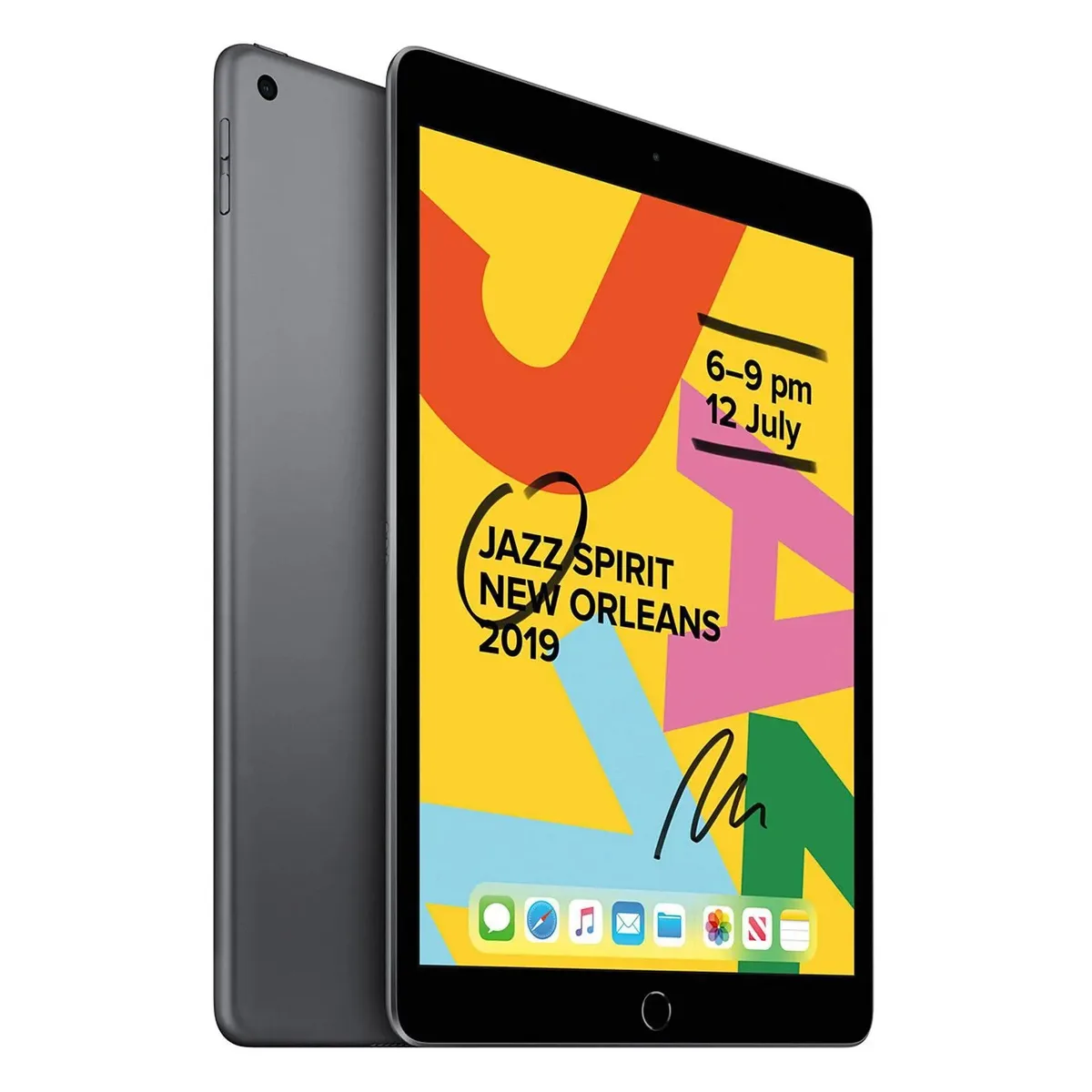
Apple iPad 10.2 7th Gen 2019 128GB Wi-Fi Space Gray Grade B
- 2019
- Space Gray
$126.99
0.00160991BTC
In stockWe take cryptocurrency — so the coins you hold can buy real hardware.Pay in crypto, spend it on real hardware. Free insured shipping worldwide over $399. Plain, unbranded boxes, sent from Germany.Free insured shipping over $399. Your rate is locked for 30 minutes once checkout opens.Rate locked 30 minutes. Every item sealed, serial-checked and covered by a 24-month warranty.Sealed, 24-month warranty.


Panasonic
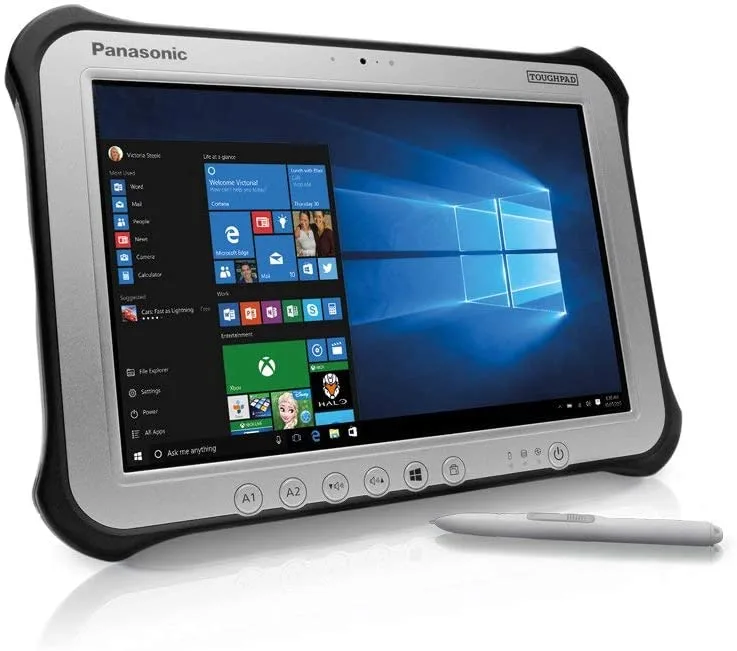
A rugged 10.1" WUXGA tablet with multi-touch and digitiser, Intel Core i5-6300U, 8GB RAM, 128GB SSD, Windows 10 Pro, IP65 and MIL-STD-810G rated for field use
Built-in Storage 128GB SSD
Struck-through versions exist but are not stocked here.
The Panasonic Toughpad FZ-G1 MK4 is a 10.1 inch rugged tablet running Windows 10 Pro on an Intel Core i5-6300U processor with 8GB of memory. Its IP65 sealed chassis and MIL-STD-810G certification suit mobile workers in logistics, utilities and public safety who need a computer that survives drops, shock, dust and water jets. The WUXGA multi-touch plus digitizer display works with gloves or a stylus in wet conditions.
The dual-core CPU with 3MB smart cache maintains clock speeds up to 3.00GHz under load while the fanless design eliminates moving parts that fail in dirty environments. Operating range spans -10°C to 50°C at 30% to 80% humidity without condensation. The standard 10.8V 4400mAh battery supports full-shift use and the Intel HD Graphics 520 drives the 1920 x 1200 panel or an external display via HDMI without thermal throttling.
Field teams carrying standard slate devices that crack on concrete or fog in rain move to this platform when downtime costs exceed the rugged premium. It upgrades workflows that previously required paper forms or secondary rugged laptops by combining a digitizer for signatures, 8.0MP rear camera for documentation and Gigabit LAN for wired docks. Buyers who need cellular connectivity or a larger screen should evaluate other form factors.
| Brand | Panasonic |
|---|---|
| Series | Toughpad |
| Model | Toughpad FZ-G1 MK4 |
| Part Number | FZ-G1P67XXXX |
| Color | Silver |
| Operating System | Windows 10 Pro |
| Processor Name | 2.40 GHz |
| Number of Cores | Dual-core Processor |
| CPU Support | 3 MB Smart Cache |
| Screen Size | 10.1" |
| Touchscreen | Touch Screen |
| Display Type | Wide XGA |
| Display Features | Multi Touch + Digitizer |
| Resolution | 1920 x 1200 |
| Webcam | Yes |
| Front-Facing Camera | 720p |
| Rear Camera | 8.0 MP |
| GPU/VPU | Intel HD Graphics 520 |
| Built-in Storage | 128GB SSD |
| SSD | 128GB |
| Memory | 8GB |
| Memory Spec | 8 GB RAM |
| LAN | 10/100/1000Mbps |
| WLAN | Yes |
| Bluetooth | Yes |
| USB | 1x USB 3.0 |
| HDMI | 1 x HDMI |
| Docking Connector | 1 |
| Audio Ports | 1 x Headphone/Microphone Combo Jack |
| Audio | Water/Dust resistant mono speaker with internal mic for webcam |
| AC Adapter/Charger | Panasonic Adapter included |
| Battery | Li-ion 10.8V, 4400 mAh (standard) |
| Function | Tablet PC |
| Dimensions (W x D x H) | 10.63" x 7.40" x 0.75" |
| Weight | 2.43 lbs |
| Package Content | Rugged Tablet - PC, Panasonic adapter |
The tablet uses a fanless design with passive cooling, so it runs silently. Its low-power CPU and 4400 mAh battery keep surface temperatures moderate even during continuous operation.
You only need a monitor with HDMI input, a USB keyboard or mouse, and a wired Ethernet cable. The dock connector also supports Panasonic desk cradles for one-cable docking.
Both cameras are standard UVC devices, so they are recognised by older conferencing software without extra drivers. The digitizer and multi-touch screen also remain fully functional in desktop mode.
Also in this aisle
Same shelf, same checkout — eight coins and a 30-minute rate lock.
What you pay in, and what you read prices in.
Sent from your wallet at checkout
Display only — the catalogue is priced in USD
No currency matches that.
Pick the language the site speaks to you in.
New here?
Already have one?
There is no automatic reset: this shop sends no mail, so there is no one-time link to ask for. Leave the address on the account and it gets picked up by hand.
Request noted
Nothing is on its way to your inbox — this shop sends no mail at all. Someone picks these up by hand.
Remembered it?