


Redragon
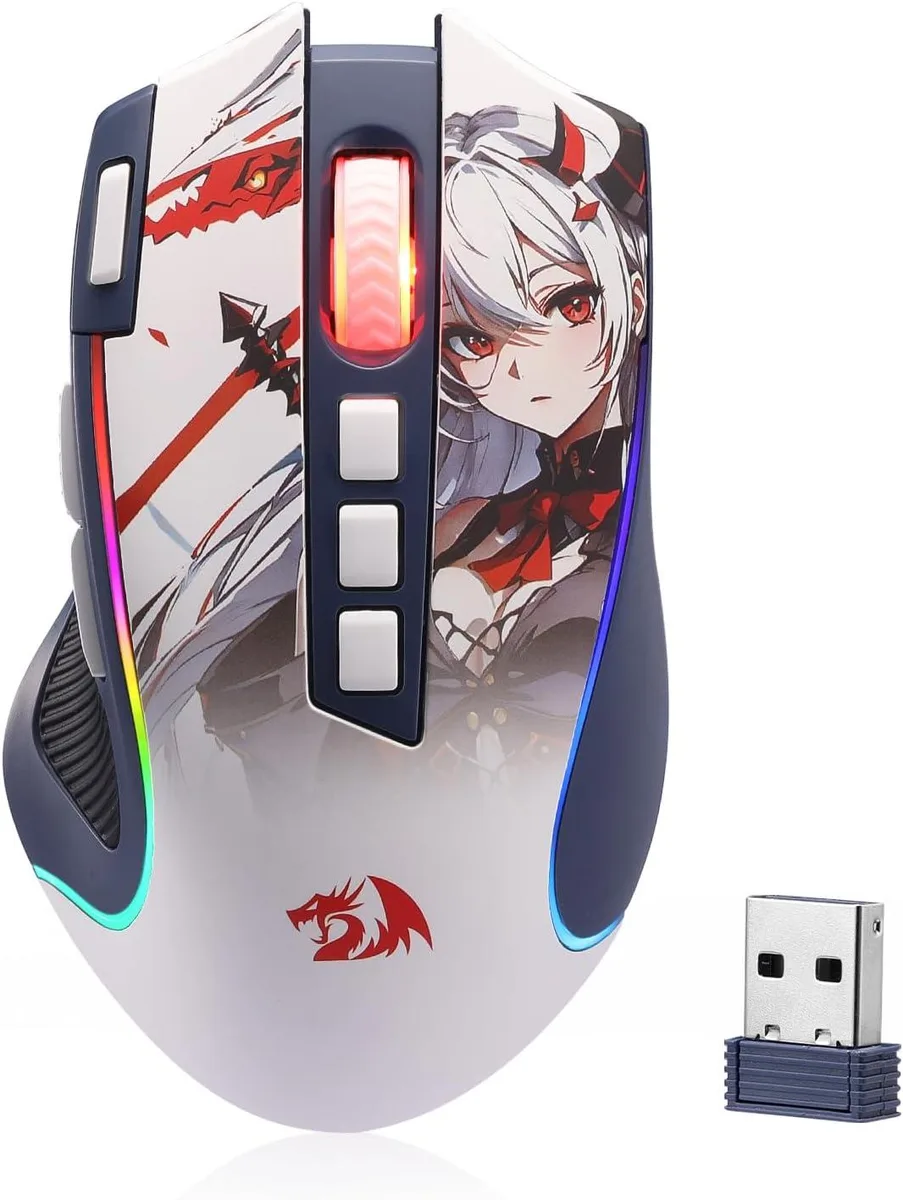
Redragon M612AK PRO gaming mouse 8000 DPI 2.4 GHz
A wireless gaming mouse with 8000 DPI, nine programmable buttons and three connection modes
- Tri-mode connectivity with Bluetooth and 2.4 GHz wireless freedom
- 8000 DPI optical sensor across five adjustable levels for precise tracking
- Nine fully programmable buttons including rapid-fire and side macros
- Ergonomic frosted coating with rubber side grip for fatigue-free control
- Seven dynamic RGB backlight modes to match your gaming setup
Redragon M612AK PRO gaming mouse
The Redragon M612AK PRO is a gaming mouse built for players who want wireless freedom without losing a wired connection option. It connects through 2.4 GHz wireless, Bluetooth or a cable, and its 8000 DPI optical sensor covers a wide sensitivity range for different game genres.
3-mode connectivity and ergonomic grip
Three connection modes let you switch between low-latency 2.4 GHz wireless, Bluetooth for everyday tasks and a wired link when the battery runs low. A frosted coating resists fingerprints while a rubber texture on the left side adds friction for steadier control during long sessions.
Upgrade from basic office mice
This mouse replaces standard office peripherals that lack programmable buttons, adjustable DPI or RGB lighting. The jump is worth it when you need nine reassignable buttons, a rapid-fire button and on-the-fly DPI switching for competitive play or productivity macros.
Highlights
- Tri-mode connectivity with Bluetooth and 2.4 GHz wireless freedom
- 8000 DPI optical sensor across five adjustable levels for precise tracking
- Nine fully programmable buttons including rapid-fire and side macros
- Ergonomic frosted coating with rubber side grip for fatigue-free control
- Seven dynamic RGB backlight modes to match your gaming setup
Specifications
No published specifications for this item yet.
Questions about this item
How do I install the 2.4 GHz receiver and pair the mouse, and what step do people miss?
Plug the 2.4 GHz receiver into a USB port, slide the mode switch to 2.4G, then hold the pairing button on the mouse until the LED confirms the link; many forget to set the switch before pairing.
Which parts of the Redragon M612AK PRO will need replacement after extended use?
The PTFE feet wear down and the main button switches can develop double-clicks; both are user-replaceable with standard mouse feet and compatible micro-switches.
At what point does the 8000 DPI sensor show its limit during long sessions?
On very glossy or glass surfaces the optical sensor loses tracking consistency before the DPI ceiling is reached, so a textured pad is needed for sustained accuracy.
Also in this aisle
People compared these
Same shelf, same checkout — eight coins and a 30-minute rate lock.



AVID Products
AVID Products R-Go HE Vertical Wired 3400dpi Left Hand Mouse Black Silver
$55.99
0.00071393BTC
In stock