
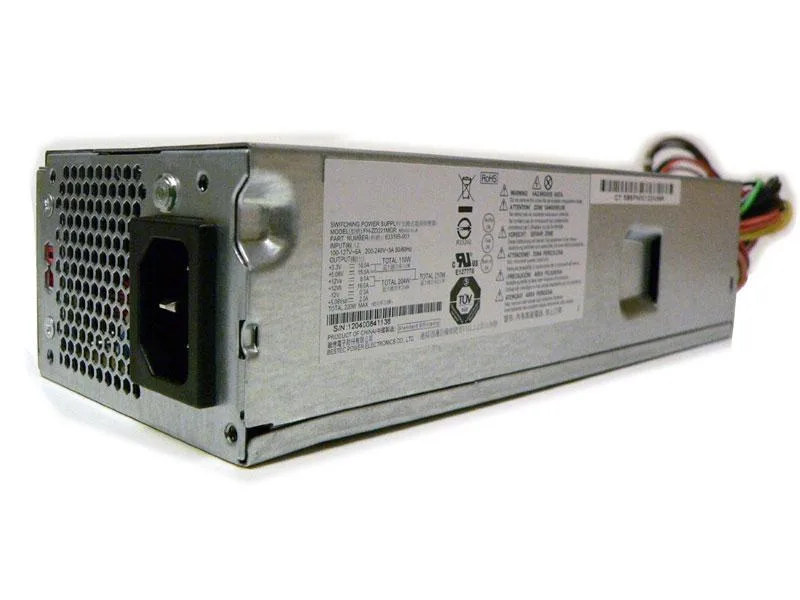


Replace Power
Replace Power 220W Flex-ATX power supply for HP Slimline s5-1021p
A 220 W Flex-ATX unit with 24-pin, 4-pin and two Sata connectors for the HP Pavilion Slimline s5-1021p desktop
- ColorGrey
- TypeProprietary Power Supply
- Weight1
- 220 W output keeps a Slimline desktop running
- 115 / 230 V input handles mains worldwide
- 24-pin plus 4-pin plus 2 Sata connectors cover the mainboard and drives
- Proprietary Flex-ATX form factor fits the HP Slimline s5-1021p chassis
- Genuine Bestec FH-ZD221MGR unit matches HP part 633195-001
Purpose and fit
This Replace Power Flex-ATX unit delivers 220 W through a proprietary form factor built for the HP Pavilion Slimline s5-1021p. It suits owners of that chassis who need a direct-replacement power source. Builders using standard ATX or other proprietary cases cannot use this supply.
Thermals, noise and power
The 220 W maximum output draws from 115 V or 230 V mains without a voltage switch. Normal desktop loads stay well within that ceiling, so the internal fan runs at modest speed and keeps acoustic output low. No efficiency rating or thermal data is provided by the supplier.
Connectors and installation
A 24-pin motherboard connector, a 4-pin auxiliary connector and two Sata power leads are moulded into the harness. These cables power the board, CPU and a pair of Sata drives without adapters. Systems requiring PCIe power, additional Sata devices or a floppy connector will need a different supply.
Highlights
- 220 W output keeps a Slimline desktop running
- 115 / 230 V input handles mains worldwide
- 24-pin plus 4-pin plus 2 Sata connectors cover the mainboard and drives
- Proprietary Flex-ATX form factor fits the HP Slimline s5-1021p chassis
- Genuine Bestec FH-ZD221MGR unit matches HP part 633195-001
Specifications
| Brand | Replace Power |
|---|---|
| Color | Grey |
| Type | Proprietary Power Supply |
| Weight | 1 |
Questions about this item
How do I install the Replace Power 220W Flex-ATX unit in my HP Slimline s5-1021p, and what step is often missed?
Remove the chassis side panel, slide the Flex-ATX supply into the dedicated bay, secure it with the original screws, then connect the 24-pin motherboard plug, the 4-pin plug and both Sata power leads; the step often missed is fully seating the 4-pin connector until it clicks.
What maintenance or replacement will this power supply need over time?
The internal fan is the only moving part; plan to clean dust from the intake vents periodically and replace the entire unit if the fan becomes noisy or voltages drift.
What limit appears first when the supply runs continuously near its 220W rating?
Sustained loads near 220W will hit the thermal limit of the compact Flex-ATX enclosure first, causing the fan to spin faster and the unit to throttle or shut down to protect itself.
Also in this aisle
People compared these
Same shelf, same checkout — eight coins and a 30-minute rate lock.


Silverstone Technology
Silverstone Decathlon R Gold 750W ATX 3.0 power supply
$146.99
0.0018633BTC
In stock
Silverstone Technology
Silverstone Technology FA311-B FARA 311 Micro-ATX PC case
- Micro ATX
$62.99
0.00079848BTC
In stock