

PNY Technologies, Inc.
PNY Technologies, Inc. VCNRTX2000ADAS-LLP RTX 2000E ADA 16GB GDDR6 workstation graphics card
- PCI Express 4.0 x8
- NVIDIA
$652.99
0.00824618BTC
In stockWe take cryptocurrency — so the coins you hold can buy real hardware.Pay in crypto, spend it on real hardware. Free insured shipping worldwide over $399. Plain, unbranded boxes, sent from Germany.Free insured shipping over $399. Your rate is locked for 30 minutes once checkout opens.Rate locked 30 minutes. Every item sealed, serial-checked and covered by a 24-month warranty.Sealed, 24-month warranty.
Replace Power
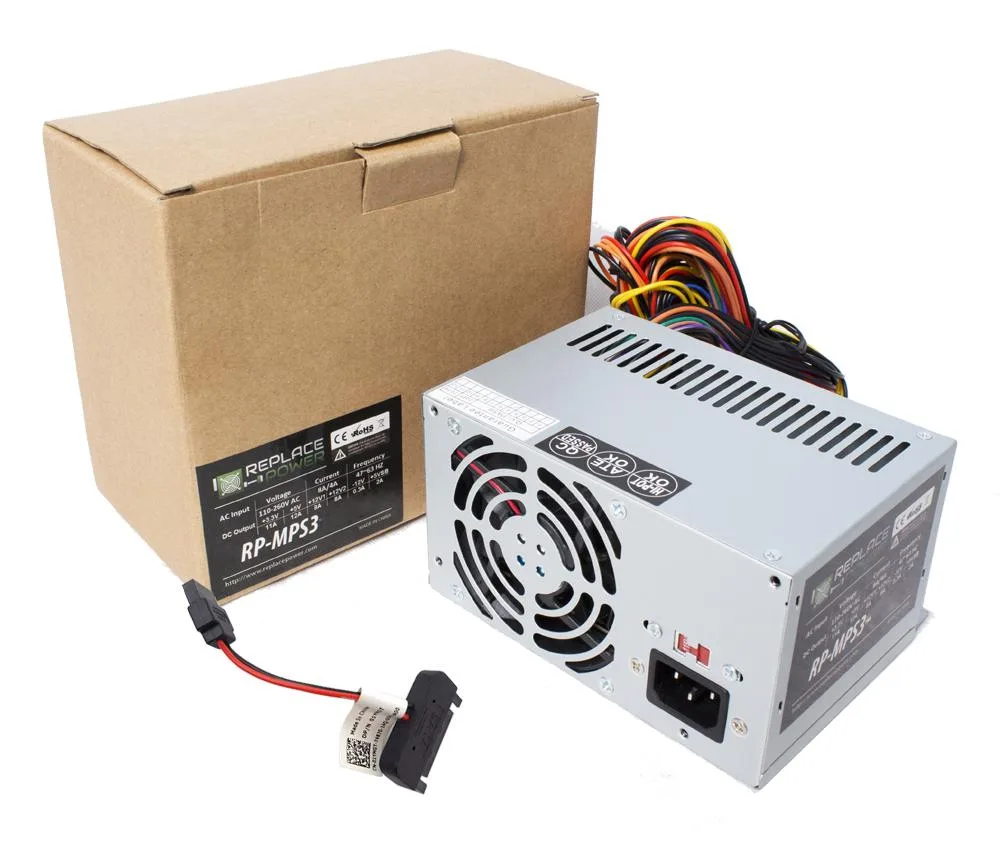
ATX power supply with 20+4 pin, 4-pin 12V, 6-pin and three SATA connectors for HP Pavilion 550-310 desktops
This ATX power supply is a direct replacement upgrade for the HP Pavilion Desktop 550-310. It fits the original chassis and connector layout without modification. The unit suits owners restoring a failed system or upgrading an ageing unit.
One fan manages thermals while the 20+4 pin ATX and +12V 4-pin connectors feed the motherboard. Three SATA power leads and a 6-pin connector support drives and expansion cards. Power delivery follows the original specification for stable operation.
The jump is worth it when the original supply has died, become noisy or cannot support added storage and a dedicated graphics card. Builders needing more than three SATA devices or multiple PCIe power cables should look elsewhere.
| Brand | Replace Power |
|---|---|
| Color | Grey |
| Type | ATX |
| Fans | 1 |
| Weight | 1 |
Mount the unit in the chassis, connect the 20+4 pin ATX connector to the motherboard, attach the +12V 4-pin CPU power cable, then plug the 6-pin and SATA leads into the graphics card and drives; the step most often missed is seating the 6-pin connector fully until it clicks.
The single internal fan is the only moving part; if it becomes noisy or stops spinning, the entire unit should be replaced rather than serviced.
With only one fan providing airflow, thermal headroom is the first constraint during prolonged high-wattage operation.
Also in this aisle
Same shelf, same checkout — eight coins and a 30-minute rate lock.
What you pay in, and what you read prices in.
Sent from your wallet at checkout
Display only — the catalogue is priced in USD
No currency matches that.
Pick the language the site speaks to you in.
New here?
Already have one?
There is no automatic reset: this shop sends no mail, so there is no one-time link to ask for. Leave the address on the account and it gets picked up by hand.
Request noted
Nothing is on its way to your inbox — this shop sends no mail at all. Someone picks these up by hand.
Remembered it?


