


RIMLANCE
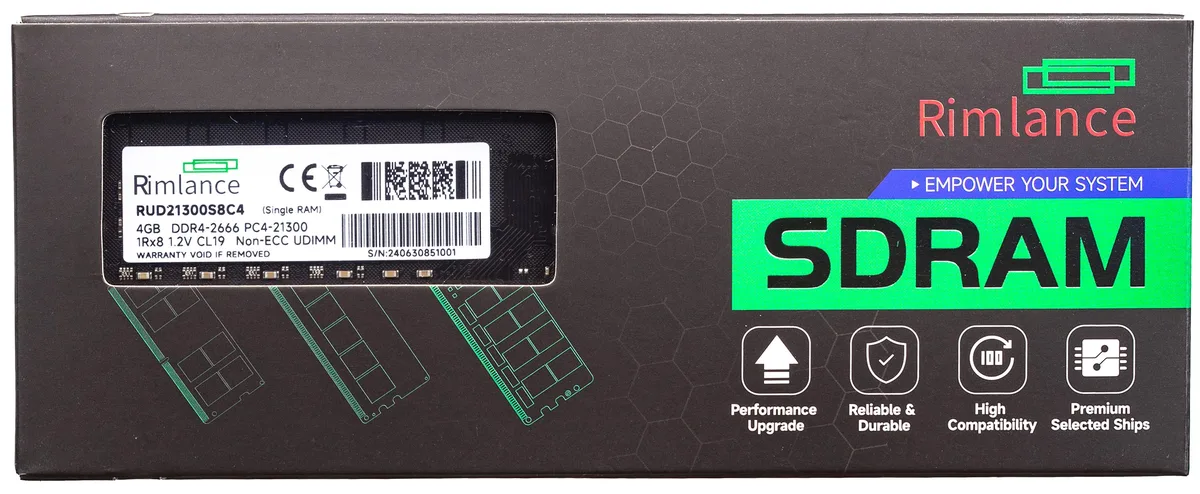
RIMLANCE RUD21300S8C4 4GB DDR4 2666 CL19 1.2V UDIMM 1Rx8
A 4 GB DDR4 UDIMM running at 2666 MHz with CL19 latency and 1.2 V operation
- Capacity4GB
- TypeRUD21300S8C4
- SpeedDDR4 2666 (PC4 21300)
- CAS LatencyCL19
- ECCNo
- Buffered/RegisteredUnbuffered
- Boosts multitasking with 4GB DDR4 capacity
- Runs at 2666MHz PC4-21300 data rate
- Low 1.2V voltage cuts power draw
- CL19 latency keeps response snappy
- Unbuffered 1Rx8 UDIMM fits standard desktops
RIMLANCE 4GB DDR4 2666 UDIMM
This single 4GB unbuffered DDR4 module runs at 2666MHz with CL19 latency and 1.2V operation. The 1Rx8 organisation fits standard desktop DIMM slots and uses major-brand chips for baseline stability. It adds entry-level capacity for everyday office or home systems.
Upgrade from 2GB or empty slots
Replacing a 2GB stick or populating a free slot doubles usable memory for light multitasking. The jump is worthwhile when the current system stutters with several browser tabs or office applications open. It restores headroom without requiring a full platform change.
Handles web browsing and document editing
The 4GB capacity comfortably runs a modern OS with typical productivity apps and a handful of browser tabs. It runs out when editing large media files, running virtual machines or keeping many heavy applications open simultaneously. Additional modules would be needed for those workloads.
Highlights
- Boosts multitasking with 4GB DDR4 capacity
- Runs at 2666MHz PC4-21300 data rate
- Low 1.2V voltage cuts power draw
- CL19 latency keeps response snappy
- Unbuffered 1Rx8 UDIMM fits standard desktops
Specifications
| Brand | RIMLANCE |
|---|---|
| Model | RUD21300S8C4 |
| Capacity | 4GB |
| Type | RUD21300S8C4 |
| Speed | DDR4 2666 (PC4 21300) |
| CAS Latency | CL19 |
| ECC | No |
| Buffered/Registered | Unbuffered |
| Chipset | Major Brand Chipset |
Questions about this item
Does the 1Rx8 UDIMM need a 288-pin DDR4 slot?
Yes, it is a standard DDR4 UDIMM that fits a 288-pin desktop DIMM socket.
What is the correct way to seat the module so the CL19 timing works?
Align the notch with the slot key, press down evenly until both side clips click, then verify 2666 MHz in BIOS.
When should the 1.2 V module be replaced?
Replace if memory diagnostics report errors or the system becomes unstable under load.
Also in this aisle
People compared these
Same shelf, same checkout — eight coins and a 30-minute rate lock.


PrimoChill
PrimoChill Praxis Wetbench Open-Air Test Bench 461.8mm
- Open-Air
$274.89
0.00355155BTC
In stock
Silverstone Technology
SilverStone Technology Strider 1200W 80 Plus Platinum Modular Power Supply
- ATX Mid Tower
- 1200W
$324.03
0.00418643BTC
In stock