


SPTUO
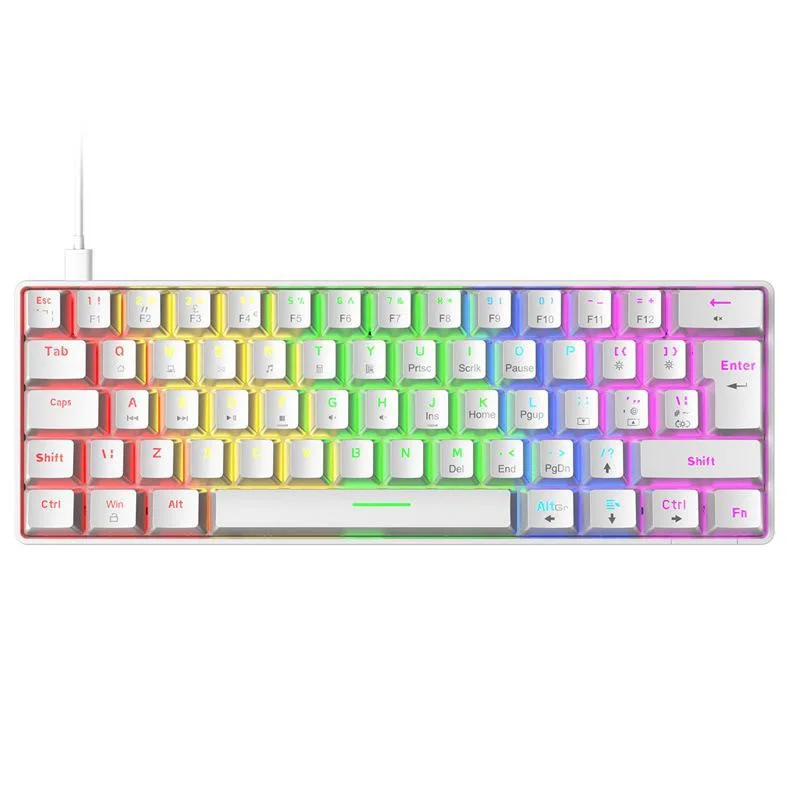
SPTUO T60 62-key mechanical gaming keyboard white blue switch USB-C wired 18 RGB
A compact 62-key mechanical keyboard with blue switches, USB-C wired connection and 18 RGB lighting effects
- Keyboard ColorWhite
- 62-key compact layout frees desk space for mouse movement
- Blue mechanical switches deliver tactile click feedback for precise keystrokes
- 18 RGB lighting effects let you personalise the look
- Two-colour injection keycaps resist wear and oil buildup
- USB-C detachable cable enables quick plug-and-play setup
Compact 62-key layout
The SPTUO T60 is a compact mechanical keyboard with 62 keys in a white finish. Blue tactile switches provide clicky feedback suited to typing and gaming. A detachable USB-C cable enables plug-and-play use on Windows XP through 10 and macOS 10.2 or later. Two-colour injection-moulded keycaps resist wear and oil buildup.
Gamers wanting minimal desk footprint
This board suits players who prefer a small form factor and tactile clicky switches. Users who require a numeric keypad, dedicated function row or macro keys should look elsewhere. The single fixed cable and lack of wireless connectivity also rule it out for anyone needing Bluetooth or multi-device pairing.
Fits tight desk spaces and frees mouse room
At 290 mm wide and 100 mm deep the keyboard leaves extra room for mouse movement. The removable USB-C cable simplifies routing and transport. Onboard memory stores the 18 RGB lighting presets without software. No extra drivers or power adapters are required for any supported operating system.
Highlights
- 62-key compact layout frees desk space for mouse movement
- Blue mechanical switches deliver tactile click feedback for precise keystrokes
- 18 RGB lighting effects let you personalise the look
- Two-colour injection keycaps resist wear and oil buildup
- USB-C detachable cable enables quick plug-and-play setup
Specifications
| Keyboard Color | White |
|---|
Questions about this item
Does the T60 need any driver installed on Windows 10 before the blue switches register?
The keyboard uses a plug-and-play Type-C wired connection and works on Windows 10 without extra software.
Will the compact 62-key layout still let me keep my existing full-size keycap set for the alphanumeric rows?
Standard alphanumeric keycaps fit the blue switches, but the T60 omits the number pad, function row and dedicated navigation cluster.
How can I confirm the 18 RGB light effects are cycling correctly after I plug the Type-C cable in?
The onboard memory indicator is preset; pressing the lighting shortcut cycles through all 18 RGB modes so you can verify each effect visually.
Also in this aisle
People compared these
Same shelf, same checkout — eight coins and a 30-minute rate lock.



Razer USA Ltd
Razer Huntsman V3 Pro Mini 60% Wired Analog Optical Gaming Keyboard White
$70.99
0.0009052BTC
In stock
TUKO
TUKO YK82 75% Aluminium Mechanical Gaming Keyboard with Knob (Black Pink PBT)
- 75%
$53.99
0.00068843BTC
In stock