


Thunderobot
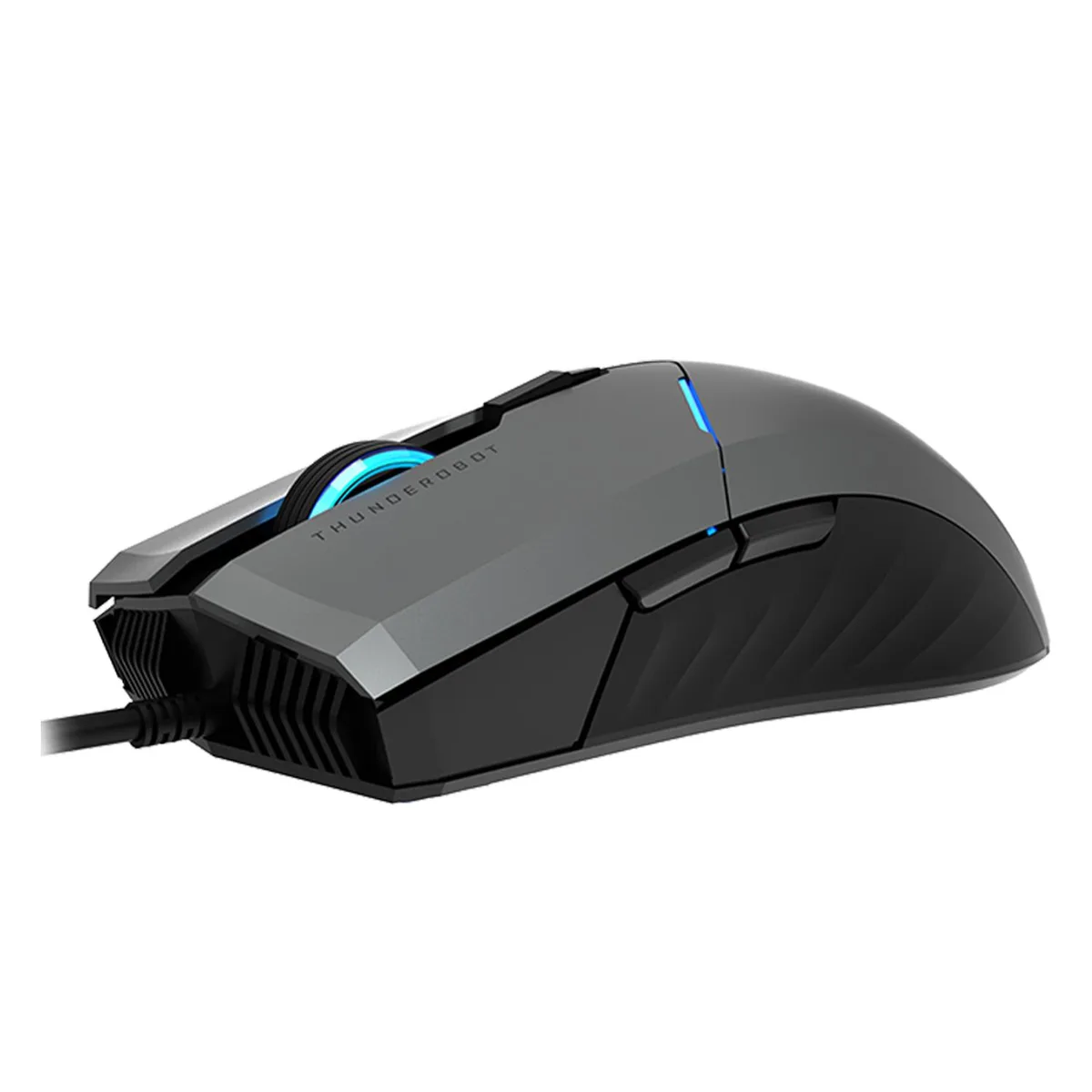
Thunderobot MG701 Wired Gaming Mouse Black 4200 DPI
Wired gaming mouse with a PWA3519 optical sensor reaching 4200 DPI, 1000 Hz polling, PTFE feet and switches rated for 20 million clicks
- TypeUSB Receiver
- ColorBlack
- SizeStandard
- Precise aiming with up to 4200 DPI optical sensor
- Instant response from 1000 Hz polling rate
- Durable 20 million click optical switches
- Comfortable claw-grip shape with anti-slip side grips
- Smooth glide on low-friction PTFE feet
Wired Gaming Mouse with 4200 DPI Sensor
The Thunderobot MG701 is a wired gaming mouse built around a PWA3519 optical sensor with a maximum sensitivity of 4200 DPI. It connects via USB 2.0 or USB 3.0 and uses a 1000 Hz polling rate to register movements and clicks up to eight times faster than conventional mice. Optical switches on the primary buttons are rated for 20 million clicks and deliver crisp tactile feedback.
Suited for Claw-Grip Players.
The streamlined claw-grip shape and low-friction PTFE feet suit gamers who prefer a standard-sized mouse for fast, controlled swipes. Anti-slip side grips add stability during long sessions. Users who need adjustable lift-off distance, onboard profile storage, or sensitivity well above 4200 DPI should look at other models.
1000 Hz Polling Rate and Optical Switches
A native 1000 Hz polling rate combined with optical left and right switches provides the hyper-fast response that decides competitive performance. The 20 million click lifecycle ensures the switches keep pace with the sensor over extended use. These two specifications together define whether the MG701 matches your speed and durability requirements.
Highlights
- Precise aiming with up to 4200 DPI optical sensor
- Instant response from 1000 Hz polling rate
- Durable 20 million click optical switches
- Comfortable claw-grip shape with anti-slip side grips
- Smooth glide on low-friction PTFE feet
Specifications
| Type | USB Receiver |
|---|---|
| Color | Black |
| Size | Standard |
Questions about this item
How can I confirm the mouse is polling at 1000 Hz after I plug it in?
The product supports a polling rate range of 200 to 1000 Hz; use the manufacturer's configuration software to select 1000 Hz and verify the setting there.
What comes in the box and do I need a separate cable or adapter?
The mouse connects via a built-in USB 2.0 / USB 3.0 cable, so no extra cable or adapter is required; only the mouse itself is included.
Which DPI setting should I choose for a 1080p monitor?
The sensor offers up to 4200 DPI; pick any level within that range that matches your sensitivity preference — there is only one sensor specification to choose from.
Also in this aisle
People compared these
Same shelf, same checkout — eight coins and a 30-minute rate lock.



BFKK
BFKK Wireless Gaming Mouse PAW 3950Max 42000 DPI 8KHz 38g Black & Sticker
- Black
$106.99
0.00136458BTC
In stock
